
What Is an Electronic Message Center? A Complete Guide with Cost and Types
What is an electronic message center? It is a programmable LED sign that displays changing text, graphics, and sometimes video content to communicate real-time messages effectively. These digital signs allow quick updates without replacing physical panels, making them ideal for promotions and announcements.
The ability to change messages instantly helps you attract attention and engage your local audience efficiently. Consider starting by evaluating your location’s visibility to maximize impact.
Key Takeaways
- An electronic message center uses LED technology for vibrant, clear display of text and graphics.
- EMCs enable instant message updates, reducing costs from printing new signs or banners.
- They support dynamic content such as animations and videos to boost customer engagement.
- Locating your EMC near high-traffic areas within a 5-mile radius optimizes local reach.
- EMCs offer a lower cost per thousand impressions compared to traditional media channels.
- Programming flexibility allows timely promotions tailored to events, weather, or inventory.
What Is an Electronic Message Center and How It Works
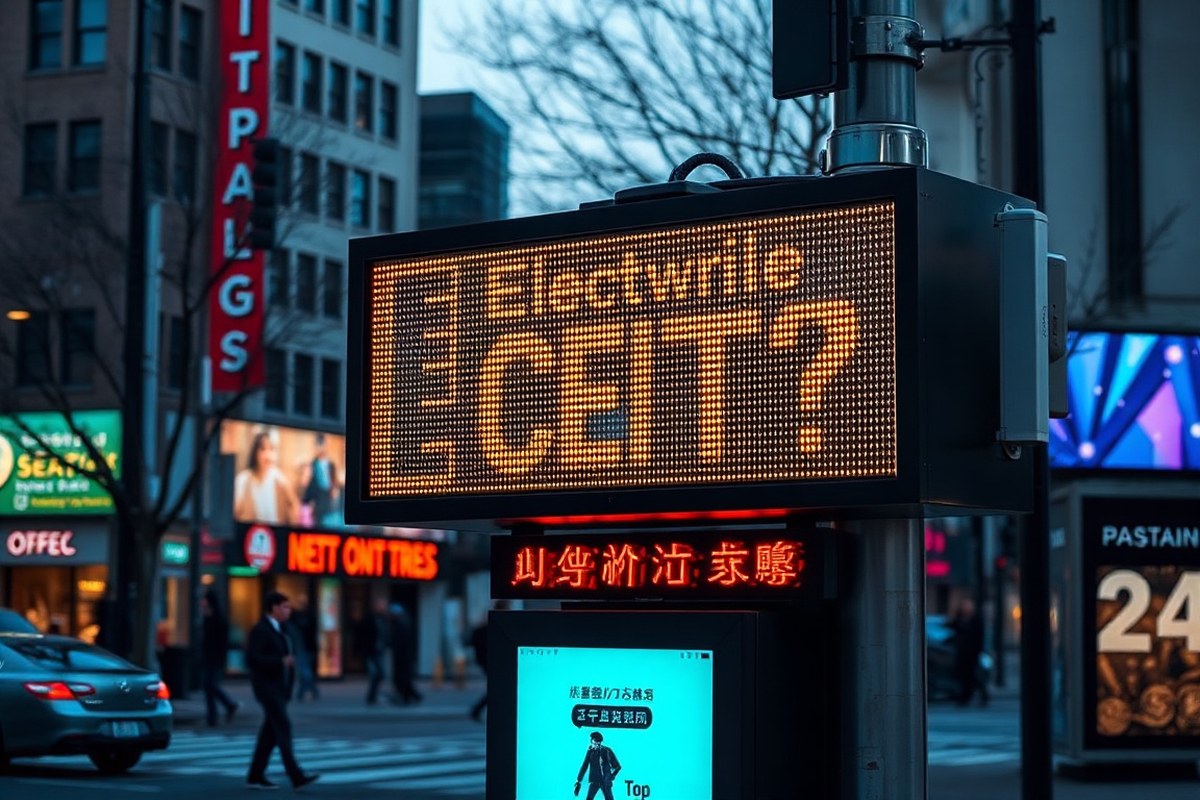
An electronic message center (EMC) is a digital sign that uses LED technology to display changing content such as text, images, graphics, animations, and sometimes video. These signs allow businesses to update their messages quickly and remotely, without the need for physical changes to traditional signage. The programmable nature of EMCs means you can promote sales, announce events, or share important information instantly, targeting your audience in real time.
The core technology behind an EMC involves light-emitting diodes (LEDs) arranged to form pixels on a screen. Each pixel can light up in various colors and brightness levels depending on the content being displayed. A controller processes digital files and sends signals to the LED modules to illuminate specific pixels. This setup enables smooth transitions, clear images, and readable text from several inches to hundreds of feet away, making them highly visible in different lighting conditions including bright sunlight.
You control the content through software that connects to the EMC via wired or wireless networks. This software allows you to program multiple messages, schedule changes, and even create animated sequences. For example, you might schedule morning greetings, mid-day promotions, and evening announcements all within the same display. Prices for EMCs vary based on size, resolution, and features, with smaller basic models starting around a few thousand dollars, while larger, more advanced displays can cost tens of thousands. Installation typically involves mounting the sign securely with an electrical connection, and some vendors also offer training on the software operation.
The types of content displayed on an electronic message center range widely. You can show plain text notices like hours of operation or safety messages, eye-catching graphics and logos, animated promotions to attract attention, and even full-motion videos if the sign supports it. This dynamic content capability is why EMCs have become popular for businesses, schools, and municipalities aiming to communicate changing information easy without replacing physical sign elements each time.
For your business, an EMC sign can significantly increase engagement because 85% of customers live or work within five miles, according to the Sign Research Foundation. By updating your messaging to reflect current offers or news, you keep your audience informed and draw them to your location. These signs eliminate the delays and costs associated with printed materials while offering more flexibility to adapt to your day-to-day marketing needs.
Key Components of an Electronic Message Center
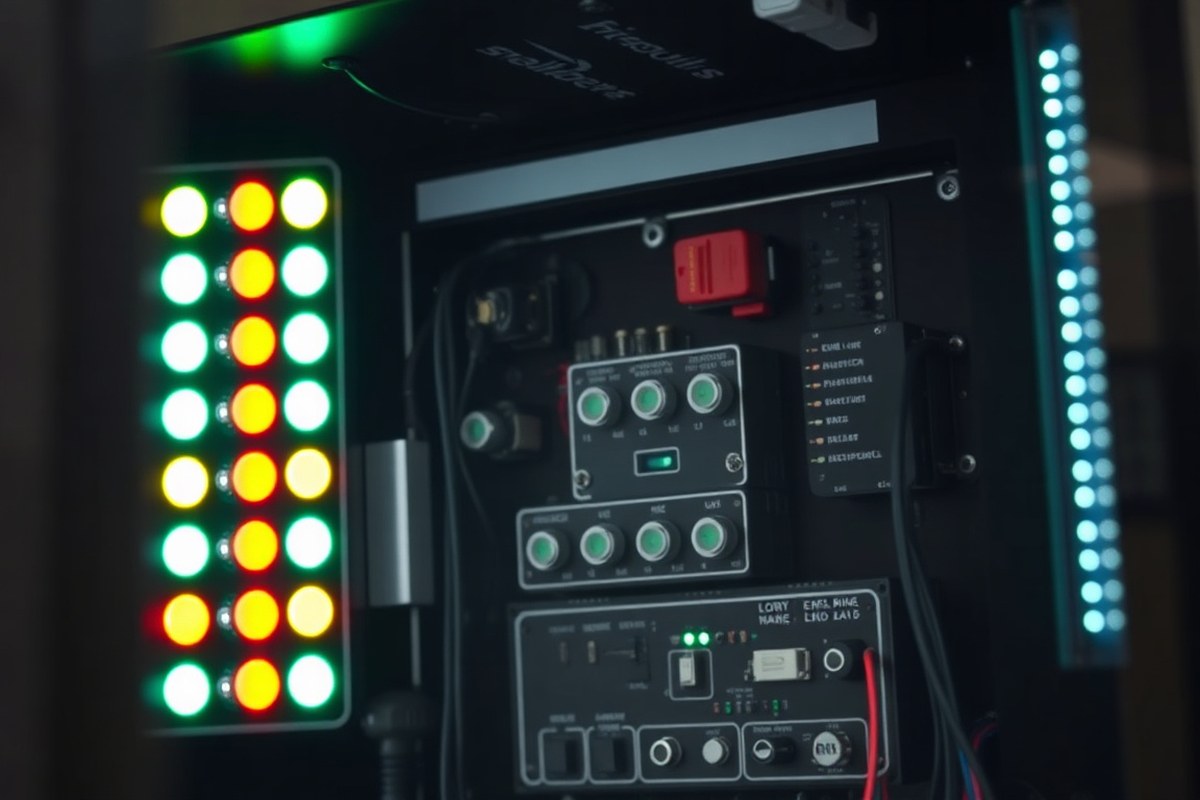
An electronic message center (EMC) consists primarily of hardware components and software that work together to create dynamic, changeable digital signage. The core hardware includes a display panel made up of thousands of LEDs, a controller or media player, and the necessary power supply and enclosure designed to withstand outdoor conditions. The LED display is what viewers actually see, and its quality affects brightness, color, viewing angle, and durability. Outdoor models typically feature high-brightness LEDs capable of remaining visible in direct sunlight and resistant to weather elements like rain or snow. The enclosure protects sensitive components and ensures the unit operates reliably in temperatures ranging from below freezing to well above 100°F.
The control system is the brain of the EMC. It usually consists of a media player or computer connected to the LED display that stores, schedules, and manages the content. Content management software runs on this device or via a remote server, allowing users to create text, graphics, animations, and even video to display on the sign. This software enables scheduling changes throughout the day to display time-sensitive messages such as daily promotions, announcements, or emergency alerts. Most software platforms offer a user-friendly interface and remote access via the internet to update the content from any location.
Communication between the controller and the display happens through a wired or wireless connection, often Ethernet or Wi-Fi. This connection must be stable and fast enough to handle the data traffic to update the LED pixels smooth. Larger or higher-resolution EMCs require more bandwidth and processing power to maintain smooth content transitions. Installation also involves integrating the EMC with electrical power, typically requiring a dedicated circuit to handle the sign’s energy consumption, which can vary widely but often ranges from 100 to 400 watts during operation.
Some electronic message centers include advanced sensors that adjust brightness automatically based on ambient light, improving both visibility and energy efficiency. Other optional hardware like temperature sensors or protective coatings can improve performance and lifespan, which typically spans 7 to 15 years depending on usage and maintenance.
Ensure your EMC’s software supports easy remote updates and scheduling, so you can keep your messages fresh without needing onsite technicians each time.
The interaction of these components, LED display, controller, software, communication links, and power system, makes electronic message centers versatile tools for businesses and organizations. Proper configuration and regular software updates optimize reliability and message impact. Choosing an EMC tailored to your viewing environment, message complexity, and update frequency will help you avoid display issues such as flickering, poor visibility, or slow content changes, which can undermine your communication goals.
Types of Electronic Message Centers and Their Differences
Electronic message centers (EMCs) come in three main types based on their display technology and color capabilities: monochrome, tri-color, and full-color. Each type supports different messaging needs and visual effects suited to specific business or community use cases. Choosing the right one depends on your budget, message complexity, and audience engagement goals.
Monochrome EMC Displays
Monochrome displays show one color, typically red or amber, using LED pixels. They offer strong visibility in various lighting conditions, especially outdoors. These signs are ideal for simple text messages like announcements, hours of operation, or alerts, where color variation is less important.
Monochrome systems tend to be the most affordable EMC option. They usually consume less power and require less maintenance since fewer LEDs are involved. However, these signs cannot show images or vibrant designs, limiting creative messaging.
Tri-Color EMC Displays
Tri-color EMCs use red, green, and amber LEDs to display three colors on the same screen. This capability enables basic color coding and emphasis, like highlighting sales, special deals, or warnings in different colors. They can still show text and low-res graphics but with more visual appeal than monochrome.
Tri-color displays are a mid-level choice for businesses seeking more attention-grabbing signs without the higher cost of full-color units. They strike a balance between cost, power use, and message variety, making them common at retail stores, schools, and municipal facilities.
Full-Color EMC Displays
Full-color EMCs use red, green, and blue LEDs combined in each pixel to produce a broad color spectrum, similar to a computer monitor. They support detailed graphics, logos, animations, and video content, which can bolster branding and marketing efforts. The ability to display dynamic multimedia content makes these ideal for high-traffic locations or complex messaging.
The cost for full-color signs is significantly higher than the other two types, often ranging from tens of thousands to over $100,000 depending on size and resolution. Full-color signs also consume more power and may require more frequent maintenance. Still, the visual impact and engagement level tend to justify these costs for many businesses and communities. The following table summarizes key differences among the three types of EMC displays:
| Feature | Monochrome | Tri-Color | Full-Color |
|---|---|---|---|
| Color Options | Single color (red or amber) | Three colors (red, green, amber) | Full RGB spectrum |
| Typical Uses | Simple text messages, alerts | Text with basic color emphasis, simple graphics | Detailed graphics, animations, video |
| Cost Range | Lowest (approx. $5,000-$15,000) | Mid-range ($15,000-$40,000) | Highest ($40,000 and up) |
| Power Consumption | Lowest | Moderate | Highest |
| Maintenance Frequency | Lowest | Moderate | Higher (especially for high-res signs) |
| Content Flexibility | Limited | Moderate | Extensive (video, animation) |
| Ideal Application | Basic informational signage | Retail promotions, school notices | High-impact advertising, branding |
Choosing between monochrome, tri-color, and full-color displays means weighing upfront cost, ongoing expenses, and the message complexity you require. Monochrome signs fit budget-conscious projects needing straightforward announcements. Tri-color signs add visual variety for moderate budgets, and full-color units offer maximum impact for locations demanding dynamic multimedia content.
Benefits of Using Electronic Message Centers for Business and Community
Electronic message centers provide significant advantages for businesses and community organizations by boosting visibility and improving communication. These signs stand out more than traditional static signs because they use bright LED displays that are easily seen from a distance, day or night. This increased visibility helps attract foot traffic, especially for businesses located near busy streets or shopping areas. For example, a retail store can highlight daily promotions or flash special offers, drawing in customers who might otherwise pass by without noticing.
The flexibility of electronic message centers is a key benefit. You can update messages remotely within seconds, without the need for printing or installing new signage. This means you can share timely announcements, event details, or emergency alerts as needed without interrupting daily operations. For instance, a school can display last-minute schedule changes or weather alerts quickly to parents and students. This dynamic capability keeps your messaging relevant and engaging.
Cost savings also come from the digital nature of EMCs. While the initial investment in an electronic sign is higher than a traditional printed sign, the long-term expenses are lower. You avoid recurring costs for printing, installation, and sign replacement. Over several years, especially if you update your messages frequently, this reduces your marketing expenses significantly. A business spending $200 monthly on printed signs, banners, and installation may save thousands annually by switching to an EMC with remote update capabilities.
Using an electronic message center also strengthens your brand presence. Consistent, high-quality digital displays convey professionalism and modernity. They allow for the use of logos, colors, and animation, aligning signage with your brand identity. With quick updates, you can respond to market conditions or community needs faster, showing that your organization is active and engaged.
For organizations with multiple locations or events, the ability to control all displays from a single platform reduces administrative work and ensures messaging consistency. This centralized management also minimizes errors and streamlines communication efforts across communities or business outlets. It requires a stable internet connection and sign software but significantly improves efficiency.
In some cases, poor placement or overly complex messages on EMCs can reduce effectiveness. Clear, concise content with high-contrast visuals optimizes readability and engagement. Maintaining appropriate brightness levels prevents glare or distraction to drivers, adhering to local regulations and safety standards.
Installation Process and Timeline for Electronic Message Centers
Installing an electronic message center (EMC) involves several key steps, from choosing the right site to finalizing electrical and software setup. The entire process typically takes between two to six weeks, depending on local permits, site conditions, and technology complexity. Approval from municipal authorities is usually necessary before installation can begin.
Site Assessment and Design Planning
Start with a thorough evaluation of the proposed location to determine if it suits an EMC. This includes assessing visibility, sunlight exposure, and accessibility to power sources. Planning the sign’s size, orientation, and placement is important for maximizing impact and compliance with local rules.
Work closely with a sign specialist or engineer to design the EMC. This ensures the sign fits the physical space and meets electrical requirements. Preparing a detailed site plan reduces delays during permitting and installation.
Permitting and Regulatory Compliance
Obtaining permits typically requires submitting detailed plans to your city or county’s planning and zoning departments. Expect requests for information on sign dimensions, brightness levels, and electronic display features. Some municipalities have limits on EMC brightness or require automatic dimming at night.
Approval times vary but generally take 2 to 4 weeks. Starting this step early helps avoid project hold-ups. Keep copies of all permits handy for inspections and proof of compliance.
Physical Installation and Electrical Setup
The onsite installation begins after permits are secured and site prep is complete. The process includes mounting the EMC structure, connecting power, and running wiring safely. Usually, a professional electrician handles the electrical setup to meet local codes and prevent hazards.
This phase can last 1 to 3 days based on EMC size and site complexity. If the installation requires a new electrical service or trenching for wiring, the timeline extends accordingly.
Software Configuration and Testing
After physical installation, configure the EMC’s control software to program messages and displays. Test all functions thoroughly, including brightness adjustments, message transitions, and remote access capabilities. This step ensures the EMC performs as expected and is easy to operate.
Training the staff responsible for daily updates often occurs alongside testing. Software setup and testing typically take 1 to 2 days, sometimes longer for advanced systems.
Final Inspection and Training
Arrange for a final inspection with your local authority to verify the EMC meets all codes and permit conditions. This inspection may cover electrical safety, visibility compliance, and regulatory adherence. Passing the inspection is necessary before turning the EMC on for public use.
Complete by providing hands-on training for your team on software operation and maintenance. Proper training prevents misuse and extends the life of your electronic message center.
- Assess the installation site for visibility and power access.
- Work with a designer to create a compliant EMC plan.
- Submit plans and apply for required permits early.
- Schedule and complete the physical installation with a licensed electrician.
- Configure the software and conduct thorough testing.
- Request and pass the final municipal inspection.
- Train staff on EMC operation and maintenance procedures.
Start the permitting process as soon as possible to avoid delays; some cities strictly enforce EMC restrictions and can halt installation if plans aren’t approved in advance.
Costs and Factors Affecting Electronic Message Center Pricing
Electronic message centers (EMCs) vary widely in price based on size, resolution, technology, and installation complexity. On average, small to medium EMCs cost between $15,000 and $75,000, with larger, high-resolution displays reaching well above $100,000. Your total investment includes more than just hardware and software. Installation and ongoing maintenance can add several thousand dollars annually, so factoring in these costs upfront helps you budget more accurately.
The most significant price drivers include the physical dimensions of the display, pixel pitch (which affects image clarity), and LED quality. Larger signs require more LED modules and more powerful control systems, which increase costs. Software for content management is often included but advanced systems with remote updating and complex scheduling may carry licensing fees. Proper installation involves electrical work, permitting, and potentially structural modifications depending on your site. Maintenance costs cover cleaning, software updates, and occasional hardware repairs. Below is a table that breaks down typical cost components you can expect when purchasing and installing an electronic message center.
| Cost Component | Typical Price Range | What It Covers |
|---|---|---|
| Hardware | $10,000 – $70,000+ | LED panels, frame, control system, power supply |
| Software | Often included; $500 – $5,000 for advanced | Content management, scheduling, remote control |
| Installation | $3,000 – $15,000+ | Electrical hookup, mounting, permits, wiring |
| Permitting and Legal Fees | $500 – $2,000 | Local permits, code compliance checks |
| Maintenance and Repairs | $1,000 – $5,000 annually | Cleaning, updates, parts replacement |
Choosing your EMC size and specifications carefully can help control costs while meeting your communication goals. Lower resolution or smaller displays reduce initial expenses but may not deliver the desired visual impact. Consider the lifetime costs when selecting software and hardware options, especially if your message content changes frequently or requires remote management. Proper installation by a licensed professional ensures safe operation and compliance, avoiding expensive corrections later. Regular maintenance extends sign life and retains visual quality, but skipping it increases the risk of early failures and costly repairs.
Legal Considerations and Local Regulations for EMC Signs
Electronic message center (EMC) signs are not legal in every location without restrictions. Most local governments regulate EMC signs through zoning laws, lighting ordinances, and signage permits to balance business communication needs with community aesthetics and safety. Before installing an EMC sign, you must thoroughly review your city or county’s regulations to ensure your sign complies with illumination levels, placement, size, and motion content rules.
Zoning restrictions often dictate where EMC signs can be placed, typically allowing them in commercial or industrial zones but limiting residential areas or historic districts. These rules may also specify the maximum square footage of your sign and how far it must be set back from roads or neighboring properties. For instance, some municipalities limit EMC signs to 32 square feet or require a minimum distance of 20 to 50 feet from the street to reduce distraction for drivers and maintain neighborhood character.
Brightness controls are a common compliance requirement since excessive light levels can cause glare or disturb nearby residents. Many local ordinances cap EMC sign brightness at around 5,000 nits during the day and require dimming to less than 500 nits after sunset. Automatic ambient light sensors are often necessary to adjust brightness based on surrounding conditions, which helps meet these requirements without manual intervention. Failure to install proper dimming features can lead to fines and forced shutdown of your sign.
Motion content on EMC signs, including video or animated graphics, is frequently restricted or outright banned. Some areas allow subtle scrolling text or occasional transitions but prohibit constant animation to avoid distracting motorists or neighbors. Knowing local rules on message transitions and content changes prevents violations and helps maintain good community relations. When purchasing an EMC that supports video playback, confirm its software settings can comply with these limits.
Obtaining the proper permit before installation is essential. This process usually involves submitting detailed plans showing sign dimensions, illumination specs, location maps, and content samples to your local planning department or building authority. Permit fees range widely depending on jurisdiction but often fall between $100 and $500. Permit approval can take several weeks, so plan accordingly to avoid project delays. Noncompliance can result in costly retrofits or removal orders, making upfront coordination important for protecting your investment.
To ensure full legal compliance, start by contacting your local planning office or city building department to request the specific codes and application requirements related to EMC signage. Many jurisdictions also offer clear downloadable sign ordinances on their websites. Consulting with a local sign company that understands regional regulations can reduce the risk of unforeseen obstacles and facilitate the permitting process. Document the approval and keep your permits readily accessible in case of inspections or inquiries.
Local regulations vary widely, so your EMC sign’s legality depends on where it will be installed and how it’s designed to meet those requirements. Taking the time to research zoning laws, brightness standards, motion content rules, and permit procedures helps avoid potential legal issues and ensures your sign can communicate effectively without interruptions.
Best Practices for Managing and Maintaining Electronic Message Centers
Updating and maintaining an electronic message center (EMC) hinges on using accessible software tools, performing regular upkeep, avoiding common pitfalls, and carefully planning message timing. Each element improves the sign’s reliability, visibility, and impact while protecting your investment. Consistent management ensures your messages reach the right audience effectively and deliver a good return on investment (ROI).
Remote Content Management Tools
Most EMCs use cloud-based content management systems (CMS) that let you update messages from any device with internet access. You can create, upload, and schedule text, images, or even animations without technical expertise. These platforms provide full control over display content, letting you adjust messaging in real time to match marketing campaigns or daily events.
For example, you could update your EMC from your office computer or mobile phone using software that previews your message layout and brightness settings. Some providers also offer professional content creation and scheduling help, which can be useful if you want polished graphics or automated campaigns. This flexibility reduces downtime and effort compared to older manually programmed boards.
Routine Maintenance Tasks
Regular upkeep keeps your EMC operating efficiently and looking sharp. Clean the display surface monthly using a soft cloth and mild detergent to remove dirt and smudges, which can diminish brightness and clarity. Inspect all electrical connections and weather seals every six months to prevent moisture buildup, a common cause of damage.
LED signs typically require software updates to improve performance and security. Check for these updates quarterly and install them promptly. Some signs have cooling systems or fans that need dusting or replacement filters, especially in dusty or high-temperature environments. Scheduling annual professional inspections helps catch issues early and extends sign lifespan, potentially saving repair costs.
Common Usage Mistakes and Fixes
Many users overload their EMCs with too much text, small fonts, or long messages that are hard to read quickly. Keep messages brief and use larger fonts to improve readability from a distance. Avoid overly bright settings at night, as they can violate local regulations or annoy neighbors. Check local rules before adjusting brightness.
Another mistake is inconsistent scheduling that causes important messages to display when foot or vehicle traffic is low. Review traffic patterns and update your schedule accordingly. Delayed or irregular content updates also reduce message impact; using automated scheduling can prevent this. Lastly, avoid ignoring maintenance; a dim or malfunctioning sign loses credibility and audience attention.
Always test new messages on the display preview before publishing to avoid typos or formatting issues that reduce effectiveness.
Tips for Effective Message Scheduling
Plan your message timing based on audience habits and peak traffic times to maximize visibility. For retail locations, displaying promotional content during store hours captures attention when customers are nearby. For schools or municipalities, schedule informational messages around events or times when people gather. Rotate messages every 10 to 20 seconds to maintain engagement without causing distraction.
Use scheduling software features like dayparting to show different messages at specific times, such as morning greetings or evening announcements. Prioritize urgent or promotional content during high-traffic intervals, and avoid message saturation with too-frequent changes. Review analytics if available to learn which messages generate the most attention and optimize future scheduling. Effective scheduling improves message recall and ultimately drives better results from your EMC investment.
Your First 30 Days: A Quick-Start Plan for Your Electronic Message Center
Get your electronic message center up and running effectively with these focused steps. Each phase will help you measure progress and ensure your sign delivers value quickly.
- Before You Start: Check local regulations and acquire necessary permits to avoid legal issues; you’ll know it’s ready when you have official approval in hand.
- Week 1: Choose the right EMC type and size based on your location and audience; confirm your selection matches budget and space requirements.
- Week 2: Schedule professional installation to ensure the sign complies with electrical and site safety standards; completion means a fully functioning, safely installed sign.
- Week 3: Program your initial messages focusing on clear, concise content relevant to your goals; success looks like visible messages that update without errors.
- Week 4: Train staff on managing and maintaining the sign using best practices to extend its lifespan; you’re set when staff can confidently update messages and perform basic checks.
- After 30 Days: Review message performance and audience engagement to optimize content strategy; improvements indicate your sign is driving desired attention.
Frequently Asked Questions
What Is the Primary Purpose of an Electronic Message Center?
Its main purpose is to display changing messages using programmable LED technology to communicate with your audience in real time. This makes it easier to update promotions or announcements instantly without printing new materials.
How Do Electronic Message Centers Improve Customer Engagement?
They grab attention with bright, dynamic content like animations and videos, increasing visibility for your messages. This helps businesses reach customers within a local radius more effectively.
Can Electronic Message Centers Display Video Content?
Yes, some EMCs can show videos along with text and graphics to deliver more engaging messages. Video capability depends on the specific model and software features you choose.
What Maintenance Is Required for an Electronic Message Center?
Regular software updates and cleaning of LED panels keep the display clear and functional. Periodic checks ensure your messages always look sharp and the system runs smoothly.
Are Electronic Message Centers Energy Efficient?
Many EMCs use LED technology, which consumes less power than older signage methods. Choosing an energy-efficient model lowers operational costs over time.
How Long Does the Typical Installation of an Electronic Message Center Take?
Installation usually takes a few days but depends on site requirements and permitting. Planning ahead helps avoid delays caused by regulatory approvals or technical issues.
Final Thoughts
Electronic message centers provide dynamic communication that fits business or community needs with real-time updates and strong visibility. Taking careful steps to follow regulations and manage your sign will pay off in better engagement and return on investment. Start by contacting a licensed installer to explore your options and get a professional assessment of your site and signage goals.