Roland vs Graphtec Vinyl Cutter Comparison That Saves Time and Money
Choosing between a Roland vs Graphtec vinyl cutter comes down to precision, speed, and media compatibility. Graphtec models often excel in cutting accuracy and offering blade options for thicker vinyl, while Roland machines provide competitive speed and reliable contour cutting with their ARMS registration system. To save time and money, assess your primary materials and necessary software integration before deciding.
Key Takeaways
- Graphtec cutters switch from a 0.9mm to a 1.5mm blade for thicker vinyl to maintain clean cuts.
- Roland’s ARMS optical system ensures reliable contour cutting even on laminated or curled media.
- The GCC Jaguar V series cuts up to 60 inches per second, matching Graphtec’s top models.
- Graphtec’s blue tip blade holder and 0.9mm blade suit most jobs; use the red tip with thicker vinyl.
- Older Graphtec FC8600 models remain viable options under $4,000 with available parts and fresh blades.
- Roland’s print-and-cut workflow performs well for wraps due to precise crop mark reading on diverse media.
Key Differences Between Roland and Graphtec Vinyl Cutters

Roland and Graphtec vinyl cutters differ primarily in design focus, cutting technology, and typical use cases. Roland machines often emphasize powerful cutting force and versatility, making them suitable for complex and heavy-duty projects such as vehicle decals and heat transfer apparel. Graphtec cutters specialize in precision and digital servo motor technology, appealing to sign professionals who prioritize detailed contour cutting and smooth operation.
In build, Roland devices generally feature a strong construction with slightly larger overall footprints to accommodate stronger cutting force, often about 40 percent higher than some counterparts. Graphtec tends toward compact, professional desktop and production models that include advanced servo-driven motors known for smoother movements and finer control. These differences affect how each cutter handles various media types and thicknesses.
Graphtec cutters use a blue tip blade holder paired with a 0.9mm blade as standard, with an option to upgrade to a 1.5mm blade and a red tip holder for cutting thick or coarse vinyl. Roland cutters also accommodate various blade types but proprietary blade compatibility means blades are not universally interchangeable between brands.
| Feature | Roland | Graphtec |
|---|---|---|
| Drive Motor Type | True digital servo drive | Servo-driven motor |
| Standard Blade Holder | Roland proprietary | Blue tip, 0.9 mm blade (upgrade to red tip, 1.5 mm) |
| Cutting Force | Up to 400 gf (approx. 40% more than some competitors) | Varies, generally lower than Roland; sufficient for vinyl but requires blade upgrade for thicker media |
| Typical Cutting Widths | Up to 64″ (large-format models) and desktop 24″ | 24″ to 50″ desktop/pro models, up to 64″ production |
| Included Software | Cutter Master 4 (CorelDRAW plug-in) | Graphtec Studio (Mac) and Graphtec Pro Studio (Windows) |
| Price Range | Starting around $2,195 for desktop models, up to $5,950+ | Starting around $1,199 for desktop, $4,895 for production models |
- Roland: More cutting force, ideal for thick and heavy-duty vinyl; strong heat transfer and vehicle graphics focus.
- Graphtec: Superior servo motor smoothness, excellent for precision contour cutting and professional sign making.
- Roland blades are brand specific but built for durable cutting; Graphtec offers blade size options for different vinyl thicknesses.
- Graphtec and Roland target different size markets with overlapping but distinct model widths and price points.
Choosing between these brands depends on your cutting needs. Roland machines cost more but handle tougher materials and offer greater force, best for intensive production. Graphtec combines precision servo technology with more affordable entry points, great for detailed signage and medium-thickness vinyl. Ensure blade compatibility with your cutter brand to avoid performance issues. Both brands include software suited for professional workflows, with minor differences in supported operating systems and plug-ins.
Cutting Accuracy, Speed, and Media Compatibility Compared
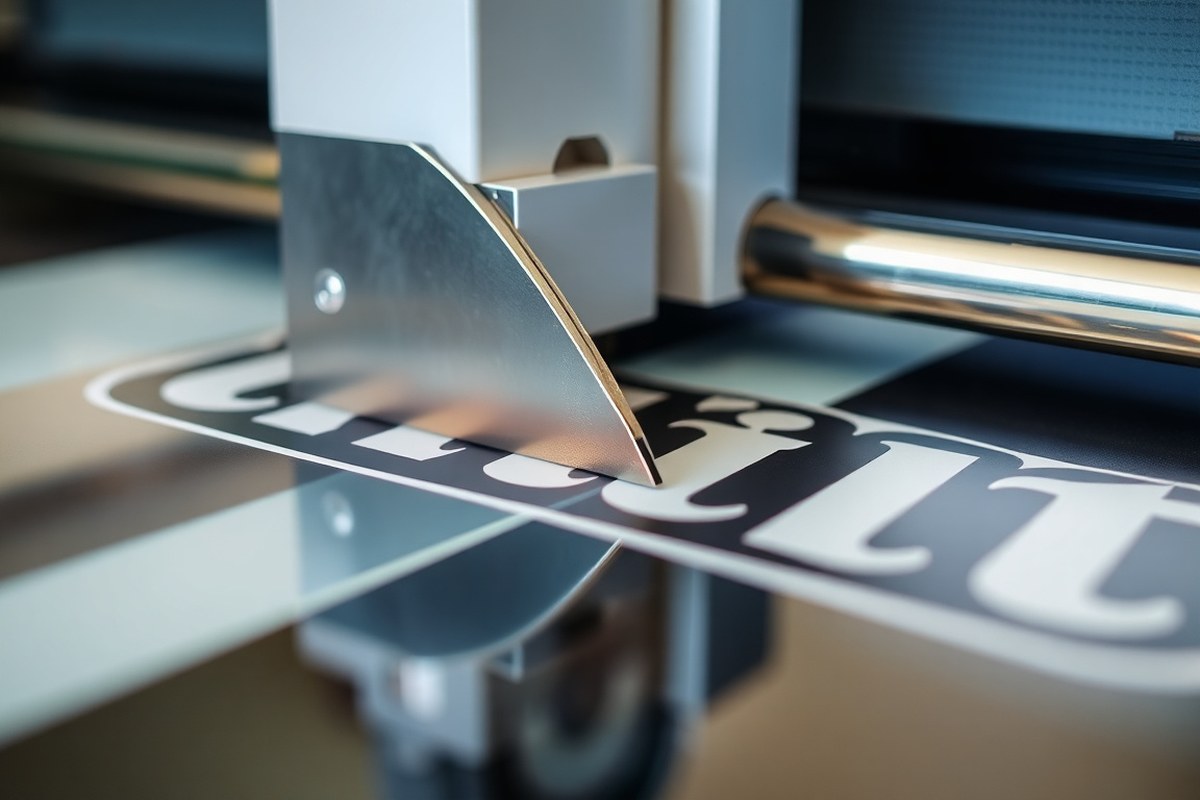
Graphtec vinyl cutters generally provide finer cutting accuracy and cleaner edges than Roland, especially on detailed, complex shapes and small text. This superior precision comes from Graphtec’s maximum cutting downforce of up to 600 grams and a maximum cutting speed of 105 cm/s, which allows it to handle intricate curves without sacrificing detail. Roland cutters normally deliver a maximum downforce around 350 grams and cut at about 50 cm/s on certain models, making them well suited for straightforward cuts but less consistent with fine details. For example, Graphtec’s advanced servo motor and optical registration system (ARMS) ensure registration mark alignment on laminated and curled media, reducing drift to well under 2mm over long cuts, critical for contour and wrap jobs.
Cutting speed varies depending on the nature of the design. Graphtec keeps a clear advantage on fast, complex curve cuts, running up to 105 cm/s, which can boost production efficiency by 70 percent when handling curved or detailed graphics. On straight cuts, both Roland and Graphtec can reach comparable top speeds, but Graphtec’s precision drive system still maintains cleaner cuts at those speeds. Roland’s cutters support strong print-and-cut workflows in hybrid print/cut setups, suitable for mid-level production where speed and decent detail balance out.
Regarding media compatibility, Graphtec cutters support a broader range of vinyl thicknesses and types. They can handle media up to 40 mil (1.0 mm) thick, compared to Roland’s typical max thickness of about 11.8 mil (0.03 mm). This gives you flexibility to cut thick or specialty materials such as composite glass, metalized vinyl, and stretched films. For these tougher materials, Graphtec recommends using specialized blades like premium carbide or 1.5 mm blades to deliver clean cuts without damaging the vinyl or causing blade wear. Roland’s cutters are better suited to standard sign vinyl and thinner materials. Choosing the right blade depends on the media: thinner vinyl and standard graphic films usually work well with standard 45-degree blades, while thicker or composite materials benefit from deeper angle or reinforced blades in the 1.0 to 1.5 mm range.
Always test the blade pressure and speed on a scrap piece of your vinyl; too much force can damage the material or wear down the blade prematurely.
Blade compatibility links closely with cutting force. Graphtec’s ability to exert up to 600 grams means it can push through thick and complex materials without sacrificing detail, while Roland’s lower maximum force suits lighter applications. For businesses scaling operations or requiring high detail across various media types, Graphtec offers long-term reliability and versatility. Roland, although sometimes more affordable and integrated with print functions, is less flexible in handling very thick or highly detailed cutting demands.
Software and Workflow Integration Options
Both Roland and Graphtec vinyl cutters come with proprietary and compatible third-party software designed to streamline your design and cutting workflows. Graphtec focuses on powerful standalone and plugin software compatible with both Mac and Windows, supporting various complex cutting tasks. Roland emphasizes smooth design integration and print-and-cut workflow, especially when paired with their own printers and RIP software.
Graphtec Studio and Cutting Master Software
Graphtec supplies Graphtec Studio, a standalone design and cutting application available for Mac OS X 10.7 to 10.13.1, making it convenient for Mac users to operate the cutter without additional expensive software. For more advanced workflows, Cutting Master 4 acts as a plugin supporting CorelDRAW (versions X4 to X8) and Adobe Illustrator from CS4 through CC2017 on Windows. This setup covers most professional design needs, allowing you to create and send cut jobs directly from popular graphic design suites.
Graphtec’s software supports intricate contour cutting and allows for precise cut setting adjustments, a must-have for garment logos, decals, and packaging designs. The latest Graphtec models like the CE8000 add features such as built-in USB drive support and network connectivity, improving pro shop efficiency.
Roland CutStudio and VersaWorks Features
Roland cutters typically include CutStudio, a straightforward design and cut driver software that partners well with their equipment. It supports CorelDRAW versions X6 to 2017 as plugins and integrates with Roland’s VersaWorks RIP software to ensure perfect colour management and cutting coordination when printing and cutting in one workflow.
Using VersaWorks with a Roland printer and cutter provides a nearly smooth workflow, as the software reads true CutContour separations embedded in the design files. This reduces or eliminates manual troubleshooting in contour cutting jobs. Roland’s focus on unifying the design process across its printers and cutters helps reduce production time and errors, making it a practical choice if you operate within their ecosystem.
Print-and-Cut Workflow Setup Tips
Efficient print-and-cut workflows hinge on software compatibility and precise job setup. Here are key steps to ensure good results:
- Use design tools that generate true CutContour separations to avoid manual fixes.
- Verify your cutter’s and printer’s software supports your design file format, especially for complex shapes.
- Calibrate the registration marks regularly to ensure contour cutting accuracy.
- Use network or USB drive support on your cutter for easier file transfers and quicker job initiation.
- Adjust cut settings based on vinyl type and thickness through your software before starting the job.
While both brands offer solutions for Mac and Windows users, Graphtec Studio works standalone on Mac, which can simplify setups without full design suites. Roland’s method shines if you own their printers and use VersaWorks, as the RIP software manages print and cut integration very effectively. Poor results often come from ignoring software version compatibility, skipping regular calibration, or using incompatible file formats, so staying updated with software and drivers is essential.
Blade Options and Cutting Force for Different Vinyl Types
Choosing the right blade angle and cutting force depends on the thickness and type of vinyl you’re working with. Use a 45° blade for thinner vinyl under 127 microns and switch to a 60° or 1.5mm blade for thicker materials like twill or flock. Adjust cutting force based on media thickness to avoid incomplete cuts or excessive wear.
Recommended Blades for Heat Transfer Vinyl
The standard blade angle for most heat transfer vinyl (HTV) up to 127 microns thick is 45°. This angle provides a clean cut without damaging the backing. For thicker HTV such as flock or twill, a 60° blade or a 1.5mm blade is necessary to handle the extra material thickness. Roland and Graphtec cutters both support these blade types, but you should match the blade size and angle to your specific vinyl.
Using the CAD-CUT® Material/Blade Quick Reference Chart can help pinpoint the ideal blade configuration for your media. For example, Graphtec’s 1.5mm blade is specifically recommended for thicker materials like flock or twill. Staying within the recommended blade angle and size ensures accurate cuts and extends blade life.
Adjusting Cutting Force Based on Media Thickness
Cutting force adjustments are key to cleanly cutting through different vinyl types without damaging the material or the blade. Thinner vinyl requires less force, usually under 50 grams, while thicker vinyl like flock or twill may require up to 200 grams or more, depending on your machine’s specifications. Follow these steps to adjust cutting force appropriately:
- Identify your vinyl thickness, usually provided in microns or millimeters on the material packaging.
- Select the blade angle based on thickness: 45° for vinyl under 127 microns, 60° or 1.5mm for thicker vinyl.
- Consult your cutter’s maximum downforce specifications to confirm compatibility.
- Set your cutting force starting point: 40-50 grams for thin vinyl; increase in increments of 10-20 grams for thicker materials.
- Run a test cut on a small piece of your vinyl to check cut quality and adjust force as needed.
- Monitor cuts for signs of overcutting (cutting too deep) or undercutting (not cutting through the vinyl).
- Adjust blade depth if your cutter allows, setting it so the blade barely touches the backing paper.
- Repeat test cuts until you achieve a clean cut without damaging the vinyl backing.
Correct force and blade combination reduces material waste and avoids damaging the backing, which is essential especially for expensive heat transfer vinyl.
Cross-Compatibility of Blades Between Brands
Blades are often designed with specific holders for Roland or Graphtec cutters. Although some blades might physically fit, using blades in holders not designed for them can reduce cutting precision and potentially damage the cutter’s blade holder or motor.
Each brand designs its blade and holder system to optimize cutting performance and blade life. For example, Graphtec blades are often paired with specific holders calibrated to the cutter’s drive system, just as Roland does. Mixing blades across brands is not recommended unless the blade specifications match exactly and the holder accommodates the blade securely. Using designated blade types and holders tailored for each material also helps maintain blade sharpness and holder longevity, preventing premature wear.
Durability, Noise Levels, and Build Quality Differences
Roland and Graphtec vinyl cutters both have reputations for durable, high-quality builds, but they differ in noise levels and support offerings. Roland machines, like the CAMM-1 GR2, are known for strong construction designed to handle heavy daily use, especially when paired with Roland printers. These cutters often last many years in busy shops when maintained properly, making them a long-term investment. Graphtec models such as the FC9000 are considered standard shop-floor cutters in North America, valued for their reliability under continuous workload and tough operating conditions.
In terms of operational noise, Graphtec tangential models tend to run quieter, which may be a key factor for shops prioritizing a low sound environment. Users report that Graphtec’s noise level remains low enough to minimize disruption in a crowded workspace. Roland cutters, while not excessively loud, typically generate more operational noise during cutting cycles. That difference might affect work comfort, especially in small or shared spaces with multiple machines running simultaneously.
Durability depends largely on build quality and part design. Roland’s metal chassis and solid internal components support extended heavy usage across projects like vehicle wraps or industrial jobs. Regular lubrication and annual tune-ups are necessary to maintain optimal performance over 5 to 10 years of service. Graphtec’s machines use similarly solid construction but often emphasize precision engineering and quieter movement, which can slightly reduce wear and tear on mechanical parts.
Warranty and support are important considerations for business buyers. Roland commonly offers a one-year limited warranty, with options to extend or add on-service plans that cover parts, labour, and sometimes software. Their global support network is extensive, aiding users through troubleshooting and maintenance. Graphtec usually provides a one-year warranty as well, but some models come with support extensions available at purchase. Graphtec’s customer service is well-regarded for responsiveness, especially in North America, where the FC9000 model is popular. Both brands recommend using authorized service centers for repairs to keep warranties valid.
Always register your vinyl cutter with the manufacturer promptly to ensure coverage under warranty and access priority support if issues arise.
To summarize durability, noise, and support:
- Durability: Both Roland and Graphtec cutters have sturdy metal frames and components designed for prolonged use; Roland machines often handle very heavy workloads with proper maintenance.
- Noise Levels: Graphtec tangential cutters run quieter than Roland’s models, usually by several decibels in typical shop environments.
- Warranty: Both offer a standard one-year limited warranty; extended plans may vary but are similarly priced and available.
- Support: Roland and Graphtec both maintain strong repair and support networks, with Roland’s global reach slightly wider and Graphtec offering fast regional support in North America.
Choosing between these brands involves balancing your workspace noise preferences with how intensively the machine will be used. Shops needing quieter operation with excellent precision may prefer Graphtec, while those focusing on rugged durability and integration with Roland printers lean toward Roland cutters.
Contour Cutting and Print-and-Cut Workflow Performance
Both Roland and Graphtec vinyl cutters offer strong contour cutting and print-and-cut workflows, with each brand using optical registration systems to align cuts automatically to printed graphics. Graphtec’s ARMS system excels in reducing operator involvement and compensating for media distortion, while Roland’s optical registration is known for reliable tracking and integration with its print-and-cut software. Neither brand shows significant contour drift on long jobs if properly set up, though proper registration mark placement and media handling remain key.
Advanced Registration Mark System (ARMS) in Graphtec
Graphtec’s ARMS (Advanced Registration Mark System) is designed for high-precision print-and-cut by automatically detecting registration marks with minimal operator input. It uses multiple sensors that scan the entire print width, compensating for skew, scale changes, and media distortion from lamination or re-rolling. This improves accuracy over long jobs and laminated media, reducing errors common in manual alignment. Here’s how the contour cutting workflow generally proceeds on Graphtec machines like the CE8000 or FC9000:
- Create your design with a named spot-color contour cut path (following the CutContour standard).
- Send to the RIP; it prints the graphic with registration marks placed around the design.
- Apply lamination or take other finishing steps as required.
- Load the print into the cutter, which uses its ARMS optical sensors to detect the registration marks.
- ARMS calculates any skew or dimensional shifts and adjusts the cutting path precisely in real-time.
- The cutter executes the contour cut, minimizing waste and avoiding misalignment.
Graphtec’s detailed ARMS scanning reduces the need for manual calibration and troubleshooting, even on warped or textured laminates. This automation saves time and lowers the chance of errors in print-and-cut jobs, though initial setup to ensure registration marks are clean and well spaced is still necessary.
Roland Optical Registration Technology Features
Roland vinyl cutters also rely on optical registration to align print-and-cut jobs, integrating well with Roland’s VersaWorks RIP software. Registration marks are printed with the design using a spot color and scanned by an optical eye that detects their position relative to the media edges. This technology can compensate for minor skew, positioning errors, and media stretch. The typical workflow for contour cutting on a Roland cutter, such as the VersaCAMM series, includes these steps:
- Prepare your design with a spot-color contour cut path and output it through VersaWorks.
- Print with registration marks included around the graphics.
- Laminate or otherwise finish the print if required.
- Load the print into the Roland cutter and initiate the print-and-cut mode.
- The cutter’s optical sensor reads the registration marks and calculates any positional adjustments.
- The cutter performs the contour cut adjusted for skew or scale differences.
Roland’s optical registration is effective for most laminated and non-laminated media and supports multistage cutting jobs with consistent results. Users should check that registration marks are free from smudges and printed clearly, as this directly impacts accuracy.
Best Practices for Reliable Contour Cutting
Maximizing contour cut accuracy and print-and-cut performance depends on careful setup and handling on both Graphtec and Roland cutters. Proper registration mark placement and media preparation are essential for avoiding contour drift and registration errors.
- Use a clearly defined spot color strictly for the contour cut path following CutContour conventions.
- Ensure registration marks are printed cleanly and avoid smearing during lamination.
- Calibrate your cutter’s optical sensor regularly as per the manufacturer’s instructions.
- Avoid excessive re-rolling or stretching of prints before cutting, as it can distort registration marks.
- Position registration marks evenly around the perimeter of the design to help the cutter detect and correct skew.
- Perform a test cut on smaller samples if working with new materials or unexpected humidity conditions.
- Keep cutter blades sharp for consistent cutting pressure and clean edges sensitive to registration accuracy.
These steps help minimize contour drift during long jobs and improve automation reliability. While Graphtec’s ARMS reduces operator effort further, Roland’s integration with VersaWorks supports automated workflows efficiently too, benefiting from the same principles of precise registration mark handling.
Pricing, ROI, and Model Options for Different Budgets
Entry-level vinyl cutters from Roland typically start around $1,300 to $1,800, while Graphtec’s beginner models usually range from $1,500 to $2,000. Professional-grade cutters from both brands can exceed $5,000, with Graphtec often commanding higher prices due to features aimed at high-volume production.
Return on investment (ROI) depends on your workload and business scale. Graphtec models often provide better long-term savings through durability and precision, reducing material waste and downtime. Roland offers cost-effective options suited for startups and hobbyists with lower upfront costs but may involve higher operational expenses over time.
Selecting the right model starts by estimating workload: brands and models differ in cutting width, speed, and supported media. For light use or hobbyist entrepreneurs, look at entry-level models with cut widths up to 24 inches, slower speeds, and user-friendly software. For larger production volumes, pick cutters with wider cutting capabilities, faster speeds, and tighter accuracy tolerance.
| Model | Price Range | Cut Width | Target User | ROI Consideration |
|---|---|---|---|---|
| Roland GS-24 | $1,300, $1,600 | 24 inches | Hobbyists, startups | Low initial cost, suitable for low volume |
| Graphtec CE7000-60 | $1,800, $2,100 | 24 inches | Small businesses, entrepreneurs | Good accuracy, better durability |
| Roland CAMM-1 Pro | $3,000, $4,500 | 30 to 54 inches | Small to mid-size production | Faster speeds, moderate ROI |
| Graphtec FC9000-130 | $5,000, $8,000 | 54 inches | High-volume production | High initial cost, long-term savings |
Use this decision rule: choose starter models if your expected daily material cutting is under 50 square feet, and your budget does not exceed $2,000. Production models suit businesses cutting more than 50 square feet daily or needing high precision and speed.
Budget-conscious startups often opt for Graphtec’s CE7000 series or Roland’s GS line for a balance of cost and functionality. For businesses anticipating growth or higher volume orders, investing in Graphtec’s higher-end models like the FC9000 generates better ROI by lowering maintenance and increasing throughput.
Common Cutting Mistakes and How to Fix Them
Incomplete cuts often stem from using the wrong blade depth or insufficient cutting force. Setting the blade too shallow means the cutter won’t fully penetrate the vinyl, causing weeding problems and wasted material. Conversely, too much force can damage the backing or wear out blades prematurely. Start by adjusting the blade so just the tip extends beyond the blade holder by about 0.1 to 0.2 millimeters for standard vinyl. Set cutting force between 50 and 100 grams, depending on vinyl thickness and hardness. Test cuts on scrap material help dial in these settings before a full job.
Registration misalignment occurs when the printed design and contours don’t match during print-and-cut jobs. This problem can arise from incorrect sensor calibration or shifting media during cutting. To avoid this, clean the optical sensors regularly, and ensure media is loaded straight and properly secured. Use the cutter’s automatic registration mark detection feature, and run a sensor calibration procedure whenever you change media types or thickness. This process takes only a few minutes but prevents costly miscuts.
Regular maintenance reduces production delays caused by cutter jams, sensor errors, or blade dullness. Daily cleaning of the blade holder and pinch rollers removes vinyl residue and dust. Lubricate moving parts with light machine oil every 100 hours of use. Inspect blades weekly and replace them after approximately 6 to 8 hours of heavy cutting or when cuts become inconsistent. Keep media tracks free of debris to ensure smooth feeding.
- Check blade extension with a blade gauge or by feel on scrap vinyl before each job
- Use a test cut to adjust force and speed for each vinyl type
- Load media tightly, avoiding slack or crooked alignment
- Clean optical sensors weekly to maintain registration accuracy
- Replace blades promptly when cut quality declines to avoid wasting vinyl
- Lubricate rails and check pinch rollers to prevent media slipping or jams
- Run sensor calibration after changing media or environmental conditions
Always perform a test cut before a new job to catch blade or force issues early and avoid wasting expensive vinyl.
Following these steps takes minimal time but ensures your Roland or Graphtec vinyl cutter produces clean, precise cuts consistently. Proper blade settings and sensor maintenance directly impact cut quality, so invest in these small adjustments to save money and time on material waste and rework.
Your First Week: Getting Started with Your Vinyl Cutter
Follow this plan to quickly test and adapt either a Roland or Graphtec vinyl cutter to your needs, ensuring it fits your budget and workflow.
- Day 1: Unbox and set up the cutter according to the manufacturer’s guide. Check that the software installs without issues and the cutter powers on properly.
- Day 2: Run test cuts on the vinyl types you plan to use most. Evaluate cut accuracy and smoothness to confirm media compatibility.
- Day 3: Experiment with blade settings and cutting forces for your vinyl. Adjust until cuts separate cleanly without tearing or excessive pressure marks.
- Day 4: Try contour cutting with print-and-cut workflows if relevant. Verify the software’s ease of alignment and cutting precision.
- Day 5: Monitor cutter noise and vibration during typical jobs. Make adjustments or consider sound dampening if noise affects your workspace.
- Day 6: Track your cutting speed and throughput with different job sizes. Determine if productivity meets your business or hobby demands.
- Day 7: Evaluate overall machine build quality and durability signs. Contact support with any concerns or questions about maintenance.
Frequently Asked Questions
Are Roland DG Blades Compatible with Graphtec Cutters?
Roland DG blades are generally not compatible with Graphtec cutters, as blade holders differ. However, Roland and GCC cutters share compatible blades, so Roland blades fit GCC but not most Graphtec models. Check your cutter’s blade holder before purchasing replacements.
Can I Use Graphtec Cutters for Heat Transfer Vinyl?
Yes, Graphtec cutters can cut heat transfer vinyl effectively, especially when using the 45° 1.5mm blade for thicker heat transfer film. Ensure you select the right blade and cutting force to avoid damaging the material and achieve precise designs.
Do Roland Vinyl Cutters Support Cutting Stencil Material?
Roland vinyl cutters support cutting stencil materials with adjustable cutting force up to 350 grams. This allows clean cuts on mask and stencil films for sign making, but testing blade depth and force on your specific stencil is recommended for optimal results.
What’s the Average Noise Level Difference Between Roland and Graphtec Cutters?
Graphtec cutters typically operate more quietly due to their digital servo drive motors, while Roland machines generate more noise from their higher cutting force. This may matter in small studios where noise distraction is a concern.
Are Graphtec Blade Holders Color-Coded for Thickness?
Yes, Graphtec blade holders are color-coded: the blue tip holder fits the standard 0.9mm blade, and the red tip holder fits a 1.5mm blade for thicker vinyl. Using the correct blade holder ensures proper blade angle and cutting accuracy.
Can I Use a Graphtec Cutter for Vehicle Decals?
Graphtec cutters are suitable for vehicle decals with precise contour cutting and handling of large vinyl sheets. Choose models with ARMS registration mark sensors for better Print-and-Cut workflows on vehicle graphics.
The Bottom Line
Choosing between Roland and Graphtec depends mostly on your cutting precision needs, workflow integration, and budget constraints. Test both options with your actual materials and software setups to find the best fit. Start by scheduling a demo or trial with local suppliers or rental programs to make an informed decision confidently.