Is Cricut Vinyl Waterproof? What Actually Works for Lasting Stickers
Is Cricut vinyl waterproof depends largely on the type of vinyl you use and whether you add a protective layer like lamination. Most standard Cricut vinyls offer water resistance but are not fully waterproof without lamination. To create truly waterproof stickers, start by selecting waterproof vinyl options and apply a laminate or sealant to protect against moisture.
Key Takeaways
- The Cricut Explore 3 can cut waterproof sticker papers and printable vinyl that older models can’t handle.
- Printable waterproof vinyl with a laminate layer ensures your stickers withstand water exposure longer.
- Using laminated sticker settings and a kiss cut pressure of 300 helps achieve clean, durable cuts on waterproof vinyl.
- Resizing images around 3 inches works well for most waterproof stickers with Cricut Print Then Cut.
- Add a small offset (0.1 inches) in white or light color to improve sticker visibility and peeling.
- Apply lamination over printed vinyl if you want to protect ink and improve water resistance.
Is Cricut Vinyl Waterproof Without Lamination?
Cricut vinyl on its own is usually water resistant but not fully waterproof. Water resistance means the vinyl can handle some exposure to moisture without immediate damage, such as brief contact with water or humidity. Waterproof means the vinyl can withstand prolonged and repeated exposure to water without peeling, fading, or losing adhesion. Most Cricut printable vinyl falls into the water-resistant category, making it suitable for indoor projects or those with minimal moisture exposure.
Not all printable vinyls are created equal in terms of water protection. For example, Cricut’s standard printable vinyl offers good water resistance but is not designed for full-time water exposure. The premium waterproof printable vinyl specifically labeled as waterproof provides much better protection. This type is often combined with a lamination step to ensure durability where water exposure is expected, like on water bottles, outdoor labels, or bathroom decals.
Printable iron-on vinyl is a different category meant for fabric applications and typically does not provide waterproof benefits because it relies on heat transfer adhesives rather than surface coatings. When working with printable vinyl sheets, the backing usually has a green print, but that does not indicate waterproof capability. Only those labeled waterproof, such as Cricut’s waterproof sticker sets, guarantee better protection.
Skipping lamination when using vinyl labeled as waterproof is possible but not always recommended. Even waterproof printable vinyl benefits from lamination because it adds an extra layer of protection against scratching, UV fading, and chemicals like sunscreen or cleaning agents. Laminating sheets, such as Avery Self-Laminating Sheets, are designed to bond smoothly to your vinyl without bubbles and increase longevity. Applying lamination requires careful smoothing and drying time before cutting with your Cricut machine.
Some waterproof sticker papers come bundled with matching laminating sheets, a combination that ensures the stickers are fully waterproof once applied. Regular printable vinyl without this laminate can degrade faster in moist environments. For example, in outdoor settings or on water bottles, laminated and waterproof-labeled vinyl stickers hold up much better over weeks or months.
If your project needs true waterproof results, follow these steps: choose premium waterproof printable vinyl or waterproof sticker paper, print your design, apply a self-adhesive laminate carefully to avoid bubbles, and then cut out your stickers on a compatible Cricut machine like the Explore 3. Laminating adds cost and effort but protects your investment and prevents early peeling or color loss. Without lamination, even waterproof vinyl is more vulnerable to scratches and long-term water exposure.
Which Cricut Vinyls and Sticker Papers Are Best for Waterproof Stickers?
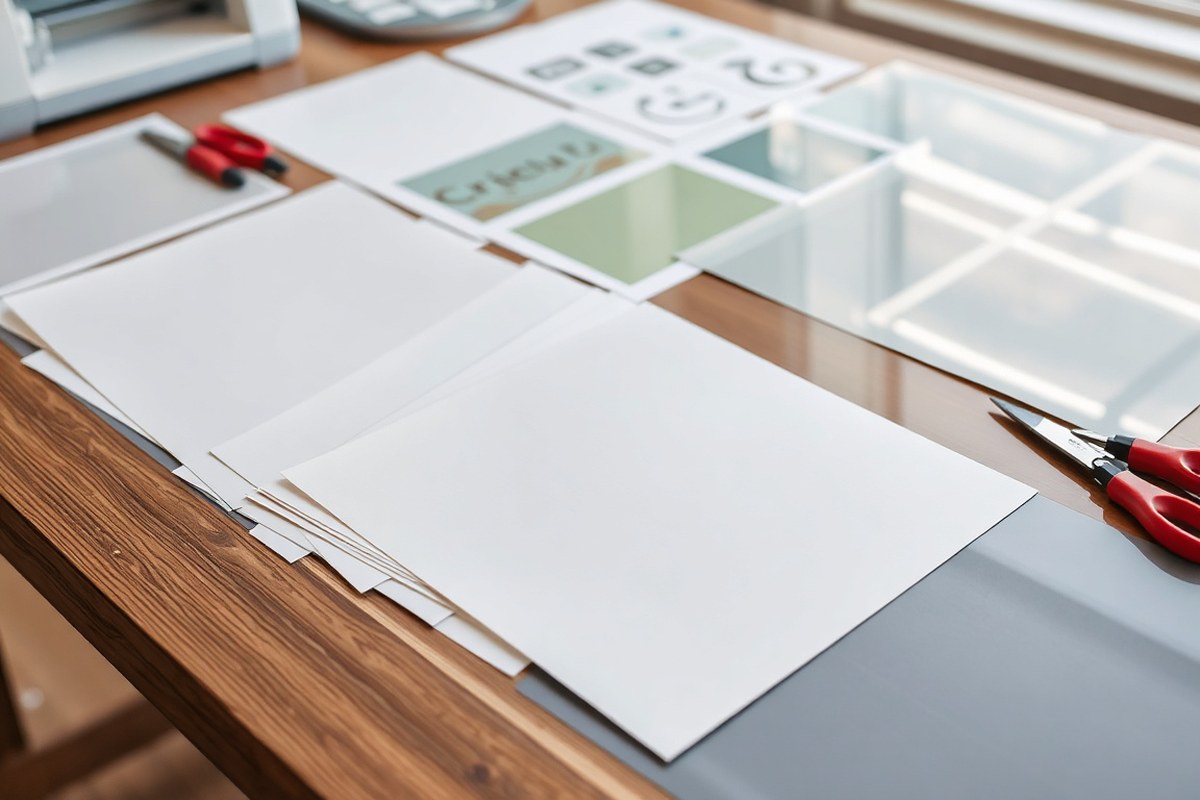
Choosing the right material is essential for making waterproof stickers with your Cricut. Printable vinyl and waterproof sticker paper each have unique features that affect waterproofness, flexibility, and printer compatibility. Printable vinyl tends to be thinner and more flexible, suitable for decals on curved surfaces, while waterproof sticker paper is thicker and stiffer, good for labels and craft projects requiring durability and stiffness. Both types come with permanent adhesive, ensuring your stickers stay put.
Inkjet printers work well with many popular waterproof sticker papers and printable vinyls, but laser printers can offer sharper, longer-lasting prints on certain materials. Always check the printer compatibility of the vinyl or sticker paper you buy. For example, Neato Printable Vinyl is designed for inkjet use. Avery’s Waterproof Film is a top-rated waterproof sticker paper compatible with inkjet printers, often praised for producing long-lasting, durable stickers.
| Material | Waterproof Rating | Printer Compatibility | Durability | Recommended Brands/Lines |
|---|---|---|---|---|
| Printable Vinyl | High (waterproof) | Inkjet (e.g., Neato Printable Vinyl) | Flexible, durable for outdoor use | Neato Printable Vinyl |
| Waterproof Sticker Paper | High (waterproof) | Inkjet (e.g., Avery Waterproof Film) | Thicker, stiffer, scratch-resistant when laminated | Avery Waterproof Film |
Both materials require a suitable printer and good-quality waterproof ink to meet your project’s needs. Loading the chosen sticker paper into your printer, such as Avery Waterproof Film or Neato Vinyl, and selecting “Sticker Paper” or “Printable Vinyl” in Cricut Design Space will prepare your machine for printing. After printing, cutting with your Cricut produces precise shapes to your specifications.
Keep in mind that while waterproof sticker paper itself repels water, adding a laminating layer greatly improves scratch resistance and overall longevity. The thicker paper’s stiffness can make intricate cuts harder, while thinner vinyl allows easier cutting but may wrinkle on uneven surfaces. Prices for quality waterproof sticker paper usually range higher than standard sticker sheets, so plan your cuts carefully to avoid waste.
Test your printer’s feed with your chosen sticker paper first, since some Cricut-branded papers won’t load properly and can cause jams.
How to Make Waterproof Stickers with Cricut Vinyl
Making waterproof stickers with Cricut vinyl involves designing your sticker, printing it if using printable vinyl, applying a laminate layer for water resistance, then cutting and weeding with your Cricut machine. Using lamination helps protect the vinyl print from water and wear, extending your sticker’s lifespan significantly. Setting your Cricut correctly ensures clean, precise cuts on the waterproof vinyl or laminated surface.
Designing Stickers in Cricut Design Space
Start by creating your sticker designs in Cricut Design Space. This software lets you upload your own images or choose from thousands of ready-made designs available with a Cricut Access subscription. You can customize size, colors, and layout to fit your project’s exact needs.
Once your design is finalized, flatten it to join the layers, which prepares it for the Print then Cut feature if you’re using printable vinyl. This makes the machine treat the design as a single printable image. Print your design using an inkjet printer on the printable vinyl sheets.
Applying Lamination for Waterproofing
Lamination adds a thin, clear protective layer over your printed stickers, blocking moisture and preventing smudging. You can use self-adhesive laminating sheets or a laminating machine, depending on your preference and budget.
To laminate, peel the backing off the laminating sheet and carefully align it over your sticker sheet. Smooth out air bubbles with a scraper or credit card. This step is key for waterproofing and makes your stickers more durable for surfaces exposed to water, like bottles or lunchboxes.
Cutting and Weeding Vinyl Stickers
After lamination, it’s time to cut the stickers cleanly. Place your vinyl or laminated sheet on a standard grip cutting mat, aligning it with the top left corner. Load the mat into your Cricut machine and select the precise material setting based on your vinyl type (e.g., “Premium Vinyl” or “Printable Vinyl”). This ensures the blade cuts just through the vinyl and laminate but not the backing paper.
Once cut, gently weed away the excess vinyl, leaving only your sticker design on the backing. Use a weeding tool for detailed areas. Follow these steps to complete your waterproof stickers:
- Create or upload your design in Cricut Design Space; customize size and colors.
- Use the Flatten tool to prepare designs for Print then Cut if using printable vinyl.
- Print your design on compatible printable vinyl sheets with an inkjet printer.
- Apply a clear lamination sheet over the entire printed vinyl sheet, smoothing out bubbles.
- Place the laminated vinyl sheet on a clean Cricut cutting mat, aligned properly.
- Select the correct vinyl material setting on Cricut Design Space before cutting.
- Load the mat and start the cut, then carefully weed out excess vinyl around your sticker.
Does Lamination Always Make Stickers Waterproof?
Lamination isn’t always necessary to make Cricut vinyl stickers waterproof, but it can improve durability and resistance to wear. Deciding to laminate depends on the vinyl type and where you plan to use the sticker. Some waterproof vinyls don’t require lamination, while others benefit from it, though lamination can sometimes harm certain vinyl finishes.
When Lamination Is Recommended
Use lamination when your vinyl sticker is made from printable paper or non-waterproof vinyl. Lamination adds a protective film over the ink and surface, preventing water damage and fading. It’s especially helpful for stickers exposed to moisture, like water bottles or outdoor gear. Lamination also protects against scratches and UV light, extending the sticker’s lifespan. Applying a clear adhesive laminate sheet over your sticker after printing and cutting reinforces waterproofing and helps maintain vibrant colors.
For example, printable vinyl or sticker paper lacking a waterproof coating benefits most from lamination. The key is to ensure the laminate covers the entire sticker surface without leaving edges exposed to water. Laminating can cost around $10 to $15 for a 9 x 12-inch sheet, which lasts for multiple stickers.
Situations Where Lamination May Not Be Necessary
Using permanently waterproof vinyl sheets made to resist water and fading means lamination might not be needed. Many Cricut vinyl products like permanent glossy or matte permanent vinyl already have a durable protective finish. Laminating such vinyl is redundant and can sometimes interfere with their adhesive properties or cause bubbling. For stickers applied indoors or on items rarely exposed to moisture, you might skip lamination altogether without risking damage.
Vinyl labeled as “weatherproof” or “outdoor safe” does not usually need additional lamination, saving time and materials. Just keep these stickers clean and apply them to smooth, dry surfaces for best results.
Potential Downsides of Lamination
Lamination can damage some delicate vinyls, especially if the process uses heat or pressure. For heat-sensitive printable vinyl, strong laminating machines risk melting or warping the ink and vinyl surface. Laminating films that do not adhere well can peel or lift, reducing the sticker’s durability. Misaligned laminates can cover the sensor marks on Cricut mats, causing cutting errors. However, trimming laminate carefully to fit inside sensor marks solves this.
Glossy laminates sometimes create unwanted glare or reduce clarity on detailed sticker designs. Also, lamination adds thickness, which might affect how well stickers fit into tight spots or corners.
How to Laminate Cricut Vinyl Stickers Correctly
Start by cutting your printed vinyl sticker sheet slightly larger than your stickers, avoiding any crease or fold on the laminate. Lay the laminate flat and carefully align it over the printed vinyl, avoiding trapping dust or bubbles. Use a scraper tool or a credit card to smooth out the laminate from the center outward. Trim the laminate to fit inside the Cricut’s sensor marks before cutting to keep alignment perfect.
For heat-sensitive vinyl, choose cold laminating sheets or a hand-applied self-adhesive film instead of heated rollers. Work in a dust-free environment to prevent particles from sticking under the laminate, which can cause imperfections and reduce waterproofing effectiveness.
Common lamination mistakes include not trimming laminate edges properly, letting dust or moisture get under the laminate, and rushing the smoothing process, which can cause bubbles or wrinkles. Taking your time with these steps preserves sticker quality and waterproof protection.
Decision Rules Chart for Lamination
For printable vinyl that isn’t marked waterproof or suitable for outdoor use, apply lamination to protect against water. For vinyl already marketed as waterproof or permanent, lamination is optional and mostly dependent on your exposure environment. Avoid lamination if your vinyl is sensitive to heat or pressure, or if you want to maintain maximum flexibility. Always test a small sticker before laminating a whole batch.
Keep in mind that skipping lamination saves time and cost but may reduce water resistance under heavy use or outdoor conditions. Laminating adds protection and extends longevity but requires extra materials and precision. Choose the method best suited to your vinyl type and how you plan to use your stickers.
How to Choose the Right Printer and Ink for Waterproof Vinyl
Inkjet printers work best for printing on Cricut waterproof vinyl due to better ink adhesion and color vibrancy. Laser printers can be used with special waterproof films but may cause heat-related issues. The choice of ink is critical: pigment-based inks are more durable and water-resistant than dye-based inks, which tend to bleed and fade. Adjusting printer settings to high quality without bleed ensures sharp, long-lasting prints on Cricut vinyl.
Printer Type Compatibility with Cricut Vinyl
Inkjet printers are generally the preferred choice for printing on Cricut waterproof vinyl stickers. They use ink that sits on the surface, allowing better bonding with vinyl’s coating. Laser printers use heat to fuse toner, which can cause vinyl warping or melting if the vinyl is not designed for laser use, such as Avery Waterproof Film. The original Cricut Joy does not support Print then Cut, so you’ll need at least a Cricut Explore Air 2 or later for best results with printed stickers.
For Cricut Explore Air 2 and newer models, Print then Cut works only on non-reflective white materials, so your vinyl must match these criteria. When working with a larger design, the Cricut Venture provides more Print then Cut size options but you need a compatible printer that handles bigger sheet sizes. When choosing your printer, test a small print first to check for vinyl damage or smudging.
Ink Types Affecting Waterproof Durability
Pigment-based inks offer the best waterproof durability for Cricut vinyl stickers. They lay pigment particles on the vinyl surface, resisting water, UV light, and fading better than dye-based inks. Dye inks dissolve in water, causing colors to bleed quickly when exposed to moisture. Many home inkjet printers offer both ink types, so check your printer’s specifications or ink cartridge details before printing.
Choosing pigment inks also improves fade resistance, especially important if your stickers will be used outdoors or on items exposed to sunlight. Some pigment inks cost more upfront but save money in the long run by increasing your sticker’s lifespan. Pairing pigment inks with a laminate layer improve water resistance further.
Setting Up Printer for Optimal Vinyl Prints
To get the best print quality on Cricut vinyl, set your printer to ‘High’ or ‘Photo’ quality. Turn off any bleed options to maintain clean edges, as Cricut’s cutting function relies on precision cut lines. Use the system print dialog rather than the default quick print to access advanced settings. This setup prevents ink from over-saturating and smearing on the vinyl’s slick surface.
Select the correct paper size matching your sticker sheet or designated Print then Cut page in Cricut Design Space. This ensures your print aligns perfectly when passing through the Cricut cutter. Allow prints to dry completely, usually around 10 to 15 minutes depending on ink type and humidity, before loading them into your machine for cutting.
Common Issues and How to Avoid Them
Ink bleeding and fading typically happen if dye-based inks or low-quality printers are used on vinyl. Prints that smudge after drying might have too much ink or printer moisture. Check these issues to prevent smudging. Prints that don’t adhere well may result from incompatible vinyl or using laser printers without waterproof film designed for heat. Using manufacturer-recommended vinyl for Print then Cut minimizes these problems.
Printer nozzle clogs or uneven ink application degrade sticker quality. Regularly clean your printer heads and use genuine ink cartridges compatible with your printer to avoid these issues. Adjust printing pressure or temperature settings if your vinyl shows curling or warping after printing, especially important when using laser printers and specialty films.
Use pigment-based ink and disable bleed in printer settings to avoid color bleeding and ensure your Cricut vinyl stickers remain crisp and waterproof.
Troubleshooting Common Waterproof Vinyl Cutting Issues
Cutting waterproof vinyl stickers cleanly with a Cricut requires attention to settings and workspace conditions. Incorrect cuts often result from using the wrong material settings, dull blades, or mats that have lost their grip. Common problems include vinyl peeling partially, cuts not going through the backing, or jagged edges. Each issue affects the final look and usability of your stickers.
Start with the correct Cricut cut settings tailored for waterproof vinyl types. For most permanent waterproof vinyls like Oracle 651 or Cricut Premium Outdoor Vinyl, use the “Vinyl” setting on your machine. Adjust the pressure to “More” if the cuts don’t go through fully. For laminated waterproof stickers, set the material to “Custom” with the blade type as Fine Point, pressure at “Default” or “More,” and perform a test cut to check. Using blunt blades reduces precision, so replace the blade after about 200 cuts or when you see tearing.
Proper mat care also plays a big role. Dirty or worn mats can let vinyl slip during cutting, which causes misaligned or incomplete cuts. Clean your mat by gently washing with warm water and mild soap, then let it air dry. Replace mats when they lose stickiness or after heavy use. Keep your materials flat and handle the laminate by the edges to avoid wrinkles that confuse the blade path.
- Check blade sharpness and replace if dull
- Use the “Vinyl” or “Custom” setting with proper pressure adjustments
- Clean and replace cutting mats regularly for better grip
- Keep vinyl and laminate flat and free of debris during cutting
- Perform a test cut when trying new materials or settings
For print-then-cut waterproof stickers, limit your design size to 6.75 by 9.25 inches to stay within Cricut’s maximum cut area. Use the flatten tool to create a single printable image that the machine can accurately follow. Uneven surfaces or laminated sheets with bubbles cause skipping or inconsistent cuts, so smooth these out before loading. A clean, firm workspace ensures your stickers come out precisely die-cut and ready to peel from the paper backing.
How Long Do Waterproof Cricut Vinyl Stickers Last and Perform?
Waterproof Cricut vinyl stickers typically last outdoors for about one to three years when made and applied correctly. The key to this lifespan is quality materials combined with good surface preparation and proper lamination. Lamination helps protect your stickers from fading and peeling caused by sunlight, moisture, and temperature changes, extending their wear significantly beyond uncoated vinyl.
Several environmental factors impact how well your waterproof stickers perform. Prolonged exposure to direct sunlight, especially UV rays, can cause colors to fade and the adhesive to weaken. Harsh weather conditions like heavy rain, snow, or extreme heat, over 120°F, also accelerate wear. Stickers placed on surfaces that flex or get abraded often lose their grip faster or develop cracks. Dirt, oils, and frequent handling can degrade the sticker’s surface, reducing its waterproof capability and overall durability.
To maximize your stickers’ longevity, ensure the surface is clean, dry, and smooth before application. Use isopropyl alcohol to wipe the area, avoiding household cleaners that leave residues. Apply stickers in moderate temperatures, ideally between 50°F and 85°F, to improve adhesion. When removing stickers, a slow, steady peel often keeps residue minimal. Residue left behind can be cleaned with gentle rubbing using rubbing alcohol or a commercial adhesive remover that won’t damage the surface.
Keep in mind that indoor stickers generally last longer than outdoor ones, often up to five years, because they avoid UV exposure and extreme temperature swings. For outdoor use, a clear laminate or spray sealant over your vinyl helps block UV rays and moisture. However, each layer might add a few cents per sticker in cost and requires additional drying time. Planning to stick decals on items washed often, such as water bottles, calls for marine-grade or cast vinyl with strong adhesive and lamination for the best waterproof results.
Expect slight wear signs like edge lifting or gradual color fading near the two- to three-year mark. Replacing stickers around that time can keep your projects looking fresh. Always follow the vinyl and lamination manufacturers’ recommended curing times, usually 24 to 72 hours after application, before exposing your stickers to water or heavy outdoor conditions. Taking these steps ensures your waterproof Cricut vinyl stickers maintain their look and adhesion longer, justifying the extra effort and materials invested.
Tools and Materials Checklist for Waterproof Cricut Vinyl Stickers
Making waterproof stickers with Cricut vinyl requires a careful selection of tools and materials to ensure durability and water resistance. Essential items include waterproof vinyl designed specifically for outdoor use, printable vinyl if you want custom designs, and a compatible printer if printing is involved. Transfer tape is necessary for most vinyl decals to help you move your design to the final surface without distortion, but it is usually not needed when using waterproof printable sticker papers since these often have a backing you can directly peel off. A clear laminate sheet or spray sealer can add extra protection, locking in color and preventing water damage.
Cost is a major factor when assembling your toolkit. A roll of good-quality waterproof adhesive vinyl typically ranges from $10 to $25 for a 12-by-24-inch size, while printable vinyl sheets can cost $1 to $3 each depending on size and brand. Transfer tape comes in rolls costing about $5 to $12, making it a minor but necessary expense if using vinyl sheets. Laminating sheets or spray sealants add $5 to $15 per pack or bottle. Budgeting around $40 to $60 to start will cover a basic set of supplies that provide reliable results for small to medium sticker projects.
- Waterproof vinyl or printable vinyl sheets
- Transfer tape for applying vinyl decals
- Clear laminate sheets or waterproof spray sealer
- Cricut cutting machine compatible with your material type
- Printer suitable for printable vinyl (if printing designs)
- Weeding tools for removing excess vinyl
- Cutting mat designed for vinyl projects
Choosing the right materials depends on your project’s needs. Printable vinyl requires a printer that can handle thick sheets and fade-resistant ink to maintain waterproof qualities, while plain vinyl requires no printer but must be weeded carefully to avoid ruining the design. Laminating can extend sticker life but adds time and cost. If you aim for long-lasting outdoor stickers, laminating is advisable.
Always test cut and apply a small sample to verify adhesive strength and waterproofing before committing to large runs.
Step-by-Step Action Plan for Waterproof Cricut Vinyl Stickers
Follow these steps to create durable, waterproof stickers with your Cricut vinyl projects. Each phase guides you to test and confirm waterproof performance before moving on.
- Before You Start: Select permanent waterproof vinyl like Oracle 631 or Oracle 651 and compatible printer ink if using printable vinyl. Check specifications for waterproof ratings.
- Day 1: Design and cut your sticker shapes carefully with proper blade settings to avoid tearing. Confirm clean cuts along outlines.
- Day 2: Apply laminate overlay using a cold or warm laminator or self-adhesive waterproof laminate sheet. Smooth out bubbles completely.
- After Lamination: Test a small sticker by running water over it or leaving it outdoors for a few hours. Look for no ink smudging or vinyl degradation.
- Week 1: Apply stickers to intended surfaces like water bottles or car windows. Monitor adhesion and waterproofing under regular use.
- After 2 Weeks: Check sticker edges for peeling or color fading. Replace or redo if water damage or wear appears.
Frequently Asked Questions
Can You Cut Waterproof Cricut Printable Vinyl on All Cricut Machines?
No, older Cricut Explore models can’t cut some waterproof vinyls; the Explore 3 can. Be sure your machine supports the vinyl type before buying.
Is Printable Vinyl Water Resistant or Fully Waterproof on Cricut Projects?
Most printable vinyl is water resistant but not fully waterproof. Use special waterproof vinyl or add lamination for true waterproofing.
What’s the Difference Between Cricut Printable Vinyl and Printable Sticker Paper for Water Resistance?
Printable vinyl usually sticks better and offers more durability than sticker paper. Sticker paper may need lamination for water protection.
Can I Make Multi-Layer Waterproof Decals with Cricut Vinyl?
Yes, layering waterproof vinyl works well if each layer is sealed properly. Use permanent adhesive vinyl and consider lamination for the top layer.
Do I Need Special Blades or Settings to Cut Waterproof Printable Vinyl on a Cricut?
Use the fine point blade with recommended pressure settings. Make test cuts to avoid damaging vinyl or the machine.
Is Lamination Necessary When Using Cricut’s Gold and Silver Printable Vinyl?
Yes, laminating adds durability and waterproof qualities to metallic printable vinyl. Without it, moisture may damage the finish.
Before You Go
Cricut vinyl can be waterproof, but true durability depends on materials and protective lamination. Using the right permanent vinyl and properly applied laminate will ensure your stickers stand up to water and outdoor conditions. Start by choosing certified waterproof vinyl and test your finished sticker before large runs or important projects to confirm performance. This single step will save time and ensure your crafts last as intended.