What Cricut Blade for Vinyl: Choose the Right Blade for Perfect Cuts
Wondering what Cricut blade for vinyl gives the best results? The Fine Point blade is your go-to choice for most vinyl types, including adhesive and heat transfer vinyl. Its 45-degree angle slices cleanly through vinyl thinner than 4 mil, ensuring sharp edges and easy weeding. Start with this blade to get smooth, precise cuts on standard vinyl materials.
Key Takeaways
- The Fine Point blade with a 45° angle suits adhesive, heat transfer, printable, holographic, and glitter vinyl under 4 mil thickness.
- Use the Cricut Deep-Point blade for thick or specialty vinyl above 4 mil such as thick glitter or magnetic vinyl.
- Deep-Point blades have a steeper 60° angle to cut more deeply into thick or textured materials.
- Stretchy vinyl or composite media with glass or metal components require a premium carbide or 1.5mm blade for best cuts.
- Blade lifespan generally ranges from 25 to 40 hours for the Fine Point blade when cutting vinyl.
- The Cricut Knife blade is designed for very thick materials like leather, but is not recommended for vinyl.
Which Cricut Blade Is Best for Cutting Vinyl?
The Fine Point blade is the best choice for cutting vinyl in most cases. It has a 45-degree cutting angle, which is designed to handle materials up to about 4 mil thick. This makes it ideal for standard adhesive vinyl, heat transfer vinyl (HTV), printable vinyl, holographic films, and thin glitter vinyl. The Fine Point blade comes standard with Cricut machines like the Explore, Maker, and Joy series, and it provides clean, precise cuts that make weeding and transferring vinyl easier.
The key reason the Fine Point blade works best for most vinyl types is its sharpness and moderate angle, which cleanly slices through flexible, thin vinyl without damaging the backing or leaving jagged edges. Using this blade on standard vinyl ensures consistent cuts as long as you set the machine pressure and speed correctly for your material. It is also the only blade suitable for the Cricut Joy and Joy Xtra models, which confirms its role as the default vinyl blade.
You should reserve the Deep Point blade for thicker or denser materials that exceed 4 mil thickness. This blade has a steeper 60-degree angle and is intended for craft foam, magnetic sheets, thick glitter vinyl, and chipboard, all materials where the Fine Point blade would struggle or cause partial cuts. Trying to cut standard adhesive or heat transfer vinyl with the Deep Point blade can lead to overcutting, making weeding difficult and risking damage to your project.
In practice, start your vinyl projects by installing the Fine Point blade and setting your machine to the vinyl type you have. The Fine Point blade’s default settings often require no adjustments for standard vinyl. Your vinyl is thick, textured, or specialty? Test cut a small spot before continuing. The cut doesn’t go through cleanly? Switch to the Deep Point blade and adjust pressure to avoid cutting too deep.
Using the Fine Point blade typically costs no extra since it comes with most Cricut machines and replacement blades retail around $15 to $20. In contrast, the Deep Point blade is slightly more expensive, around $25. Investing in the Fine Point blade first makes sense because it works best with the widest variety of vinyl types. Good results with the Fine Point blade show clean, easy-to-weed cuts without tearing the vinyl or leaving residue on the backing.
Choose the Fine Point blade as your go-to for standard and most specialty vinyl projects because it offers precision and versatility. Use the Deep Point blade only for thick or dense materials beyond 4 mil thickness to avoid ruining your vinyl cuts. Following this decision rule helps ensure your cuts come out sharp, clean, and ready for application every time.
Understanding Fine Point vs Deep Point Cricut Blades
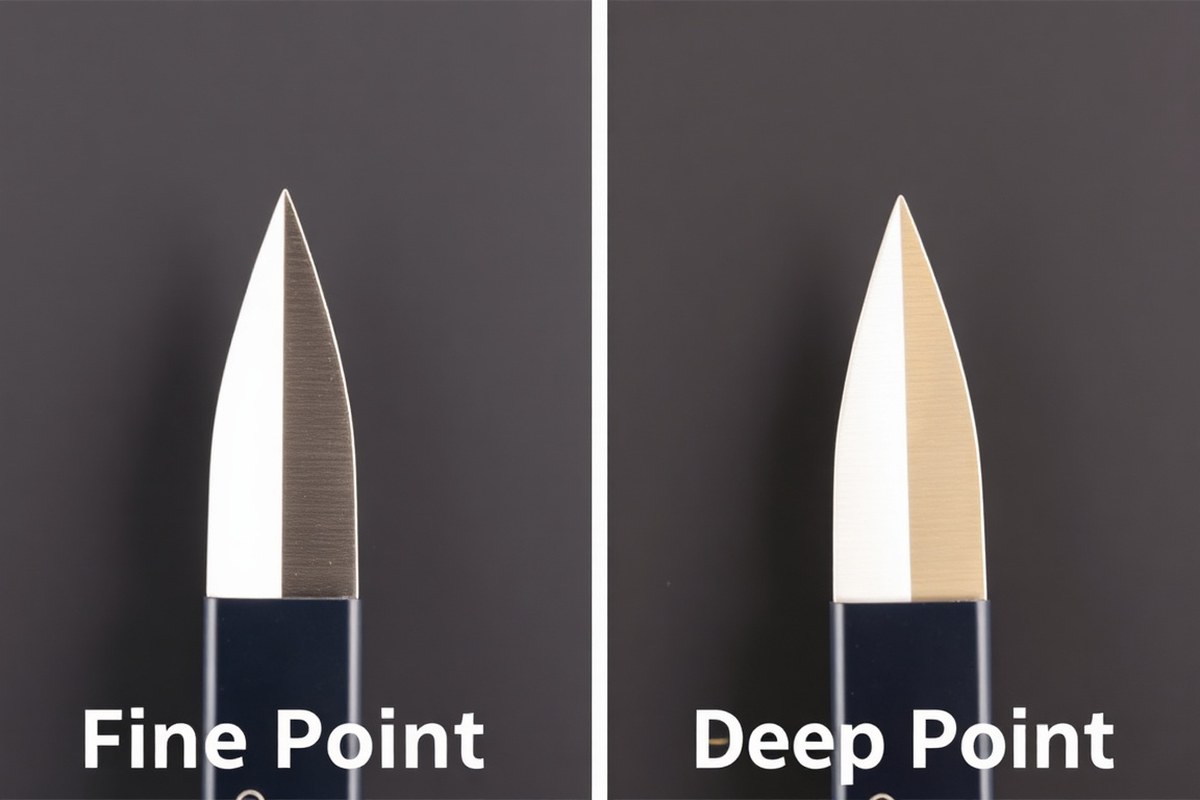
The choice between the Fine Point and Deep Point Cricut blades mainly comes down to the type of material you plan to cut. The Fine Point blade has a 45-degree angle, making it ideal for thinner and more delicate materials such as standard adhesive vinyl, heat transfer vinyl, and specialty films. This blade’s sharp edge enables precise cuts required for intricate designs while preserving the vinyl’s surface.
On the other hand, the Deep Point blade comes with a steeper 60-degree angle designed to handle thicker, denser materials like chipboard, magnet paper, and heavy-duty fabrics. Its construction and blade angle allow for firmer, deeper penetration, but using it on thin vinyl could lead to ripping or wasted material because it cuts too aggressively.
| Feature | Fine Point Blade | Deep Point Blade |
|---|---|---|
| Blade Angle | 45 degrees | 60 degrees |
| Material Thickness | Thin to medium (e.g., adhesive vinyl, heat transfer vinyl) | Thick materials (e.g., chipboard, magnet paper) |
| Cutting Precision | High precision for intricate designs | Stronger, deeper cuts but less precise on thin materials |
| Recommended Use | Standard vinyl, light fabrics, paper, cardstock | Thick cardboard, balsa wood, heavy-duty fabrics |
| Blade Durability | Lasts longer when used on thin materials | Wears faster due to higher cutting pressure |
Blade angle affects how the blade contacts and slices the vinyl surface. A lower 45-degree angle on the Fine Point blade slices cleanly and accurately, ideal for thin vinyl without tearing or dragging. The 60-degree angle of the Deep Point blade drives deeper into materials, which is important for denser or layered cutting but can roughen delicate surfaces and cause overcutting.
Using the wrong blade can lead to damage or poor cut quality. For instance, cutting thin heat transfer vinyl with a Deep Point blade risks shredding the design because of the aggressive cut angle. Conversely, using a Fine Point blade on very thick materials can cause incomplete cuts or blade damage due to insufficient penetration.
Tip: Use the Fine Point blade for all standard and heat transfer vinyl projects to ensure clean, detailed cuts; reserve the Deep Point blade for thicker, tougher materials to avoid ruining your vinyl.
Which Vinyl Types Work Best with Each Cricut Blade?
Different types of vinyl materials require specific Cricut blades and settings to achieve clean cuts and protect your materials. For standard adhesive vinyl, the Fine-Point Blade with its 45° angle is suitable. This blade handles films under 4 mil thick, making it ideal for most vinyl decals and stickers. It works at default pressure settings, which ensures the blade cuts precisely through the vinyl without damaging the backing paper.
Heat transfer vinyl (HTV), which you apply to fabrics, demands careful blade choice and setting adjustments. The Fine-Point Blade is the recommended option for HTV across Cricut machines because it cuts the vinyl smoothly without cutting into the carrier sheet. Using deeper blades may cause unnecessary cuts and waste. When setting up your cut, make sure to reduce the pressure or select the appropriate material preset in Cricut Design Space to avoid piercing the backing layer.
For thicker or specialty vinyl materials, such as multi-layered or textured vinyls, the Cricut Deep-Point Blade provides the extra cutting power needed. With a steeper 60° angle and a thicker 1.5mm blade housing compared to the Fine-Point’s 0.9mm, it can cut through heavier materials without dulling quickly. This blade suits thicker adhesive vinyl and specialty films that exceed 4 mil thickness, making it practical for more durable outdoor decals or intricate projects requiring deeper cuts.
| Vinyl Type | Recommended Cricut Blade | Blade Angle | Material Thickness | Settings Tips |
|---|---|---|---|---|
| Standard Adhesive Vinyl | Fine-Point Blade | 45° | Under 4 mil | Default pressure; no special adjustments needed |
| Heat Transfer Vinyl (HTV) | Fine-Point Blade | 45° | Under 4 mil | Lower pressure or HTV preset; avoid cutting carrier sheet |
| Printable Vinyl | Fine-Point Blade | 45° | Under 4 mil | Standard pressure; ensure clean blade for precise cuts |
| Specialty or Thicker Vinyl | Deep-Point Blade | 60° | Over 4 mil | Increase pressure; test cut recommended |
Knowing the composition of your vinyl helps determine blade choice. Vinyl stored improperly in humid conditions may suffer adhesive migration, causing the layers to separate and tear during cutting or weeding regardless of blade sharpness or pressure. For such materials, use a clean blade and adjust pressure carefully, or consider replacing older vinyl rolls.
Printable vinyl, often thinner and coated for ink compatibility, cuts cleanly with the Fine-Point Blade as long as the blade is sharp. Because this material can be delicate, avoiding heavier blades and pressures prevents damage to the printed surface or the backing paper. For every vinyl type, running a small test cut first ensures optimal blade depth and pressure, which saves material and improves the final project quality.
How to Maintain and Replace Your Cricut Vinyl Cutting Blades
Maintaining and replacing your Cricut vinyl cutting blades ensures clean cuts and helps you avoid ruining your projects. Regular upkeep extends blade life and keeps your cuts precise. Safe blade handling is critical to avoid injury and protect your machine.
Signs It’s Time to Replace the Blade
A dulled blade makes ragged edges on vinyl, causing vinyl to lift or fold when applying transfer tape. Precision cuts become less consistent, which is especially apparent on detailed designs or layered vinyl. A Fine-Point blade usually lasts about 25 to 40 hours of cutting time depending on how hard your materials are; this time shortens with smaller, repetitive projects. Look for these signs to know when replacement is necessary:
- Edges on your vinyl cuts appear rough or torn.
- Weeding the excess vinyl becomes more difficult or time-consuming.
- Your machine has trouble cutting through layers that it handled easily before.
- Repeated incomplete cuts or material tearing during jobs.
Safe Blade Removal and Installation Procedures
Changing blades requires attention to safety and proper fit to maintain cutting quality. Your Cricut machine’s design allows easy blade swaps, but always handle blades carefully. Follow these steps to safely remove and install a new Cricut blade:
- Turn off and unplug your Cricut machine for safety.
- Open the blade housing by gently pulling it out of the machine’s clamp.
- Hold the blade housing securely and pull the old blade straight out.
- Carefully remove the protective cover from the new blade without touching the sharp edge.
- Insert the new blade fully into the housing, ensuring it clicks or seats properly.
- Replace the blade housing back into the clamp firmly but without forcing.
- Plug in and power on your machine before testing the new blade with a small cut.
Always use blades compatible with your model, such as the Performance Fine Point blade designed for Cricut Venture or the Fine-Point for Cricut Joy and Explore machines.
Cleaning Tips to Extend Blade Life
Regular cleaning keeps the blade sharp and improves cutting performance on vinyl. Small bits of sticky vinyl or debris can build up on the blade, dulling it prematurely. Clean your blade after several uses or if you notice diminished cut quality. Clean the blade carefully with these tips:
- Use a soft cloth or cotton swab dampened with isopropyl alcohol to wipe debris from the blade edge.
- Gently remove vinyl or adhesive residue by rotating the blade in the housing while cleaning.
- Avoid harsh chemicals or scrubbing, which can damage the blade.
- Store blades in a dry, dust-free place to protect the carbide steel cutting edge.
Proper storage and cleaning extend the life of high-quality blades. Replacing a performance blade costs around $10 to $15 and maintaining it well reduces how often you need to buy new ones.
How Blade Choice Affects Vinyl Weeding and Cut Quality
Blade choice directly influences how easily you can weed vinyl and the quality of your cuts. Using the right blade prevents tearing, uneven edges, and incomplete cuts, making projects less frustrating and material waste minimal. The exact fit between the blade and vinyl type also reduces weeding time by producing clean cut lines that lift easily from the carrier sheet.
How Different Blades Affect Vinyl Weeding
The Fine Point blade is the go-to tool for most vinyl projects because its sharp, thin edge creates precise, clean cuts ideal for weeding intricate shapes. This blade slices through vinyl and adhesive layers without damaging the carrier sheet, so you get smooth, continuous cuts that peel off easy. When you use this blade, weeding becomes faster since the cuts form clean gaps where unwanted vinyl separates easily.
Using a Deep Point blade on standard vinyl won’t improve cut precision. It adds resistance to the material, leading to tears and uneven edges. This resistance breaks off tiny vinyl pieces that stick to the backing, complicating weeding and creating more waste. Applying too much pressure or the wrong angle with heavy blades can also lift vinyl layers too soon during weeding.
Common Cut Quality Issues Indicating the Wrong Blade
Incomplete cuts are a clear sign of blade mismatch or blade dullness. This happens when parts of the design remain stuck to the backing because the blade did not penetrate the vinyl fully. Insufficient pressure combined with an incorrect blade type often causes this. Notice you’re struggling to lift the vinyl or find uncut areas after a cut? Check if the blade is dull and try a Fine Point blade made for thin vinyl layers instead.
Material tearing during weeding often links to excessive cutting force from a Deep Point or Knife blade, which are better reserved for thicker materials. Excessive pressure cuts through vinyl unevenly, damaging the backing and making vinyl peel unpredictably, which complicates weeding. Another factor may be incorrect blade angle setup or poor vinyl sheet storage causing a compromised carrier sheet that tears easily even with the right blade.
Exact Steps to Optimize Weeding and Cut Quality
Start by confirming your blade type matches your vinyl. For standard adhesive vinyl or heat transfer vinyl, use the Fine Point blade. Adjust the pressure and speed settings in your Cricut software, higher pressure can cause tearing, while too low may leave uncut sections. Perform a test cut on a scrap piece to verify settings before cutting your main project.
During weeding, lift small sections slowly at an angle close to the carrier sheet rather than peeling quickly. Seeing rough edges or leftover vinyl bits? Make sure the blade still has a sharp edge before cutting again. Replace the blade after approximately 400-500 cuts or sooner if cutting quality worsens significantly; dull blades produce jagged results and increase weeding difficulty.
Why Using the Knife or Deep Point Blade May Hurt Vinyl Projects
The Cricut Knife blade, while excellent for dense materials like leather or thick bonded fabrics, is not suitable for typical vinyl. Its 12mm carbide edge is too aggressive for thin vinyl layers and will cause tearing, excess tearing during weeding, and wasted material. Likewise, the Deep Point blade adds unnecessary pressure and drag on standard vinyl, making cuts rough and edges frayed.
For finer details on thicker or specialty vinyl, select blades made for those materials but avoid using them on standard or smart vinyl types. Stick with your machine’s recommended blade for each vinyl type to avoid frustration and protect your investment from wasted materials or ruined designs.
Practical Tip for Smooth Weeding with the Right Blade
Always perform a small test cut whenever changing your vinyl or blade type to ensure clean separations without tearing or incomplete cuts, this saves time and vinyl in the long run.
Specialty Cricut Blades and When to Use Them with Vinyl
The Bonded Fabric blade is made for cutting thin to medium-weight materials, including vinyl, but it specializes in bonded fabrics. It works well for vinyl projects that have a fabric backing or are vinyl heat transfers applied to fabric. You can use this blade with any Cricut machine that accepts fine-point blades, like the Explore, Maker, and Joy models. Its 45-degree point allows detailed, clean cuts without tearing the material. However, if you want to cut paper or cardstock along with vinyl, this blade is less versatile because it’s optimized for fabric-backed materials and not ideal for general paper crafting. The Bonded Fabric blade typically costs around $15 to $20, similar to standard fine-point blades.
The Knife blade, designed for the Cricut Maker, cuts thick, dense materials like balsa wood, leather, and matboard. While it can cut vinyl, this blade isn’t typically necessary for standard vinyl projects. Use it only if your vinyl is very thick or layered with materials that a fine-point blade can’t handle. The Knife blade’s size and lower rotation speed mean slower cuts, often taking multiple passes for clean results. For example, thick heat transfer vinyl layered on sturdy fabric might benefit from the Knife blade to avoid lifting or tearing during cutting. The blade costs about $40, several times more than a fine-point blade, and its settings should be adjusted carefully to avoid burning or uneven cuts when used on vinyl.
The Rotary blade on the Maker is another specialty option primarily meant for fabrics without stabilizers but also capable of cutting flexible vinyl materials. It rolls along as it cuts, producing smooth edges without snagging. It’s best for vinyl when cutting intricate designs on fabric-backed sheets or mesh vinyls. This blade doesn’t handle stiffer or layered vinyls well but shines on delicate materials where standard blades might cause curling or tearing. The rotary blade is priced similarly to the Knife blade, usually around $40, and requires using specific mats designed for fabric or flexible materials to ensure stable cuts.
To decide which specialty blade to use with vinyl, consider your vinyl type and project. For standard adhesive vinyl or heat transfer vinyl, a fine-point or deep-point blade is preferable. Use the Bonded Fabric blade for projects involving fabric-backed vinyl to maximize cut precision and prevent fraying. Reserve the Knife blade for heavy, multi-layered vinyl projects combined with tough materials like leather or mats. Use the Rotary blade for soft, flexible vinyl attached to fabric, avoiding thick or rigid types that could damage the blade or machine.
When switching to specialty blades, remember to adjust your Cricut’s material settings to suit the blade and vinyl combination. For example, choose bonded fabric settings with recommended blade pressure for the Bonded Fabric blade, or select custom settings for thickness and passes with the Knife blade. Performing test cuts before your main project helps prevent wasted materials or uneven cutting. Proper blade care extends their life; clean off residue after cutting adhesive vinyl, which tends to build up on blades, and replace blades when cuts become ragged or incomplete.
Are Cricut Blades Interchangeable Between Different Machines?
Cricut blades are not fully interchangeable between all machines. The Explore and Maker series share blade compatibility, but the Cricut Joy uses a different, smaller fine-point blade. This means when selecting a blade for vinyl projects, you need to match the blade type to your specific Cricut model to ensure proper fit and cut quality.
Blade Compatibility Chart by Cricut Machine
Below is a chart showing which blades fit each Cricut model. This helps you quickly identify the right blade to use for your vinyl projects, avoiding compatibility issues and ensuring a good cut.
| Cricut Machine | Fine-Point Blade | Deep-Point Blade | Specialty Blades |
|---|---|---|---|
| Cricut Maker & Maker 3 | Compatible (standard blade included) | Compatible (purchase separately) | Compatible with Maker specialty tools (foil, knife, engraving) |
| Cricut Explore Series (Explore Air 2, Explore 3) | Compatible (standard blade included) | Compatible | Compatible with Explore specialty blades (foil, scoring) |
| Cricut Joy | Joy-specific fine-point blade only | Not compatible | Limited specialty tools available for Joy |
This chart highlights that the Cricut Maker and Explore series machines use the same fine and deep-point blades interchangeably. The Joy’s blade is unique and will not fit the larger machines, nor will their blades fit the Joy.
Best Blade Choices per Machine for Vinyl
For the Cricut Maker and Explore machines, the standard fine-point blade is the go-to choice for cutting vinyl. It’s included with these machines and provides clean, precise cuts on various vinyl types without damaging the material. You can purchase the deep-point blade separately if you need to cut thicker or layered vinyl, which cuts deeper and can handle heavier materials better than the fine-point blade.
Choosing the fine-point blade for these machines helps achieve smooth weed lines and reduces tearing. The deep-point blade should only be used when needed, as its sharper angle can sometimes cause overcutting on thinner vinyl films. Both blade types will give you professional results if matched appropriately to the vinyl type and thickness.
The Cricut Joy comes with its own fine-point blade, designed specifically for its smaller form factor and unique mat size. This blade works well on standard vinyl sheets but is limited by the machine’s cutting area and pressure capabilities. For most vinyl projects on the Joy, its dedicated blade provides a reliable cut but won’t manage thick or specialty vinyl as well as the Maker or Explore blades.
Limitations of Cricut Joy Blades with Vinyl
The Cricut Joy blade cannot be swapped with the Maker or Explore blades, which restricts its use to Joy machines only. This limits the size and complexity of vinyl projects you can take on using the Joy. The maximum cutting width is 4.5 inches, and length is limited to 12 inches on its 12-inch mat, much smaller than the 11.5-inch square cutting area on the larger machines.
The Joy’s fine-point blade does a good job on simple vinyl decals and labels but lacks the versatility needed for thicker vinyl or extensive layering, which requires the deeper cut of a Deep-Point blade. Also, some specialty vinyl projects might need tools and blades not available for the Joy. Upgrading to an Explore or Maker machine lets you use more blades and work with a wider variety of vinyl materials, especially if you often handle large or different types.
Choose the right blade by sticking to your machine’s specific blade type and matching the blade depth to the thickness of your vinyl and the complexity of your project. Don’t try to fit Joy blades into other Cricut models or vice versa. Following this rule ensures clean cuts and avoids damaging your vinyl or the machine itself.
How Long Do Cricut Blades Last When Cutting Vinyl?
Cricut blades typically last between three to four months with regular use when cutting vinyl. This lifespan depends on how often you craft and the complexity of your designs. Fine detailed cuts or cutting thicker or composite vinyl materials may wear the blade down faster, making it less sharp and reducing cut quality. Waiting until you notice visible dulling can lead to cuts that don’t go cleanly through the vinyl, causing frustration and wasted material.
The standard Fine Point blade, included with most Cricut machines, performs well for general vinyl cutting tasks but wears out faster than premium options. Cricut offers a Premium Fine Point blade made with German carbide, which lasts roughly two to three times longer than the standard blade. This means while the standard blade might last about three months with frequent use, the Premium Blade can last six to nine months or more under similar conditions. The premium option uses a durable gold housing to differentiate it visually.
Choosing the Premium Fine Point blade often pays off if you regularly cut detailed or intricate vinyl projects. Its sharper and longer-lasting edge keeps cuts clean and precise over time, reducing the need to frequently stop and replace the blade. The extra cost of the premium blade, typically around $15 to $20 compared to $10 to $12 for standard replacements, can be justified by fewer replacements and less wasted material. When working on complex projects that demand fine detail, investing in premium blades can improve final results and save money in the long run.
Usage factors like cutting pressure, material thickness, and frequency of use impact blade longevity. Cricut machines automatically adjust pressure for “Vinyl” settings to match the Fine Point blade, which maintains blade life if correct materials and settings are used. Using blades on thicker or tougher vinyl, like glitter or composite glass vinyl, may require the Deep Point blade or the Premium Carbide 1.5mm blade, as these are designed for those materials but often have different lifespan expectations.
For casual crafters who cut vinyl infrequently or mostly simple designs, replacing the standard blade every three to four months is sufficient without extra cost. More frequent or professional-level crafters benefit from the premium blade’s durability and improved cutting sharpness. Keeping track of your blade’s performance and swapping blades at proper intervals helps avoid ruined materials and maintains project quality over time.
Always replace your blade at the first sign of dullness to avoid uneven cuts and wasted vinyl; delaying replacement often costs more in wasted materials than the blade itself.
Step-by-Step Action Plan for Cutting Vinyl with the Right Cricut Blade
Follow these clear steps to pick and use the best Cricut blade for your vinyl projects with confidence.
- Before you start: Identify your vinyl type (standard, adhesive, or specialty) to choose the correct blade. Success means you select either the Fine Point or Deep Point blade based on the vinyl thickness.
- Day 1: Install the Fine Point blade if working with most standard vinyl sheets. Test cut a small design to confirm a clean cut without tearing.
- Day 2: Use the Deep Point blade for thicker or specialty vinyl like glitter or flocked material. Check the cut depth and adjust pressure if cuts aren’t complete.
- Week 1: Practice proper blade maintenance by cleaning debris after each use. You’ll know it worked when your blade continues cutting smoothly without snagging.
- Week 2: Monitor blade wear by noting any changes in cut quality, then replace the blade if cutting becomes uneven or vinyl tears during weeding.
- Ongoing: Experiment with specialty blades only for recommended vinyl types and designs, ensuring you follow Cricut guidelines for blade interchangeability.
- As needed: Keep a record of blade usage time or number of projects to predict replacement intervals better, preventing project delays.
Frequently Asked Questions
Can I Use the Cricut Joy Blade for Vinyl with Other Cricut Machines?
The Cricut Joy blade fits only the Cricut Joy machine and might not be compatible or work properly with other models like the Explore or Maker series. Using the blade meant for your machine helps guarantee clean cuts and prevents possible damage.
Does the Cricut Wavy Blade Work Well on Vinyl Projects?
The Cricut Wavy blade can cut vinyl and adds a decorative wavy edge, but it’s best for special effects rather than standard vinyl cutting. Use it when you want a creative edge on vinyl, not for precise shapes or lettering.
What Blade Angle Is Best for Cutting Heat Transfer Vinyl?
The Fine Point blade has a 45-degree angle, ideal for heat transfer vinyl, cutting thin and medium materials cleanly. The Deep-Point blade, with a 60-degree angle, is sharper but typically used for thicker materials, not standard heat transfer vinyl.
Can I Cut Both Adhesive and Heat Transfer Vinyl with the Same Cricut Blade?
Yes, the Fine Point blade is suitable for cutting both adhesive vinyl and heat transfer vinyl across most Cricut machines. It offers clean cuts for intricate designs on both vinyl types without switching blades.
How Do Blade Materials Affect Vinyl Cutting Quality?
Cricut blades are made from durable steel, which maintains sharpness for precise vinyl cuts. Premium Fine-Point blades have a sharper edge and last longer, providing cleaner cuts on vinyl without tearing or snagging.
Will Using a Dull Blade Damage My Vinyl Project?
Using a dull blade can cause uneven cuts and stretched or torn vinyl, making weeding difficult. Replace blades regularly to keep cuts sharp and preserve vinyl quality on all Cricut machines.
Final Thoughts
Your best choice for cutting vinyl with a Cricut machine is usually the Fine Point blade, but switching to the Deep Point blade for thick or specialty vinyl delivers better results. Matching blade type to vinyl thickness ensures clean cuts and easier weeding. Start by identifying your vinyl and testing cuts with the correct blade so your projects come out exactly as planned.