How Does a Scrolling LED Sign Work: A Complete Technical Guide
How does a scrolling LED sign work? It displays moving text and images by lighting up thousands of tiny LEDs in sequence to create fluid, readable messages. These signs use programmable control systems to update content in real time, making them visible day or night to engage your audience continuously. Start with a durable LED panel and a remote programming system to quickly customize messages from nearby without complex wiring or software.
Key Takeaways
- Scrolling LED signs use sequential LED illumination to display moving texts and graphics smoothly.
- Programmable controllers let you update messages remotely, often with a simple keyboard-style remote within 100 feet.
- The signs typically feature durable construction with an average lifespan around 100,000 hours for long-term use.
- Combining red, green, and blue LEDs creates a wide range of colors including white, amber, and yellow blends.
- Single-line scrolling signs with 9.5-inch tall text can be read from up to 200 feet away.
- Outdoor LED marquee signs offer cost-effective solutions for attracting new customers and displaying bright messages.
How Scrolling LED Signs Display Moving Text and Images
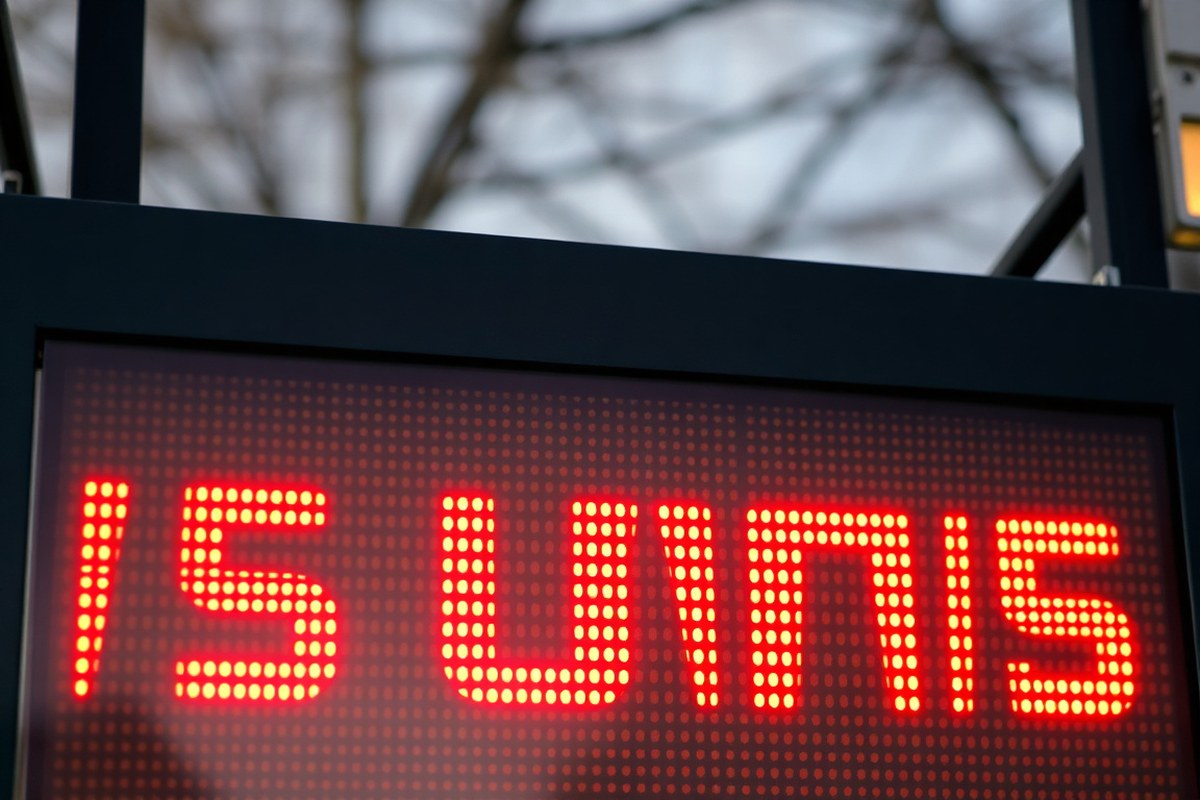
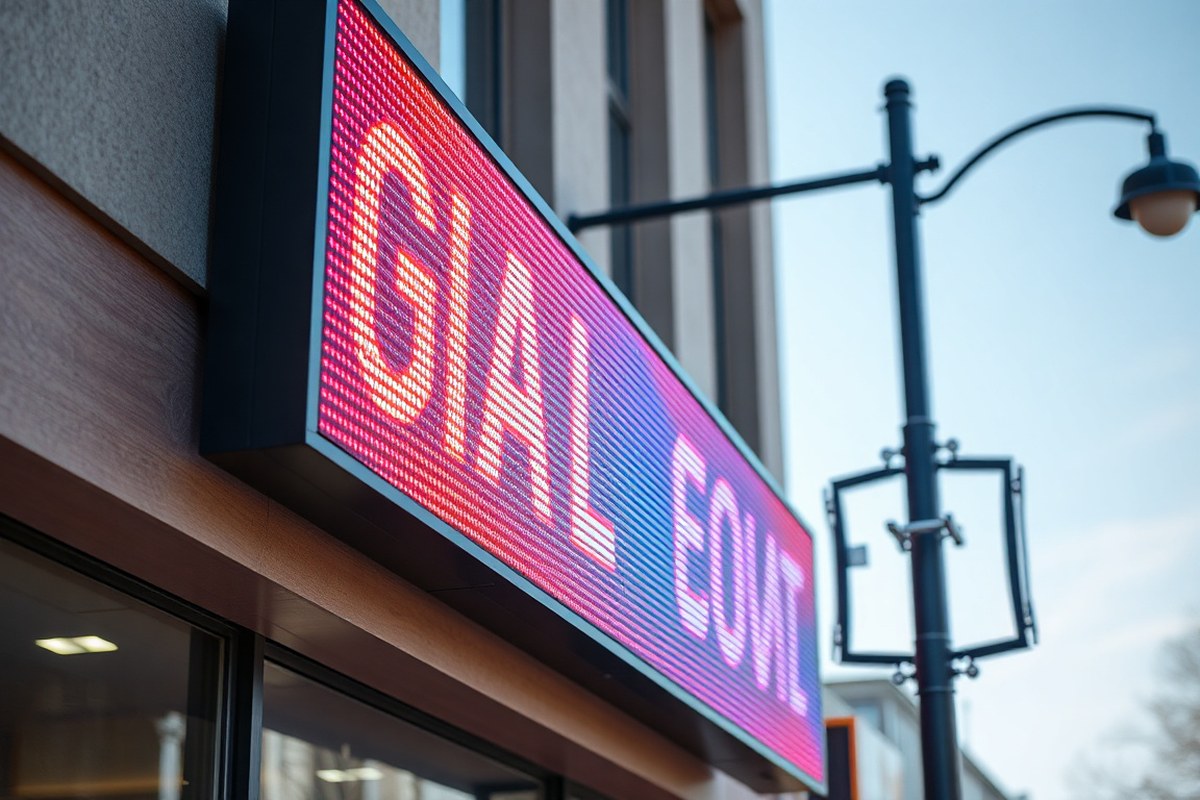
A scrolling LED sign shows text and images by lighting up small LEDs arranged in a pixel grid. Each pixel usually contains red, green, and blue LEDs that combine to create various colors. The scrolling effect happens by turning on pixels in a specific order, moving the lit pattern across the display step by step quickly. This fast change creates the illusion of smooth motion on the screen.
The role of the LEDs is fundamental. Each LED can be turned on or off and adjusted for brightness individually, allowing the sign to form letters, symbols, or graphics precisely. By changing which LEDs are lit in small increments over time, the sign can smoothly move content from one side to the other, producing scrolling text or animation.
The technology requires a microcontroller or processor that sends signals to the LEDs to determine when and how they light up. This controller reads the programmed message, converts it into a pixel map, and shifts that map across the display. The frequency of these updates affects the smoothness of the scrolling. Higher refresh rates (like 60 times per second or more) reduce flicker and make movement appear fluid, which is especially important for legibility and professional presentation.
Typical scrolling LED signs work in single or full color. Single-color signs usually show simple messages cost-effectively, ideal for basic business announcements. Full-color displays can handle more complex images and video clips, expanding the range of visual communication. The pixel pitch, the distance between pixel centers, also impacts clarity. A smaller pixel pitch offers sharper images but usually costs more and requires more processing power to run efficiently. Steps to display scrolling text or images on an LED sign:
- Program the message: Use sign software or a controller to input the text or image sequence you want to display.
- Convert the content: The software breaks the message into individual frames, each representing a position of the text or image on the pixel grid.
- Send data to the controller: The processor receives these frames as coded instructions for which LEDs to light up.
- Illuminate LEDs: The controller activates the specific red, green, and blue LEDs in each pixel per frame.
- Shift the frame: After a set interval, usually a few milliseconds, the next frame lights up with the image shifted slightly, creating motion.
- Repeat the cycle: This sequence continues smooth, producing continuous scrolling of the text or animation across the display.
For outdoor or larger signs, this process needs to run continuously and reliably 24/7. Power requirements, heat dissipation, and weatherproofing become critical considerations. Signs with slower refresh rates or poorly tuned timing can appear jerky or flicker, reducing readability and undermining the professional look you want for your business.
Key Components of a Scrolling LED Sign
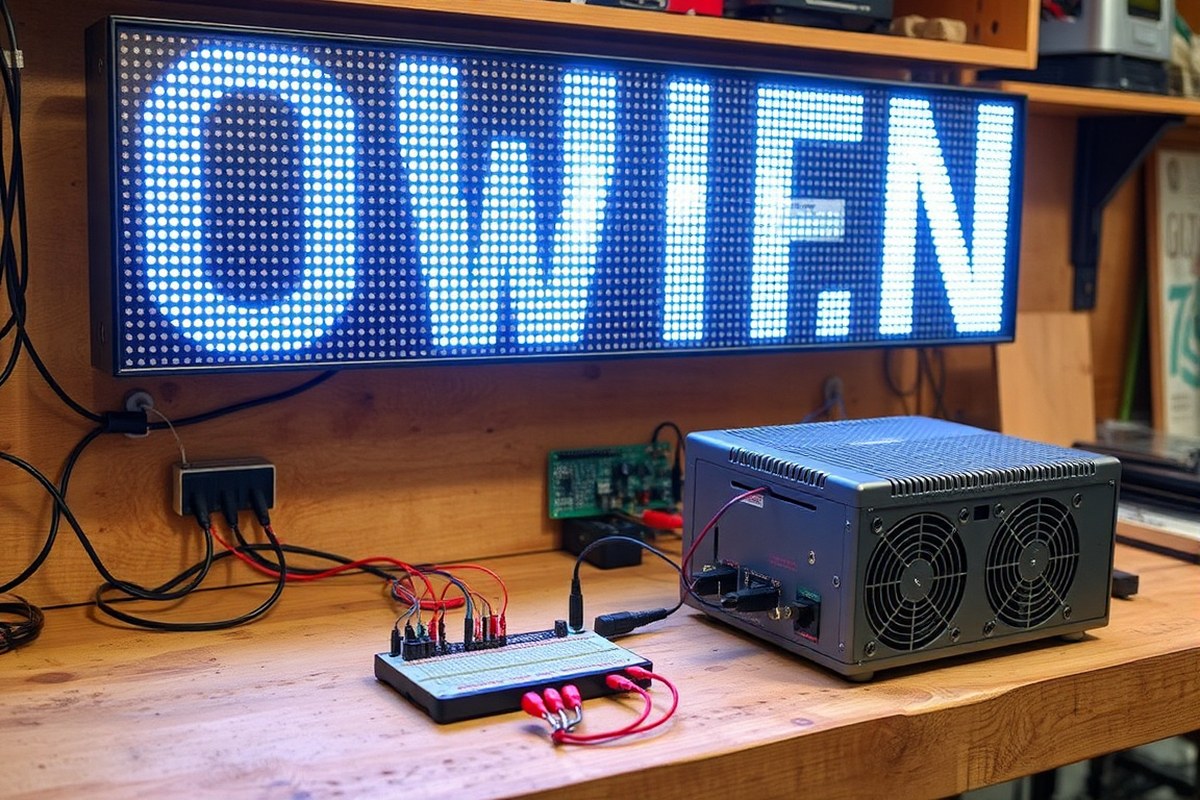
A scrolling LED sign consists of several essential hardware components that work together to display dynamic messages clearly and reliably. The heart of the system is the LED modules, which are panels made up of numerous small light-emitting diodes arranged in a grid. Each LED acts as a pixel, lighting up individually to form letters, numbers, and images. These modules are connected to a controller board that manages the data sent to each LED, controlling the sequence and speed of the scrolling content.
The controller serves as the sign’s brain, typically programmable via a computer program or mobile app. It receives your message through USB, Wi-Fi, or Ethernet and converts it into signals that drive the LEDs. Good controllers allow real-time updates and adjustments within a range of about 100 feet using a remote or connected device. The housing or casing protects all these electronic components. It must be sturdy and weather-resistant, especially for outdoor signs, to endure rain, temperature swings, and dust. For indoor signs, a lighter casing with IP20 rating suffices, focusing on ease of installation and fine-pitch resolution for close viewing.
Another critical component is the power supply. It converts the building’s standard electrical voltage (typically 120 V AC in the US) into the low-voltage DC needed by the LED modules and controller. A high-quality power supply is essential because it ensures consistent brightness and prevents flickering. Power needs increase with the sign’s size and brightness requirements, so larger outdoor scrolling LED signs require strong power supplies capable of handling higher current loads safely.
Proper assembly and access to these components matter for both installation and maintenance. The casing must allow technicians to reach the LED modules and controller boards easily for repairs or upgrades. Signs designed for modular replacement reduce downtime, which is important, especially for business-specific messages that must remain visible.
- LED modules: pixel grids forming the display surface
- Controller board: processes input and controls LED activation
- Power supply: converts and supplies stable low voltage DC power
- Protective casing: weatherproof and durable enclosure
- Communication ports: USB, Wi-Fi, or Ethernet for programming
- Remote control interface: allows real-time message updating
Use a power supply rated slightly above your sign’s maximum power draw to avoid overheating and extend component life.
The cost of components varies widely based on size, pixel pitch, and brightness. Smaller indoor signs with fine pixel pitch cost less to power and house, while large outdoor marquees may require power supplies rated for dozens of amps and casings certified for harsh environments. Deciding on these parts depends on your desired display size, message complexity, installation location, and budget.
Programming and Updating Scrolling LED Signs
Scrolling LED signs are programmed using specialized software that allows you to create, edit, and schedule content. Updates can be made locally via a computer or remotely through internet-connected devices, enabling quick changes from virtually anywhere. This flexibility helps keep your messaging timely and relevant, whether for promotions, announcements, or real-time data.
Software Options for Programming
Most scrolling LED signs come with manufacturer-specific software designed to control message content, speed, and effects. These programs support various media types such as text, images, GIFs, and videos, allowing you to customize the display fully. Prices for software can range from free basic versions to paid advanced packages costing $100 to $500, depending on features and sign compatibility.
Some software is cloud-based, offering easy access from multiple devices and automatic updates. Others are installed locally and may require USB or Ethernet connections to upload content. It’s essential to check your sign’s manual for compatible software and hardware requirements before purchase or programming.
Choosing software with a user-friendly interface and scheduling options helps you plan content in advance, reducing last-minute updates. This is particularly useful for businesses running promotions or financial institutions displaying stock data where timing is critical.
Using Remote Controls and Mobile Apps
Remote programming lets you update your sign without being physically near it, using Wi-Fi, Ethernet, or cellular networks. Mobile apps designed for LED sign models enable on-the-go control via smartphones or tablets. This convenience allows for quick content changes during events, emergencies, or time-sensitive advertising.
To set up remote updates, connect your LED sign to a network following the manufacturer’s instructions and pair it with the controlling device. Security settings like passwords or encrypted connections help prevent unauthorized access.
Some signs also include handheld wireless remote controls for basic functions like changing presets or adjusting brightness. While less versatile than app-based control, these remotes work well for simple, immediate adjustments without needing a computer.
Best Practices for Real-Time Updates
Effective real-time updates keep your sign content fresh and engaging. Schedule content during low-traffic hours to avoid distractions and minimize downtime. Always preview new messages to check for errors in text or formatting before pushing them live. Here’s a practical step-by-step approach to updating your scrolling LED sign:
- Launch the LED sign’s programming software or open the mobile app connected to your display.
- Create or select the content you want to display, including text, images, or videos.
- Adjust settings such as scroll speed, brightness, and display duration as needed.
- Preview your content within the software to ensure it looks correct.
- Connect to the LED sign remotely via Wi-Fi, Ethernet, or USB cable.
- Upload or push the updated content to the sign.
- Verify the changes appear correctly on the physical sign.
- Set a schedule for automatic content changes if supported, or plan for manual updates.
Regularly backing up your content and updating your software helps avoid glitches and downtime. Quick content changes can increase customer engagement but take care to avoid frequent, abrupt shifts that make your sign hard to read.
Types of Scrolling LED Signs and Their Uses
Scrolling LED signs come in several types, including single-color, dual-line, and full-color models. Your choice depends on the type of message you want to display and the industry application. Each type offers specific advantages that suit different communication needs and budgets.
Single-Color Signs and Applications
Single-color LED signs use one color, typically red or amber, to display scrolling text or simple graphics. They are cost-effective and energy-efficient, making them ideal for businesses prioritizing basic messaging without high visual complexity. Retail stores, gas stations, and restaurants often use these signs for price updates, hours of operation, or promotional messages.
These signs usually feature one scrolling line but can be configured to display multiple lines in the same color. The simplicity results in lower maintenance costs and longer lifespans compared to more complex signs.
Dual-Line and Multi-Line LED Signs
Dual-line and multi-line scrolling LED signs can display two or more lines of text simultaneously, offering more information in a compact space. These signs are useful for venues like theaters or community centers where event schedules and promotional details need to be visible at once.
Businesses looking to communicate multiple messages, such as specials and announcements, benefit from this flexibility. These signs still often use a single or dual color scheme but provide more content display ability than single-line models.
Full-Color LED Signs and Features
Full-color LED signs use RGB (red, green, blue) diodes that combine to create millions of colors. This capacity allows for vibrant, detailed images and videos in addition to text. These signs are common in industries such as entertainment, sports venues, and large retail stores where eye-catching visuals boost engagement.
Though full-color signs come with higher initial costs and energy usage, their versatility supports complex content like logos, animations, and social media feeds. Multi-line scrolling messages also improve communication capability in dynamic marketing campaigns.
Choosing the right scrolling LED sign depends on your communication goals, budget, and environment. The table below summarizes types, features, and typical uses.
| Sign Type | Color Capability | Lines/Message Capacity | Common Uses | Typical Industries |
|---|---|---|---|---|
| Single-Color | One color (red or amber) | Single or multiple lines | Price updates, hours, basic promotions | Retail, gas stations, restaurants |
| Dual-Line / Multi-Line | One or two colors | Two or more lines | Event schedules, announcements, multiple promos | Theaters, community centers, service businesses |
| Full-Color | RGB full spectrum | Multiple lines, complex graphics/videos | Brand logos, video ads, dynamic content | Sports venues, entertainment, major retailers |
The choice of sign size, color capability, and line count should align with your intended messages and viewing distance. Signs for outdoor use often demand higher brightness and weather resistance, while indoor options can prioritize color detail over brightness. Evaluating these factors ensures you get an effective scrolling LED sign tailored to your industry and communication needs.
How Pixel Pitch Affects Image Quality and Viewing Distance
Pixel pitch defines the distance between the centers of each LED cluster, directly affecting an LED sign’s image resolution and clarity. Smaller pixel pitch means LEDs are closer together, producing sharper images ideal for short viewing distances. Larger pixel pitch spaces LEDs farther apart, reducing resolution but allowing the sign to be visible and clear from farther away. Choosing the right pixel pitch depends largely on where and how your audience will view the scrolling sign.
For example, a pixel pitch of 2 to 4 millimeters suits indoor signs or storefront windows where viewers stand a few feet away. Outdoor signs facing streets or highways generally use pixel pitches ranging from 10 to 25 millimeters, ensuring text and images remain legible from 50 feet or more. The balance is between image quality and the practical distance customers will be reading the sign. Using too fine a pitch for distant viewing wastes cost without noticeable benefit, while a wide pitch loses clarity up close.
| Pixel Pitch (mm) | Ideal Viewing Distance | Image Quality | Use Case |
|---|---|---|---|
| 2, 4 | 3, 15 ft | High resolution, sharp text | Indoor signs, storefront windows |
| 6, 10 | 15, 50 ft | Good resolution, readable text | Small outdoor signs, pedestrian zones |
| 16, 25 | 50, 150 ft+ | Lower resolution, larger text | Highway signs, large outdoor displays |
Sign size also matters along with pixel pitch. Common sizes like 102 inches by 36 inches provide ample space for bold, scrolling messages, but finer pixel pitch in large signs increases cost. Deciding involves factoring in budget and where the sign installs, busy city centers with close foot traffic need tighter pitches for crispness, while signs on highways tolerate larger pitches for greater viewing distance.
For a custom solution, consulting experts at sign services can help you determine exactly what pixel pitch and size combination matches your location and viewing habits. High visibility LED scrolling signs use brightness and pixel arrangement to ensure messages remain clear even in bright daylight or from a distance, but clarity starts with the right pixel pitch choice suited to your audience’s position.
Tip: Choose a pixel pitch that matches your typical viewer’s closest distance to avoid paying extra for finer resolution that won’t be appreciated.
Durability, Lifespan, and Environmental Factors
LED signs typically last around 100,000 hours, which translates to over 11 years of continuous use. This long lifespan makes them a cost-effective choice for businesses that want durable signage. However, actual longevity depends on factors such as brightness settings, operating environment, and maintenance. Lower brightness levels and intermittent use can extend the life of the LEDs.
When installed outdoors, scrolling LED signs must withstand weather conditions like rain, snow, wind, and extreme temperatures. Manufacturers address this by using weather-resistant materials and protective coatings. Many outdoor LED signs feature sealed cabinets with high IP ratings (Ingress Protection) to prevent water or dust from damaging internal components. Proper ventilation is also included to manage heat without letting moisture inside.
Environmental factors significantly affect durability. High humidity, salt air near coastal areas, and exposure to direct sunlight can accelerate wear. Temperatures below freezing or above 100°F can cause thermal stress, which may shorten LED lifespan or lead to component failure. To maintain performance, signs should be mounted securely to resist vibration and shock from wind or passing vehicles.
- Choose LED signs with at least an IP65 rating for outdoor installations
- Install signs in shaded or semi-covered locations to reduce UV exposure
- Schedule regular cleaning to prevent dirt and debris buildup
- Use surge protectors to safeguard against electrical spikes
- Avoid continuous operation at maximum brightness to extend LED life
- Check mounting hardware periodically to reduce vibration damage
- Consider climate-specific enclosures if located in harsh environments
Proper installation and maintenance play a key role in extending the lifespan and durability of scrolling LED signs. For example, tightly sealed enclosures keep moisture out, while vents help maintain optimal temperatures. Keeping brightness at a reasonable level also reduces heat buildup inside the sign. Using suitable materials and protection methods will help your sign maintain clear and vibrant messages in all weather conditions for years.
Energy Use, Brightness Control, and Power Considerations
Brightness and visibility of a scrolling LED sign depend mainly on the LED type, pixel pitch, and ambient lighting conditions. High brightness levels are essential for outdoor signs to remain visible under direct sunlight. Indoor signs require less brightness, which helps save energy and reduce glare. Scrolling LED signs typically allow brightness adjustments from a few hundred nits indoors to over 5,000 nits outdoors. Controlling brightness effectively avoids wasting energy and prolongs the LED lifespan.
Power consumption for scrolling LED signs varies widely, generally between 20 to 150 watts per square foot, depending on size, brightness, and content complexity. Outdoor signs usually consume more power because they operate at higher brightness levels to combat sunlight. LED technology is inherently energy-efficient, using significantly less power than traditional neon or fluorescent options, making it more cost-effective in the long term, as well as environmentally friendly.
To control brightness effectively, use built-in dimming features or external sensors that adjust intensity based on surrounding light levels. Many modern LED signs include ambient light sensors that automatically lower brightness at night or in shaded conditions. Business owners should program these sensors to match operating hours and local light patterns to avoid excessive energy use when the sign is less visible or unnecessary. For indoor signs, manually setting brightness to a comfortable level between 300 and 800 nits typically suffices and reduces power draw.
Optimizing energy use means matching brightness settings to the specific environment. Outdoor signs benefit from higher brightness during the day (around 4,000 to 5,000 nits) to remain readable, dropping to 500 to 1,000 nits at night to prevent glare and save energy. Indoor signs rarely need more than 1,000 nits because of controlled lighting conditions, so setting brightness closer to 300 to 600 nits is often ideal. Reducing brightness by 20 to 40 percent during off-peak hours can cut power consumption significantly without compromising message visibility.
Proper heat management also affects energy efficiency and brightness stability. LED signs generate heat that, if not dissipated, can raise LED operating temperature and reduce brightness or lifespan. Choosing signs with integrated cooling systems or ensuring adequate ventilation is key, especially in outdoor venues exposed to high temperatures. Neglecting thermal considerations can lead to diminished brightness and higher power use as LEDs work harder or risk early failure.
Overall, combining good brightness control, ambient sensing, and appropriate heat management allows you to maintain clear, visible messages while minimizing power costs. Investing in LED signs with smart dimming features and proper installation tailored to your indoor or outdoor setting pays back through lower electricity bills and longer-lasting performance. Regularly reviewing and adjusting brightness settings according to seasonal changes and daylight patterns keeps your signage effective year-round.
Common Installation Mistakes and Troubleshooting Tips
Installing a scrolling LED sign is straightforward but requires attention to detail to avoid common mistakes. Most signs include clear instructions and tools for easy setup, but overlooking some technical or safety aspects can reduce performance or cause damage. Following basic troubleshooting and safety guidelines ensures your sign operates effectively and lasts longer.
Top Installation Errors to Avoid
One common error is improper mounting, such as not securing the sign firmly or placing it where the screen isn’t clearly visible to the target audience. Another frequent mistake is ignoring the sign’s power requirements, which can cause it to malfunction or create a fire hazard. Failing to calibrate brightness settings for ambient light conditions often results in poor readability, especially in daylight.
Incorrect programming or connections often cause the LED sign to display scrambled or incomplete messages. These errors can happen due to poor cable connections, outdated firmware, or incorrect software settings. Also, neglecting to check environmental factors like rain protection during installation may shorten the sign’s lifespan.
- Securely fasten mounting brackets and check alignment for optimal viewing angle
- Confirm electrical supply meets the sign’s voltage and current specifications
- Use recommended software and update firmware before programming
- Adjust brightness according to location lighting conditions
- Test wireless connection range if applicable to avoid signal loss
- Seal and weatherproof all exterior cables and connectors
- Review the manufacturer’s detailed installation checklist prior to mounting
Following a precise installation checklist helps prevent these errors. For example, many companies provide a step-by-step guide to ensure each element, from mounting to programming, is done correctly.
Basic Troubleshooting Steps
Start troubleshooting by checking the power source. Ensure the sign receives uninterrupted electricity and that breakers or fuses have not tripped. Verify all wiring connections are secure and free from corrosion, dirt, or damage. Confirm your sign’s wireless control device is properly paired and stays within range.
Software or display issues can often be resolved by resetting the sign or reloading the stored message files. Ensure you use the latest control software version to avoid compatibility problems. Check the sign under different lighting conditions when pixels appear dim or dead to identify power or hardware issues.
Regularly update your sign’s firmware to fix bugs and improve performance.
When more complex issues arise, documenting error codes displayed on the sign or diagnostics from the control software helps technicians identify the problem faster.
Safety Tips for Installation and Maintenance
Wear appropriate personal protective equipment such as gloves and safety glasses when handling and mounting the sign. Avoid working on electrical components without disconnecting power first. Using a licensed electrician to install the power supply or complex wiring is recommended to meet local electrical codes and avoid fire hazards.
Be cautious when installing signs at heights or on poles. Use proper scaffolding, ladders, or lifts to prevent falls. Weather conditions, like wind or rain, can increase danger during installation, so plan work on calm, dry days whenever possible.
Routine maintenance includes inspecting mounting hardware, cleaning filters or vents, and checking for water damage inside the enclosure. Keep the area around the sign clear for ventilation and safe access.
Your First 30 Days: A Quick-Start Plan for Your Scrolling LED Sign
Use this plan to get your scrolling LED sign up and running with clear messages and smooth operation. Follow each step to build a strong foundation for effective use.
- Before Installation: Select the right sign type and pixel pitch based on your location and target audience. Confirm visibility and quality meet your needs.
- Day 1: Install the sign following manufacturer guidelines, avoiding common mistakes like poor wiring or insecure mounts. Check for stable electrical connections and secure placement.
- Day 3: Connect the programming device via USB, Wi-Fi, or other interfaces. Test the initial message upload; a successful display confirms proper communication.
- Week 1: Program multiple messages with varying lengths and animation speeds. Verify smooth scrolling with no flickering or dead pixels.
- Week 2: Adjust brightness settings for daytime and nighttime visibility. Confirm readability at typical viewing distances throughout the day.
- Week 3: Set up a regular maintenance routine including cleaning and visual inspection. Ensure the sign runs consistently with no error messages.
- Week 4: Review energy consumption and optimize power settings if needed. Monitor overall performance and schedule any needed repairs promptly.
Frequently Asked Questions
How Does the LED Matrix in a Scrolling Sign Create the Moving Text Effect?
The LED matrix lights up specific LEDs in sequence to display each frame of your message, creating the illusion of motion. This method allows for smooth, customizable scrolling text that catches the eye.
Can I Control Multiple Scrolling LED Signs from One Device?
Yes, many LED signs come with software that lets you manage several displays from a single controller or computer, making it easier to update messages across locations.
What Is the Best Way to Schedule Messages on a Scrolling LED Sign?
Use the sign’s programming software to create a playlist or schedule that automatically changes messages at set times, keeping your content timely without manual updates.
Can a Scrolling LED Sign Display Images or Only Text?
Most scrolling LED signs can display simple graphics and animations as well as text, adding visual interest to support your message and improve customer engagement.
How Does Adding an Extra LED Line Improve a Scrolling Sign’s Performance?
Adding an extra LED line increases the sign’s vertical resolution, allowing for more detailed text and graphics, which can increase readability and impact, especially indoors.
Will Outdoor Scrolling LED Signs Still Be Visible in Bright Sunlight?
Yes, outdoor signs have high brightness levels designed to maintain visibility even in direct sunlight, ensuring your message is clear at any time of day.
Final Thoughts
Your scrolling LED sign works by combining precise hardware and programming to deliver dynamic messages that attract attention. Maintaining the sign’s components and updating content regularly keeps your messages fresh and effective. Start with simple message updates today to build your comfort with the system and keep your audience engaged.