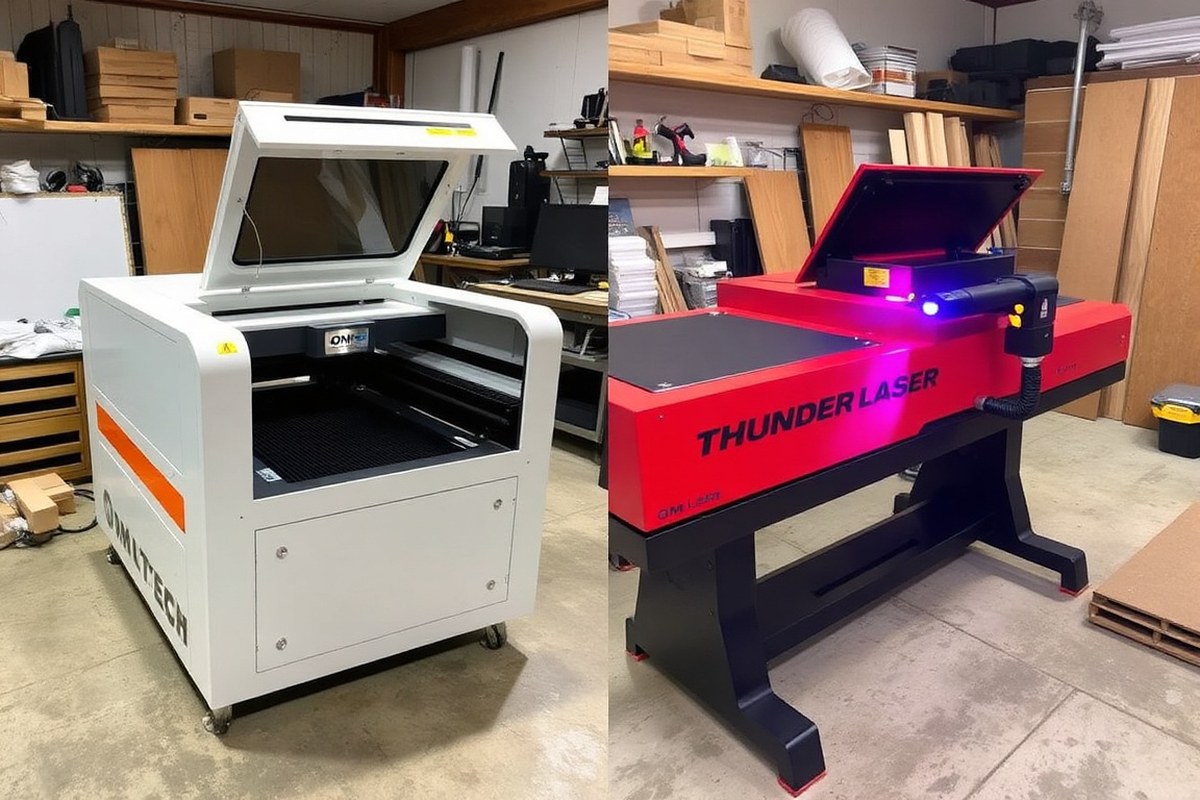
Omtech vs Thunder Laser: A Complete Comparison to Choose the Best Laser
Choosing between Omtech vs Thunder Laser depends on balancing price, features, and support. Omtech offers more affordable options and broader laser technology choices, while Thunder Laser prioritizes a polished user experience and specializes in CO2 machines. Start by clarifying your main laser needs and budget to guide your decision effectively.
Key Takeaways
- Omtech Pro 2440 costs about $3,400 less than Thunder Nova 35, offering strong value for deeper engraving and cutting.
- Thunder Nova 35’s hybrid servo motors match Omtech Pro’s engraving quality but come at a higher price point near $9,900.
- Omtech’s higher wattage CO2 lasers provide better cutting depth than Thunder’s similarly specced models.
- Thunder Laser Bolt has a 30W CO2 laser with a 500×300mm work area, suitable for smaller projects or starters.
- Omtech supports multiple laser technologies (CO2, fiber, welding) from a single vendor, simplifying purchases and support.
- Thunder Laser focuses exclusively on CO2, ideal if that technology covers all your engraving and cutting needs.
Key Differences Between OMTech and Thunder Laser Machines
OMTech and Thunder Laser differ notably in their design origins and manufacturing footprints, which matters if you weigh local support and assembly quality in your purchasing decision. Thunder Laser assembles and quality-controls its machines through U.S.-based operations, ensuring some level of domestic oversight despite sourcing key parts globally. This hybrid approach supports customers with U.S.-based service and training. By contrast, OMTech machines are fully manufactured and assembled in China, which enables the brand to offer a broader range of models at generally lower price points without compromising features.
The product lines reflect each company’s focus and market approach. Thunder Laser concentrates primarily on CO2 laser engravers and cutters, catering specifically to small businesses and professionals needing reliable, mid-to-high power CO2 units. Models like the Thunder Nova 35 and Thunder Laser Bolt exemplify this focus, with power ranges up to 80W and work areas suitable for typical engraving tasks. OMTech offers an extensive lineup that goes beyond just CO2 machines, spanning from economical 20W desktop CO2 units to 150W industrial CO2 systems. They also include fiber laser marking machines and handheld laser welders reaching up to 1500W, covering a wider spectrum of applications including metal marking and repair work.
This breadth matters if your business needs flexibility in laser types or plans to expand its capabilities. OMTech’s inclusion of fiber lasers and portable handheld options lets you tackle metal engraving and welding without buying separate equipment elsewhere. The availability of systems with different wattages, from 20W up to 150W in CO2 lasers, also means you can scale your cutting depth and engraving speed according to project complexity or material thickness.
Design-wise, both brands equip their higher-end models with hybrid servo motors to deliver precise cutting and engraving quality, seen in models like the OMTech Pro 2440 and Thunder Nova 35. OMTech’s machines often feature larger or more versatile work areas, such as the Pro 2440’s 40″ x 24″ bed with a four-way passthrough, compared to Thunder’s slightly smaller work areas and two-way passthrough design. The passthrough capability impacts your ability to work with oversized or long materials, making OMTech advantageous for wood engraving projects involving long planks.
Choosing between the two may depend on your priorities: Thunder Laser’s U.S. Assembly and focused CO2 line could offer convenience and support if you only need CO2 engraving and cutting. OMTech’s more diversified and budget-friendly portfolio allows experimentation with various laser types and power levels, helpful if your business evolves or demands broader material compatibility. Both brands, however, use either glass or metal laser tubes, affecting maintenance and operating costs, glass tubes need external chillers and have shorter lifespans but lower upfront costs, whereas metal tubes last longer but require more investment.
Complete Price and Total Cost Comparison
OMTech and Thunder Laser machines differ notably in their upfront prices and additional costs. OMTech tends to provide more transparent pricing, revealing what add-ons you will need, while Thunder Laser often advertises lower base prices but compensates with mandatory add-ons and shipping fees. This means your total cost might be higher than expected with Thunder Laser unless you carefully consider all extras like chillers and rotary attachments.
Both brands offer CO2 laser tubes at different price and performance levels. OMTech’s RF (radio frequency) tube options eliminate the need for external water chillers, reducing long-term maintenance and energy consumption costs. Thunder Laser’s water-cooled glass tubes require purchasing a separate external chiller, which can cost several hundred dollars. Rotary attachments and honeycomb workbeds are typically needed add-ons costing around $350 for both manufacturers.
| Specification | OMTech Pronto 35 60W | OMTech Pro Quantum 60W RF | Thunder Nova 35 (glass) | Thunder Nova Plus (RF) |
|---|---|---|---|---|
| Laser Tube | 60W glass, 12,000hr @ <40% power | 60W RF, air-cooled | 80W glass DC | 60W RF |
| Max Speed | 1000 mm/s | 4200 mm/s, 8G accel | 1000 mm/s | 1200 mm/s |
| Work Area | 27.6″ x 19.7″ | 39.4″ x 23.6″ | 39.4″ x 28.7″ | Approx. 900 x 600 mm |
| Pass-through Capability | Front/back, 0.75″ thick | None | Two pass-through doors | Not confirmed |
| Chiller Required | Yes, external, sold separately | No, RF, air-cooled | Yes | No, RF, air-cooled |
| Base Price | Varies; typically under $5,000 | Higher than Pronto | Around $9,900 | Higher range, exact price varies |
When budgeting, include the cost of a chiller if you choose a glass tube model. OMTech’s Pronto 35 60W requires an external chiller, usually adding $350 or more. Thunder Nova 35’s similar glass tube model also needs a chiller, which is not usually included in the base price. Rotary attachments and honeycomb beds, nearly essential for versatile jobs, tend to cost about $350 each with both brands.
OMTech offers RF laser tubes that remove the chiller requirement. This reduces not only upfront costs but ongoing expenses like electricity and maintenance. These tubes provide finer detail and longer tube life, factors that can affect total cost over the machine’s life span. Thunder Laser provides RF options too, but they generally carry a higher price, partly offset by included training and a polished setup experience.
Tip: Carefully confirm which accessories and consumables are included in your laser engraver’s price to avoid unexpected costs like chillers, air assist, or rotary tools that can add hundreds to your total investment.
Technical Specifications Compared: Power, Speed, and Work Area
OMTech and Thunder Laser both offer CO2 laser machines with power options ranging from around 80 watts up to over 100 watts, using different tube technologies that influence performance and maintenance. OMTech models primarily feature glass laser tubes, while their higher-end Pro Quantum line uses RF (radio frequency) tubes, which generally have longer rated lives, up to 10,000 hours compared to 2,000 to 3,000 hours typical of glass tubes. Thunder Laser uses similar tube types in their Nova series, including RF tubes on larger machines, but with slightly lower rated maximum speeds.
The working area size is one of the biggest differences affecting suitability for your projects. OMTech’s Pro 2440, for example, offers a large 24”x40” bed with a pass-through design for long materials, suitable for cutting or engraving extended wood or acrylic sheets. Thunder Laser’s Nova 35 also includes dual pass-through doors, allowing longer material runs beyond the standard bed size, while smaller Thunder models scale down to 20”x12” beds for desktop use. These large working areas combined with pass-through capability make it easier to handle bulky or long pieces without multiple setups.
| Brand & Model | Laser Power (Watts) | Tube Type | Rated Tube Life (Hours) | Work Area (inches) | Max Speed (mm/s) |
|---|---|---|---|---|---|
| OMTech Pro 2440 | 80 – 100 | Glass (Standard), RF (Pro Quantum) | Glass: 2,000 – 3,000 RF: ~10,000 |
24 x 40 | Up to 4,200 (Pro Quantum RF) |
| Thunder Nova 35 | 60 – 100 | Glass & RF options | Glass: 2,000 – 3,000 RF: ~8,000 |
20 x 35 | Up to 3,000 |
| Thunder Nova 24 | 40 – 60 | Glass Tubes | ~2,000 | 20 x 12 | Approx. 1,000 |
Maximum engraving and cutting speeds differ by model and tube technology. The OMTech Pro Quantum series stands out by reaching speeds up to 4,200 mm/s, particularly useful for high-volume production where faster job turnaround is key. Thunder’s Nova Plus line peaks around 3,000 mm/s, which still covers most hobbyist and small business needs yet may lengthen job times on thicker materials. For example, an 80-watt machine from either brand typically cuts wood up to 30 mm thick, but increasing to 100 watts can push that limit near 40 mm. Knowing these speed vs. Thickness capabilities helps you choose a machine that balances power and throughput.
Working with compatible software such as Lightburn or RDWorks lets you control speeds, passes, and cutting order efficiently. This is important when working with thicker materials that require slower speeds or multiple passes, ensuring clean cuts without burning or incomplete engraving. Faster machines with RF tubes also often feature water chillers integrated inside the frame to maintain optimal operating temperature and reduce downtime. Using these specs, you can match the machine to your project size, material thickness, and daily production needs, helping avoid bottlenecks and wasted time.
Unique Features and Included Accessories
Both OMTech and Thunder Laser engravers include hybrid servo motors and autofocus lasers, providing smooth and precise engraving performance. OMTech machines often feature built-in water chillers, which help maintain consistent operation, while Thunder Laser units come with user-friendly safety and usability features. Neither brand widely offers dual pass-through setups as a standard, but some models may allow for modifications or optional upgrades.
Hybrid Servo Motors for Smooth Operation
Both brands use hybrid servo motors to drive the laser head and gantry, improving control accuracy and reducing backlash compared to traditional stepper motors. Hybrid servos combine the benefits of servo and stepper motors, enabling quieter movement, faster acceleration, and more precise positioning.
This matters most when engraving fine details or cutting complex shapes at higher speeds. For example, if you plan to work on intricate jewelry designs or detailed signage, hybrid servos help ensure clean edges without vibration marks. Hybrid servo motors usually require a compatible driver and control board, which both OMTech and Thunder Laser provide built-in.
Built-In Water Chillers and Temperature Management
OMTech’s Pro 2440 model includes a built-in water chiller to cool the CO2 laser tube during extended use. Water chillers help maintain stable laser output and prevent overheating, which preserves tube life and ensures consistent cutting power. Having the chiller inside the machine chassis saves space and reduces setup complexity.
Thunder Laser typically requires an external water chiller or cooling system unless you upgrade to certain all-in-one models. This means you’ll need to budget for and install a separate cooling unit when purchasing a Thunder Laser if it isn’t bundled. Without proper cooling, laser tubes risk premature failure due to heat buildup, which can be costly to replace.
Usability and Safety Features Included
Thunder Laser machines often arrive with polished assemblies and several built-in safety features, such as:
- Emergency stop button for quick power cut-off
- Interlocked dual doors to prevent accidental exposure to laser beam
- Air assist ports to reduce smoke and prevent material flare-ups
- Fume extraction ports compatible with different extractor systems
- Integrated touchscreen control panels providing easy operation
- Autofocus sensors for automatic height adjustment
OMTech also includes autofocus capabilities and air assist options but may lack some refined safety details depending on the model. For a small business centered on production speed and repeatability, Thunder Laser’s slightly more polished build and safety systems can offer peace of mind and an easier startup experience.
Dual Pass-Through and Work Area Access
Neither OMTech nor Thunder Laser standardize dual pass-through doors across most models. However, some larger or custom configurations allow for pass-through access, which lets you engrave or cut on materials longer than the machine bed. This is useful for businesses working with large banners, tubing, or sheet materials.
Pass-through setups usually require extra framing and sealing to maintain laser enclosure safety and prevent fume leakage. These customizations can add $500 to over $1,000 in cost and require professional installation if you want full compliance with laser safety standards. Both brands often feature dual doors or panels on smaller models, allowing easier material loading and better usability for handling bulkier objects inside the engraving area.
Optional Attachments and Accessories
Several accessories improve the value and flexibility of both OMTech and Thunder Laser systems. Common optional add-ons include rotary attachments for cylindrical object engraving, air assist nozzles for cleaner cuts, and fume extractors for smoke control.
OMTech often bundles some accessories but charges separately for air assist compressors or advanced rotary setups. Thunder Laser sellers might include more accessories in the base price but verify this at purchase. Choosing accessories depends on your typical projects and workflow; for example, rotary attachments enable engraving on mugs or bottles, which can diversify your product line.
Support, Training, and Ease of Use Compared
OMTech and Thunder Laser machines differ significantly in the support, training, and ease of use they offer, impacting how quickly you can start and maintain productivity. OMTech typically provides basic setup instructions with the machine, but advanced support often comes at an extra cost, such as a $200 fee for personalized setup help. This can slow down the onboarding process if you are new to laser engraving. Thunder Laser, however, includes a complete training and support package in the price, especially notable in models like the Thunder Laser Bolt. This package covers detailed onboarding resources and support that help users achieve quicker mastery of the equipment.
Customer support responsiveness is critical for resolving issues without costly downtime. Thunder Laser boasts a support team that can be contacted via phone and email, with documented response times within one business day and sometimes same-day for urgent problems. OMTech’s support is also reachable by phone and email but may require extra fees for in-depth assistance, which can affect small business owners and hobbyists with limited budgets or tight schedules.
Ease of use extends beyond support and training to initial hardware and software setup. Thunder Laser machines come with native LightBurn support, an industry-standard design and control software that simplifies file preparation and job management. OMTech machines may require additional software setup or troubleshooting, adding complexity. For example, the Thunder Nova 35 needs an external water chiller, increasing setup steps and operational components compared to some OMTech models with internal cooling.
- Phone and email support available from both brands, with Thunder’s support included in the purchase price
- Thunder Laser offers built-in training packages; OMTech’s advanced training support costs an additional $200
- Thunder Laser’s user-friendly native LightBurn software reduces the learning curve
- OMTech may require more manual setup and external components, such as water chillers, adding complexity
- Expect initial setup to take several hours to a full day depending on experience and machine model
Invest time in fully reviewing training materials and ask about included support before purchase to avoid unexpected setup delays and costs.
Prioritizing ease of use means considering both hardware setup and ongoing support accessibility. If your business depends on fast startup and dependable assistance, Thunder Laser’s included training and responsive support make it a stronger choice. OMTech’s model might fit tighter budgets, but you’ll want to plan for potential extra time and fees to get fully operational.
Material Compatibility and Real-World Performance
Both OMTech and Thunder Laser engravers handle a variety of materials well, but their performance differs based on machine power and design. OMTech models, particularly the Pro 2440 with an 80W tube, can cut acrylic up to 29mm thick, while their 100W models reach up to 33mm. Thunder Laser machines offer comparable or sometimes superior cutting depths on similar materials due to efficient power use and cooling systems. Acrylic, wood, leather, fabric, and some thin metals are commonly processed by both brands, but thick acrylic and MDF sheets challenge lower-powered units.
Cutting speed and engraving quality depend heavily on selecting the right power and settings for the material. For example, with the OMTech Pro 2440 80W model, cutting a 6mm acrylic sheet typically requires a power setting around 70-80% and a speed of 10-15 mm/s. This balance prevents melting or charring while ensuring clean edges. Engraving wood at moderate depths on the same machine usually runs at 30-40% power with speeds of 200-300 mm/s, delivering clear detail without burning. Thunder Laser users often share similar settings but may adjust power slightly lower due to cooler tube operation that reduces heat-affected zones.
The built-in water chiller in OMTech machines helps stabilize performance during longer jobs, especially with thick acrylic or MDF, by reducing heat buildup. This cooling extends tube life and prevents warping or discoloration on temperature-sensitive materials. Thunder Laser machines also incorporate efficient cooling solutions, which users say contribute to consistent cutting depth and engraving sharpness, particularly during batch production or extended runs.
Lighter materials like paper, fabric, and leather can be engraved or cut with low power and high speed on both brands. For cutting 2-3mm leather, setting power around 25-30% and speeds near 20 mm/s usually produces clean cuts without excessive burning. Engraving on fabric often requires lower power, under 15%, and faster speeds over 300 mm/s to avoid scorching and distortion. Both communities actively share validated settings through forums and social media groups, which can shorten your trial-and-error phase significantly.
Choosing the right machine power aligns with your typical material thickness and job complexity. For instance, 40W or 50W OMTech models handle thin woods and plastics but struggle with thick acrylic or dense MDF. Upgrading to an 80W or 100W unit is advisable if your projects involve frequent cutting of materials over 10mm thickness or prolonged engraving sessions on hardwood. Thunder Laser offers a similar range but with a focus on optimizing tube life and consistent output across diverse materials, making their machines popular for professional small businesses.
Users should prepare for some trial runs, adjusting air assist, focus settings, and material placement to achieve the best results. Monitoring the cutting kerf and engraving contrast during initial jobs helps identify necessary tweaks. Overpowering or running the laser too slowly can cause melting, fire, or smoke residue, which degrade product quality. Conversely, insufficient power or excessive speed leads to incomplete cuts or faint engraving.
Machine Setup, Maintenance, and Operational Costs
Both OMTech and Thunder Laser machines require careful setup and regular upkeep to maintain efficient operation and longevity. Setting up involves verifying components, aligning optics, and connecting systems, while maintenance focuses on cleaning, checking laser tubes, and replacing worn parts. Understanding these routines helps avoid downtime and costly repairs.
Delivery and Initial Setup Procedures
After your laser engraver arrives, the setup process ensures it operates safely and accurately. Both OMTech and Thunder Laser units come partially assembled but require you to finalize installation and system checks. Preparing a clean and stable workspace with proper ventilation is essential before starting.
- Unpack the machine carefully, inspecting all parts for damage during shipping and verifying the included accessories match the packing list.
- Position the laser on a sturdy, level surface near power and ventilation outlets to support operation and coolant system if applicable.
- Install any detachable components such as exhaust fans, water circulation pumps, and air assist nozzles following manufacturer instructions.
- Connect the laser tube water cooling system, either a recirculating chiller or a pump with water reservoir, to maintain the tube temperature within 59°F to 77°F (15°C to 25°C).
- Attach the exhaust ducting to remove fumes and debris, ensuring it leads outdoors or to a proper filtration system.
- Power on the control panel and computer interface, then install and configure the included or recommended software, calibrating the laser bed as directed.
- Perform test engravings on scrap material to check alignment, focus, and power settings before starting production jobs.
Routine Maintenance and Tube Replacement
Maintenance involves scheduled cleaning and part checks to avoid performance drift and hardware damage. For both brands, cleaning the lens and mirrors every 20 to 40 hours of operational time prevents residue buildup that reduces engraving quality.
Laser tubes typically require replacement every 8,000 to 10,000 hours for sealed CO2 tubes. OEM tubes can cost between $300 and $600 depending on wattage and supplier, which is a significant ongoing investment. Regularly check electrical connections, coolant flow, and exhaust efficiency.
Troubleshooting Common Issues
Common troubleshooting focuses on power fluctuations, poor engraving quality, or mechanical misalignments. Cleaning optics and verifying water temperature and flow stops overheating, which can damage the laser tube. If the laser power output decreases, realign mirrors using the adjustment screws.
For software issues, reset settings to defaults and update drivers as necessary. Operational errors often originate from clogged exhaust or air assist systems, so inspect and clean these monthly. In case of persistent electrical faults or tube failures, contacting professional service support is recommended.
Choosing the Right Brand and Model for Your Needs
Choosing between OMTech and Thunder Laser depends on your budget, the scale of your production, and the materials you plan to work with. Both brands offer CO2 laser engravers suited for different levels of use, from hobbyists to large production shops. Aligning your choice with your growth plans and support needs ensures you invest smartly.
Best for Hobbyists and Beginners
OMTech often suits hobbyists and beginners due to its lower entry price and straightforward operation. Its machines offer enough power and speed for common DIY materials like wood, acrylic, and leather without overwhelming new users. The intuitive software and included components let you start engraving quickly with minimal setup.
Thunder Laser machines generally come at a higher cost, which might be less appealing for casual users or those testing the waters. However, they provide more precise control and durable builds that beginners can outgrow as they develop skills. For a budget-conscious beginner ready to scale up, OMTech offers the immediate entry point and decent performance for basic projects.
Ideal for Small to Medium Businesses
For small to medium businesses, Thunder Laser balances reliability, power, and speed, handling moderate production volumes efficiently. Its strong construction suits varied materials, from wood to coated metals, supporting broad product lines. The higher upfront investment reflects in longer-term durability, consistent results, and responsive customer support tailored for growing businesses.
OMTech machines also fit startups on tighter budgets but may require more frequent maintenance or part replacements under intense workloads. This brand works well if your business focuses on standard materials and moderate complexity, helping keep costs low while you build your customer base.
Suitability for Large Production Environments
Thunder Laser excels in large production environments where speed and endurance are important. Machines can process large materials at speeds up to 1000 mm/s and handle diverse mediums efficiently, reducing downtime. Their advanced cooling and automation options help maintain precision over extended runs.
OMTech is less suited for heavy-duty production due to its generally lighter design and fewer industrial-grade features. Businesses with high-volume demands or planning rapid growth benefit more from Thunder Laser’s stronger construction and support infrastructure. The table below offers a decision matrix based on key factors to help you match a brand and model with your specific situation.
| Factor | OMTech | Thunder Laser |
|---|---|---|
| Starting Price Range | $1,200, $4,000 | $5,000, $15,000+ |
| Maximum Speed | Up to 800 mm/s | Up to 1000 mm/s |
| Build Quality | Standard hobby-grade frame | Heavy-duty industrial frame |
| Material Compatibility | Wood, acrylic, leather, paper | Wide range including coated metals and thick materials |
| Support & Training | Basic online resources, community forums | Complete training, phone and onsite support options |
| Maintenance Frequency | Moderate under heavy use | Low due to industrial-grade parts |
| Ideal User | Hobbyists, startups with low volume | Small to large businesses, production shops |
Using this matrix, identify your budget, production scale, and material focus. For example, a hobbyist working with common materials and limited budget finds OMTech suitable. Small businesses seeking versatile, long-lasting machines often lean toward Thunder Laser.
Plan for your future needs: picking a machine only for today’s projects can lead to costly upgrades or replacements down the line.
Quick-Start Action Plan for Choosing Your CO2 Laser Engraver
Follow these steps to identify the best laser engraving machine that fits your business or hobby demands.
- Before you start: List your main project types, materials, and size requirements to focus your search. This clarity helps narrow down suitable models.
- Day 1: Compare the work area and power options of OMTech and Thunder Laser that match your list. Confirm they handle your typical project scale and material thickness.
- Week 1: Review total costs including accessories, setup, and maintenance for your top picks. Choose a model within your budget without cutting essential features.
- Week 2: Order or schedule a demo of the preferred model. Evaluate the machine’s user interface and build quality during the first setup.
- Week 3: Run test projects using your usual materials to assess engraving speed, accuracy, and ease of operation.
- Week 4: Evaluate customer support responsiveness and available training materials from your chosen brand to ensure reliable assistance.
- After one month: Decide if the machine meets your daily use needs and maintenance expectations, then fully integrate it into your workflow.
Frequently Asked Questions
Which Brand Offers Better Customer Support for First-Time Laser Users?
OMTech generally provides faster support when issues arise, helpful if you want quick troubleshooting. Thunder Laser offers strong training but may not match OMTech on quick response for beginners.
Is There a Significant Difference in Engraving Precision Between OMTech and Thunder Laser Models?
Both brands use hybrid servo motors ensuring high precision, so the difference in engraving detail is minimal. Precision mainly depends on model configuration and user settings rather than the brand.
Do OMTech Machines Have a Smaller or Larger Physical Footprint Than Thunder Laser?
OMTech models like the Pro 2440 are larger in dimensions compared to Thunder Nova 35. Consider your workspace size when choosing, as larger machines need more room for setup and operation.
Which Machine Is Easier to Maintain Regularly, OMTech or Thunder Laser?
OMTech may require more frequent user maintenance but offers easier access to replacement parts. Thunder Laser emphasizes durability, potentially reducing routine upkeep but possibly with higher repair costs.
Are There Any Notable Differences in Software Compatibility Between the Two Brands?
Both support popular software like LightBurn and RDWorks, but OMTech also supports CorelLaser. Choosing depends on your preferred design software and workflow compatibility.
Can You Use the Same Safety Accessories for Both OMTech and Thunder Laser Units?
Yes, standard laser safety glasses and ventilation systems generally work across both brands, but confirm size and power specs to ensure proper protection.
Wrapping Up
Choosing between OMTech and Thunder Laser depends on your project specifics, budget, and preference for support options. Focus on the features and service that align with your workflow and material needs. Your next step is to arrange a hands-on trial or seek out user reviews for the exact model you consider buying.


