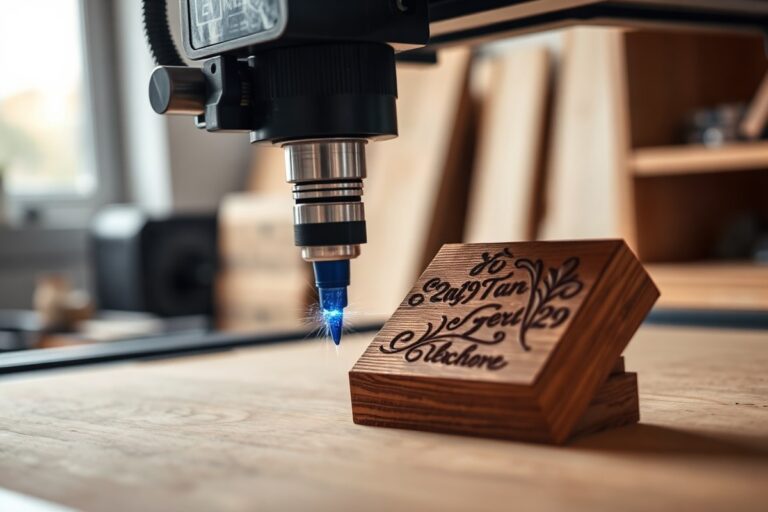
co2 vs Diode Laser Engraver: Key Differences, Costs, and Material Uses Explained
The main difference between a CO2 vs diode laser engraver lies in their power, speed, and material compatibility. CO2 lasers excel at fast, precise cutting and engraving on a wide variety of non-metal materials. Diode lasers cost less and are compact, but they work best on wood, plastic, and some coated metals, often at slower speeds. Start by considering what materials you’ll mostly engrave and how much production speed matters, as these factors heavily influence which laser suits your needs best.
Key Takeaways
- CO2 lasers typically operate at higher power levels, enabling faster engraving and cutting of large surfaces.
- Diode lasers usually cost between $300 and $1,500, making them accessible for hobbyists on a tight budget.
- CO2 lasers handle a wider range of materials, including wood, acrylic, leather, and glass, better than diode lasers.
- Diode lasers can effectively engrave on some metals if they have coatings but generally can’t cut bare metal like CO2 lasers.
- The shorter wavelength of diode lasers limits power density, which affects cutting depth and speed compared to CO2 systems.
- CO2 laser setups often require larger workspaces and proper ventilation due to fumes produced during cutting.
What Are the Main Differences Between CO2 and Diode Laser Engravers?

The main differences between CO2 and diode laser engravers come down to their core technology, wavelength, power output, and beam types. CO2 lasers use a gas tube to generate an infrared beam typically at a wavelength around 10,600 nanometers (nm), while diode lasers rely on semiconductors producing either blue light near 450 nm or near-infrared light between 808 and 980 nm. This fundamental technological distinction shapes how each laser interacts with materials and performs in cutting and engraving tasks.
CO2 lasers provide significantly higher power output, commonly ranging from 40 watts to over 150 watts. This enables them to cut thicker materials faster and produce deeper, faster engraving. Diode lasers usually offer lower to moderate power levels between 5 and 40 watts, making them better suited for surface-level engraving and light cutting of thin materials. The beam from a CO2 laser tends to be more powerful and better absorbed by materials like wood, acrylic, and glass, while diode lasers excel in applications needing finer or safer engraving on coated metals and thin stock.
The wavelength difference plays a critical role in material interaction. At 10,600 nm, CO2 lasers are absorbed efficiently by non-metallic substances including wood, clear acrylic, and glass, allowing for clean cuts and detailed engraving. Diode lasers’ shorter wavelengths do not penetrate clear acrylic well and struggle with glass engraving, limiting their effectiveness to primarily wood, leather, paper, and coated metals. For example, diode lasers achieve good results engraving vegetable-tanned leather but tend to have less depth control compared to CO2 lasers at similar power levels.
Beam characteristics also differ between the two types. CO2 lasers produce an infrared beam with a smoother, more uniform Gaussian profile that can maintain high focus and power density over varying distances. Diode lasers emit beams with slightly less consistent intensity and diverge more quickly, which affects engraving precision and speed. This makes CO2 machines faster overall and more efficient for batch processing or cutting thick sheets, while diode models are often compact, affordable, and suitable for hobbyists focusing on light engraving tasks. The following comparison highlights these key points:
| Category | CO2 Laser | Diode Laser |
|---|---|---|
| Wavelength | ~10,600 nm (infrared) | ~450 nm (blue) / 808, 980 nm (near-infrared) |
| Power Output | Higher (40W, 150W+) | Lower to moderate (5W, 40W) |
| Beam Type | Smooth, uniform Gaussian profile | Less consistent, more divergent beam |
| Best Use | Cutting thick materials, fast engraving | Surface engraving, light cutting on thin materials |
| Material Compatibility | Wood, acrylic, glass, leather, fabric | Wood, leather, paper, coated metals |
| Speed & Precision | Faster cuts and deeper engraving, high precision | Slower cutting, good engraving detail but less consistent |
The technology behind CO2 lasers allows for higher power density and stronger absorption by a variety of materials, leading to quicker, deeper cuts and faster engraving speeds. Diode lasers’ lower power and shorter wavelengths limit cutting capacity but reduce heat damage risk on delicate surfaces, making them practical for detailed engraving on coated metals and thin woods. Choosing between the two depends largely on the thickness of materials you plan to work with and the speed and depth of cutting or engraving you require.
How CO2 and Diode Lasers Work: Technology and Beam Production

CO2 lasers generate their beam using a gas mixture primarily composed of carbon dioxide, nitrogen, and helium. Inside a sealed glass tube, an electric current excites the gas molecules. This excitation causes them to emit photons in the infrared range, specifically at a wavelength of 10,600 nm. The photons bounce back and forth between mirrors at either end of the tube, a process that amplifies the light into a coherent laser beam. One of the mirrors is partially reflective, allowing the concentrated beam to exit the tube. The beam then travels through a series of mirrors and lenses that direct and focus it onto the workpiece. Power levels for CO2 lasers typically range from 25 watts up to 150 watts for desktop or small business machines, with industry models reaching even 400 watts. Higher power offers faster cutting and deeper engraving, which is why many craft businesses prefer CO2 lasers for versatile projects involving wood, acrylic, and fabric.
Diode lasers, in contrast, produce their beam through semiconductor diodes. When current passes through the semiconductor material, electrons recombine with holes and release photons. This process happens at the chip level, simplifying the laser source compared to the gas tube of a CO2 laser. Diode lasers emit visible blue light at around 450 nm wavelength, which is shorter than the infrared light from CO2 lasers. This difference means diode lasers interact with materials in a distinct way, particularly favoring wood, leather, and opaque acrylic. Their beam is emitted directly from the diode without requiring a complex internal alignment of mirrors, making the machine design more compact and often more affordable. Power typically ranges from 5 watts for hobbyist models up to about 40 watts for higher-end diode systems. While these power levels are lower than CO2 lasers, diode lasers are sufficient for light engraving and cutting tasks and are a popular choice for beginners and smaller scale projects.
The way the beam is directed also varies. CO2 lasers use an external mirror system to steer the beam precisely across the work surface, allowing for larger work areas but demanding regular maintenance to keep mirrors aligned and clean. Diode lasers produce a direct beam with fewer optical components in the path, reducing maintenance needs and sometimes improving reliability, albeit usually over a smaller working area. This difference in beam delivery affects the precision and maximum speed of the machine.
Always follow manufacturer instructions for cooling and safety, as both CO2 and diode lasers generate intense, focused energy that can cause burns or fire hazards if misused.
Materials Each Laser Type Can Cut and Engrave Best
CO2 lasers excel at cutting and engraving a broad range of materials, especially organic and transparent ones like wood, leather, and glass. Diode lasers focus on thinner, less dense materials and handle fine detail on coated metals. Both have strengths and limits, so selecting the right laser depends on your target materials and production speed.
Non-Metal Materials and CO2 Laser Compatibility
CO2 lasers operate with a 10.6μm wavelength, which many organic and transparent materials absorb efficiently. This lets CO2 engravers cut and mark wood, leather, acrylic (including clear), paper, rubber, and glass with ease. Their ability to work on clear acrylic and glass separates them from diode lasers, which struggle with transparency.
The higher power levels available on CO2 machines (often 30W to 60W for hobbyist and small business models) enable faster cuts and deeper engraving without multiple passes. For example, CO2 lasers cut hardwoods over 10mm thick more effectively than diode lasers, which require slow, repeated passes.
| Material | CO2 Laser | Diode Laser |
|---|---|---|
| Wood, leather, paper | ✓ Excellent | ✓ Excellent |
| Dark/opaque acrylic | ✓ Excellent | ✓ Partial |
| Clear acrylic | ✓ Excellent | ✗ Cannot |
| Glass | ✓ Excellent | ✗ Cannot |
| Fabric | ✓ Excellent | ✓ Good |
Good results with CO2 lasers on these materials include clean cuts with little scorching on wood or leather and high-detail engraving on glass surfaces. Poor ventilation can cause residue buildup, so proper extraction is necessary. Thin fabrics and paper require lower power settings to avoid burning.
Diode Laser Strengths with Thin and Organic Materials
Diode lasers typically operate at lower power (around 5W to 10W), making them suitable for light engraving and cutting thin materials like up to 3mm wood or leather. Their shorter wavelength limits their effectiveness on transparent and thick materials but benefits engraving fine details on coated or anodized metal surfaces.
For hobbyists primarily working with thin wood, paper, or leather, diode lasers provide cost-effective, compact solutions. They require slower passes for thicker sheets and cannot cut clear acrylic or glass. Diode machines usually need less ventilation due to lower power and less smoke produced.
Engraving clear or transparent surfaces is not feasible with diode lasers because their wavelengths are poorly absorbed, resulting in no visible marks. Attempting to cut thick hardwood will require multiple passes and extended time, making it less efficient than CO2.
Metals and Specialty Materials: Limitations and Solutions
Neither CO2 nor diode lasers effectively engrave or cut bare metals like stainless steel without special coatings or additives. CO2 lasers barely mark bare metals without coatings due to their wavelength. Diode lasers can engrave fine details on coated metals but cannot cut them.
For metals, fiber lasers are the preferred option as they are designed specifically to mark and cut various metals cleanly and quickly. CO2 lasers can etch surface coatings on metals but will not penetrate metal itself. Glass and ceramics are best handled by CO2 lasers for surface etching; diode lasers cannot mark these materials.
Specialty materials like ceramics, stones, and coated metals need careful consideration of laser type and power. For example, using a CO2 laser with a minimum of 30W power and proper settings can etch ceramics, while diode lasers cannot process them.
Comparing Cost, Speed, and Production Efficiency
CO2 laser engravers generally cost more upfront but offer faster cutting speeds and higher power, making them better suited for higher production volumes. Diode laser engravers have lower initial costs and can handle engraving and light cutting on thin materials but run slower and work best for hobbyist or low-volume tasks.
Initial Purchase and Setup Costs
Diode laser engravers typically cost between $200 and $1,000 for entry-level to prosumer models. These machines often have smaller engraving areas (e.g., 12″ x 12″) and use lower wattage, such as 6 watts, making them affordable for hobbyists or small-scale personalization projects. They are often lightweight, portable, and compatible with mobile apps for ease of use.
CO2 laser machines start around $500 for basic kits but commonly reach prices of $2,500 or more for models like the xTool P2 55W. These higher costs reflect increased power (typically 30W to 55W or more) and versatility, including the ability to cut thicker materials like 18mm black walnut or 20mm acrylic in a single pass. Dedicated workspace and ventilation systems are usually needed.
Operational Speeds by Material and Power Level
CO2 lasers have higher power output and longer wavelengths (~10,600 nm), which allow them to cut and engrave faster and through thicker materials, especially acrylic and wood. These machines often handle cutting and engraving in fewer passes, saving time for larger production demands. For example, a 55W CO2 laser can single-pass cut clear acrylic efficiently, which diode lasers cannot do practically.
Diode lasers operate at shorter wavelengths (~450, 455 nm) with lower power, restricting them mostly to engraving and cutting thin wood, leather, paper, and coated surfaces. Their slower processing speeds and limited cutting depth translate to longer cycle times, especially on thicker or denser materials. This makes them efficient for detailed engraving or personalization rather than bulk cutting.
Suitable Use Cases for Different Production Volumes
CO2 lasers suit small businesses or production environments needing fast, versatile cutting and engraving across a broad range of materials. Their speed and ability to handle larger, thicker materials support higher-volume workflows without compromising on quality and detail. Machines like the xTool P2 CO2 laser deliver consistent results on curved and flat surfaces and handle large tasks efficiently.
Diode lasers fit hobbyists or micro-businesses focusing on personalization, light engraving, and working with thin materials. Their lower cost of entry and smaller footprint make them ideal for occasional use, limited workspace, and projects that do not require speed or multi-material cutting.
| Factor | CO₂ Laser Machine | Blue Diode Laser Machine |
|---|---|---|
| Typical wavelength | 10.6 µm / 10,600 nm | Around 450, 455 nm |
| Initial Cost Range | ~$500 – $2,500+ | $200 – $1,000 |
| Power Level | 30W to 55W (or higher) | About 6W common |
| Cutting Speed | Faster; suitable for thicker materials | Slower; mainly thin materials |
| Material Range | Wide (acrylic, wood, leather, fabric) | Limited; wood engraving, coated surfaces |
| Production Volume | High-volume capable | Low to moderate volume |
Choosing between these laser types requires balancing your budget, material needs, production speed, and volume expectations. Use the cost and performance factors above to match a laser engraver to your specific tasks and workspace.
How Beam Precision and Wavelength Affect Quality and Detail
The wavelength of a laser beam plays a key role in determining cutting quality and engraving precision. CO2 lasers emit light at about 10.6 micrometers in the infrared range, which metal and many plastics absorb efficiently. This absorption allows CO2 lasers to cut non-metal materials like acrylic cleanly and produce smooth edges. Diode lasers, on the other hand, typically operate around 450 nanometers in the blue-violet visible spectrum. These shorter wavelengths are less absorbed by some materials and often scatter more, resulting in rougher edges on cuts and slower cutting speeds, especially on thicker or colored acrylics.
Beam size, often measured as spot size, directly impacts engraving detail. Smaller spot sizes concentrate laser energy into a finer point, allowing for sharper lines and more precise detail. A high-quality CO2 laser can achieve spot sizes close to 0.1 millimeters or less, enabling intricate work and tight control over engraving depth. Diode lasers usually have larger spot sizes, around 0.2 to 0.3 millimeters, limiting how finely they can engrave. For example, when engraving fine text or detailed logos, a CO2 laser will maintain edge clarity and crispness better than a diode laser.
Beam quality, often represented by the M² value, influences the laser beam’s focus and how well it maintains a small spot across the work surface. A beam quality of M² ≤ 1.5 allows the laser to focus tightly and consistently, which is important for uniform engraving depth and sharp cuts. CO2 lasers designed for precision have this low M² value, keeping edge fidelity and code readability high, even over larger work areas. Diode lasers typically have poorer beam quality, which can cause inconsistent engraving across the material.
Fine control over engraving depth depends on how well the laser handles power modulation and beam focus. CO2 lasers enable variable power settings with fine increments and maintain a steady beam focus. This allows you to adjust depth without sacrificing detail, important when layering shallow engraving or cutting through thicker materials. Diode lasers often have less precise power control, which can lead to uneven engraving depths or slower, less efficient cutting.
To maximize precision with either laser, ensure your focusing lens is clean and properly aligned. Use software settings to optimize speed and power for your material, slow speeds with lower power often yield finer detail. For CO2 lasers, keeping the spot size small near 0.1 millimeters and maintaining beam quality M² under 1.5 helps achieve the best fine work. For diode lasers, stick to surface engraving or thin, dark materials to get acceptable detail.
Always double-check lens alignment and clean optical components before a job to avoid beam distortion that reduces precision and detail.
Maintenance Needs and Expected Lifespan for Each Laser Type
Diode lasers require relatively low maintenance compared to CO2 lasers, largely because of their solid-state design and air-cooled systems. Routine tasks for a diode laser include cleaning the lens and mirrors every 20 to 40 hours of operation to prevent dust buildup that can reduce beam quality. You should also check the alignment periodically and ensure adequate ventilation to avoid overheating. Unlike CO2 lasers, diode laser modules rarely need replacement, as they typically last about 10,000 hours, depending on usage and cooling efficiency.
CO2 laser engravers need more attention due to their glass tube construction and water-cooling requirements. The glass tube has a shorter lifespan, generally between 2,000 and 4,000 hours, and requires replacement once the output power drops noticeably or the beam becomes unstable. Maintaining a CO2 laser includes regular cleaning of the optics, lens and mirrors, every 10 to 20 hours of use, ensuring the water cooling system operates properly with clean, distilled water at around 68°F (20°C), and checking water flow to prevent overheating.
Signs of wear for CO2 laser tubes include a faded or uneven beam, longer ignition times, and a drop in cutting or engraving performance. When you observe these, replacing the tube is necessary to maintain quality. Replacement tubes cost between $80 and $600 depending on wattage and brand, which adds to the ongoing operational costs. Diode lasers rarely require replacement parts because their solid-state diodes have a stable output until the end of their lifespan.
Comparing expected lifespan, CO2 laser tubes last between 2,000 and 4,000 hours, meaning frequent users should budget for multiple replacements to keep the machine performing well. Diode lasers last much longer, about 10,000 hours on average, reducing the need for replacements and related downtime. This longer lifespan and simpler maintenance contribute to lower long-term ownership costs for diode lasers despite their higher upfront cost in some models.
For maintenance, a checklist for diode lasers would be: clean lenses and mirrors every 20 to 40 hours, check ventilation and temperature daily during use, and verify beam alignment monthly. For CO2 lasers, the checklist involves: cleaning optics every 10 to 20 hours, monitoring water temperature and flow continuously, changing distilled water weekly, inspecting tube condition weekly, and planning tube replacement when hour usage approaches 2,000 to 4,000 hours or when output degrades.
Workspace, Safety, and Setup Considerations for Buyers
CO2 laser engravers typically require a larger workspace than diode laser machines, due to their size and the need for adequate ventilation. A desktop CO2 setup usually needs at least a 4- to 6-foot-wide area to accommodate the machine, workspace for materials, and proper airflow. Diode lasers are often more compact, fitting comfortably in a 2- to 3-foot-wide space, making them better suited to smaller workshops or hobby desks. The bigger size of CO2 machines comes from cooling systems and exhaust fans, which are essential for safe and efficient operation.
Safety precautions differ notably between the two laser types. CO2 lasers emit infrared light that can cause serious eye and skin injuries. This necessitates protective eyewear with lenses rated for CO2 wavelengths (typically around 10,600 nm) and often includes safety interlocks on the machine to prevent accidental exposure. Diode lasers operate at shorter wavelengths (around 450 to 960 nm) and usually at lower power, reducing but not eliminating safety risks. You should always wear laser safety glasses matched to the diode laser’s wavelength, keep the beam enclosed when possible, and avoid direct eye exposure.
Ventilation is critical for CO2 laser engravers because they cut and engrave materials that release smoke, fumes, and particulate matter. A properly installed exhaust system vented outdoors protects your health and keeps the workspace clean. Filters alone rarely suffice, especially when cutting materials like acrylic or wood, which produce potentially harmful vapors. Diode lasers generate fewer fumes and sometimes can be used with less extensive ventilation, especially for light engraving on safe materials like coated metals or plastics. Still, running a small air filtration system or localized exhaust is recommended to minimize airborne particles.
Cooling requirements also vary. CO2 lasers often use water cooling or large heatsinks, which means adding a countertop space or external chiller system. Diode lasers generally rely on passive air cooling or small fans integrated into the device, requiring less setup and power consumption. Keeping these cooling systems maintained prevents overheating that degrades laser life and performance.
- Workspace: CO2 needs 4-6 feet width; diode fits 2-3 feet
- Safety Gear: CO2 requires wavelength-specific goggles and interlocks; diode needs appropriate protective glasses
- Ventilation: CO2 demands exhaust vented outdoors; diode benefits from local air filtration but may not always require exhaust
- Cooling: CO2 often needs water cooling or external chillers; diode mainly uses built-in fan cooling
- Operating Environment: Avoid dusty, humid, or poorly ventilated areas for either type
- Setup Costs: CO2 ventilation and cooling add $200-$600 upfront; diode is usually less expensive and faster to deploy
- Safety Checklist: Confirm eyewear rating, test exhaust airflow, ensure cooling runs continuously during use
Here is a basic safety and setup checklist to follow before operating either laser type:
- Confirm designated workspace size with clearance for machine and airflow.
- Install ventilation systems suited to your laser type and materials you plan to use.
- Obtain and wear safety goggles matching your laser wavelength every time.
- Verify all safety interlocks and machine covers are intact and functioning.
- Maintain laser cooling during operation; check coolant levels or fan operation regularly.
- Keep flammable materials away and have a fire extinguisher nearby.
- Work in a dry, clean, and stable environment to avoid damage or hazards.
Choosing the Right Laser: A Decision Checklist Based on Your Needs
Choosing between a CO2 and diode laser depends on what you need to cut or engrave, how much you plan to invest, and your workspace limits. Make a clear comparison based on your materials, budget, and production volume to find the best match.
Assessing Your Material and Cutting Needs
Start by listing the materials you work with most often. CO2 lasers with their 10,600nm infrared wavelength handle a broad range of materials, including acrylic, wood, leather, and glass. Diode lasers are better suited for wood and leather and thin materials but won’t cut acrylic or glass effectively.
The thickness of materials matters too. Diode lasers generally cut thinner materials and are great for engraving detailed designs on softer substrates. Planning to work with acrylic or a wider variety of polymers means a CO2 laser is the better choice.
- Use CO2 lasers for acrylic, glass, and diverse polymers
- Choose diode lasers for wood, leather, and thin materials
- Pick CO2 for thicker materials or varied project scope
- Consider the engraving precision needed for each material
- Account for materials’ absorption of the laser wavelength
Budget and Space Constraints to Consider
Diode laser engravers cost between $100 and $1,500, making them ideal for beginners or hobbyists on a tight budget. CO2 models start around $800 and can go beyond $10,000 for advanced machines. Know how much you’re willing to spend upfront and on ongoing operating costs like replacement tubes for CO2 lasers.
Size and workspace also influence your choice. Diode lasers tend to be compact and can fit on a desktop, suitable for small workshops or home setups. CO2 systems are bulkier and need more room and ventilation to manage fumes from cutting materials like acrylic.
Make sure your workspace complies with safety and ventilation requirements for CO2 lasers before purchasing.
Evaluating Production Volume and Machine Lifespan
Understand your expected usage frequency and production goals. CO2 lasers perform better for higher volumes and continuous work because they can handle a wider range of materials while maintaining speed and quality. Diode lasers are slower and best for occasional use or small batches.
Lifespan impacts long-term value. Diode lasers last 10,000 to 20,000 hours with low maintenance. CO2 lasers need periodic tube replacements, which cost several hundred dollars and affect downtime. Foreseeing scaling production or diversifying projects could make investing in a CO2 laser or a hybrid system with both diode and CO2 worthwhile.
Step-by-Step Action Plan to Choose and Use Your Laser Engraver
This plan helps you pick the best laser engraver for your projects and start engraving confidently.
- Before you start: List the materials you plan to cut or engrave most often to narrow down whether a CO2 or diode laser fits your needs. Confirm your workspace size and ventilation capability.
- Day 1: Research models within your budget that match your material and workspace specifications. Check user reviews for reliability and maintenance reports.
- Week 1: Contact sellers or manufacturers with questions about warranties, support, and replacement parts. Choose the model that balances cost, speed, and precision for your workflow.
- Day of purchase: Prepare your workspace according to the machine’s safety and ventilation requirements. Set up the laser following the manufacturer’s instructions exactly.
- First use: Run simple test engravings on sample materials to adjust settings for optimal quality and speed. Confirm that safety measures like protective glasses and exhaust fans are active.
- After 2 weeks: Monitor your projects for consistent cutting quality and check the machine for signs of wear. Adjust cleaning or maintenance routines as recommended.
- Monthly: Review material compatibility and project results. Consider whether your chosen laser continues to meet your needs or if upgrades or accessories are necessary.
Frequently Asked Questions
Can CO2 and Diode Lasers Both Engrave Glass?
CO2 lasers can engrave glass effectively, while diode lasers typically cannot due to their wavelength. Use CO2 for clean, detailed glass engravings.
Are Diode Lasers More Energy-Efficient Than CO2?
Yes, diode lasers generally consume less power, making them more energy-efficient for small-scale projects. This can lower operating costs over time.
Do Diode Lasers Require Less Ventilation Than CO2 Lasers?
Diode lasers often produce fewer fumes and require less ventilation, ideal for home workshops. Still, always use proper exhaust systems for safety.
Can CO2 Lasers Engrave Metals Without Coating?
CO2 lasers usually need metal surfaces coated with special paint for engraving. Direct metal engraving is more suited to fiber lasers.
Is the Learning Curve Easier with Diode Lasers Compared to CO2?
Diode lasers tend to have a simpler setup and user interface, making them easier for beginners. CO2 machines often require more technical know-how.
Do CO2 Lasers Need Water Cooling While Diode Lasers Do Not?
Most CO2 lasers require water cooling due to higher power, while diode lasers use passive or fan cooling. This affects maintenance complexity.
The Bottom Line
Choosing between a CO2 and a diode laser engraver depends on your project materials, budget, and workspace. Starting with a clear understanding of these factors helps you select the right tool that delivers quality and efficiency. Try a test engraving early to fine-tune your settings and ensure safe, productive use. Taking this first step will set you up for success in your laser engraving ventures.