Cnc Sign Business Ideas: Profitable Products, Machines, and Marketing Tips
Finding the best cnc sign business ideas means focusing on products with emotional appeal that customers value beyond base materials. Personalized wooden signs, for example, can sell for several times their raw material cost because of their custom design and emotional connection. Start by choosing projects that showcase fine engraving and detail, like those made with V-Bits, to stand out in the market.
Key Takeaways
- Use 60° or 90° V-Bits to create sharp engraved lettering and detailed sign borders that attract customers.
- Choose materials like HDU board or quality wood that allow smooth edges and durable engraving for long-lasting signs.
- Personalized signs often sell for multiple times their material cost because they carry emotional value for buyers.
- Keep your day job while growing your cnc sign business to increase the chances of long-term success.
- Design signs using software like Vectric Aspire to produce detailed double-faced or multi-sheet panels for high-end products.
- Start with small, profitable projects to build skills and customer base before scaling up production and orders.
Best CNC Sign Business Ideas to Start Today

CNC sign products that sell well vary from simple starter projects to advanced custom designs, fitting different skill levels and budgets. For beginners, personalized wooden name signs and small home décor pieces are great starting points. These often use $10 to $20 wood blanks and sell for $40 to $100, offering a good profit margin. Pros can dive into LED edge-lit signs and layered business logo plaques, which use acrylic, wood, and lighting kits costing $50 to $150, selling from $150 to $500 depending on complexity.
Trending sign styles include rustic farmhouse wood, sleek modern acrylic, and mixed-material signs that combine metal and wood. Map-themed wall art is growing popular, especially custom city or state maps carved into wood, which appeal as unique gifts or décor. Wedding and event signage such as cake toppers, table numbers, and custom place cards offer a seasonal market demand. These items often cost around $10 to make but can sell for $50 or more due to personalization.
Niches can be targeted by tailoring signs to specialized interests and events. For example, sports team logo signs for fan rooms, pet name plaques for animal lovers, or handmade business signs customized with client branding. Personalized cutting boards and coasters engraved with names or dates blend kitchen utility with gift appeal and retail for $30 to $120.
- Custom wooden wall signs, $40, $120, beginner-friendly
- LED acrylic business logo signs, $150, $500, for intermediate to advanced makers
- Map-themed wood art maps, $75, $200, trending décor piece
- Wedding/event signs like cake toppers and place cards, $10, $60, seasonal and personalizable
- Personalized kitchen items such as cutting boards and coasters, $30, $120, popular gift items
- Small business branding signs and desktop organizers, $50, $300, catering to business clients
Starting with a reliable desktop CNC router helps ensure precision and repeatability needed to meet client expectations. Costs vary by material and design, simple wood signs might take a few hours with under $20 in materials, while multi-layered or LED-improve signs require more time, skill, and parts. Good results combine clean, detailed carving with consistent finishing, such as sanding and sealing. Problems often relate to tool wear, incorrect feeds or speeds, and poor material choice, all impacting quality and turnaround time.
Choosing the Right CNC Machine for Sign Making

Selecting the right CNC machine is essential for producing quality signs efficiently and fitting your business goals. The main machine types for signage include desktop CNC routers, mid-size routers, and large-format routers. Desktop machines like the Makera offer compact footprints and work well for prototyping or small-batch runs. Mid-size routers handle typical business signs, and large-format machines such as the TTC-6050 allow you to create sizable statement pieces up to 6 feet by 5 feet or larger.
Beginners usually start with desktop models because they cost less (often under $5,000), are easier to set up, and fit in smaller workshops. Higher-volume shops need machines with bigger work areas and faster spindles that can run longer without maintenance. For example, a TTC-6050 can accommodate multiple sheets of HDU board for double-faced business signs but may cost $20,000 or more.
Your machine choice directly affects the quality and workflow. Larger, more capable machines let you carve complex shapes and 3D details, expanding your custom options without sacrificing speed. Smaller machines restrict size but can charge premium prices for personalization and quick turnaround. Focus first on whether you want to prioritize customization or volume. You can build strong client relationships by consistently delivering speed and quality even without factory-level volume.
| Factor | Why It Matters |
|---|---|
| Customization | Customers pay more for personalized products |
| Material Cost | Lower costs increase profit margins |
| Production Time | Faster production improves scalability |
| Repeat Orders | Creates more predictable revenue |
To choose the right machine, first list the largest sign size you want to produce and your anticipated production volume. Desktop models suit small projects like coasters or indoor office signs with lower material costs, making them ideal for starting out. As orders grow, consider mid-size routers for standard HDU board signs or large-format units for custom statement signs. A reliable setup includes a sturdy worktable and quality tooling for clean cuts. Upgrading spindles and adding dust collection improve cut quality and workshop conditions. Software compatibility matters too; programs like Vectric Aspire help create detailed 3D reliefs that command higher prices.
Set aside time and budget for machine calibration and test cuts; even small misalignments reduce product quality and slow your workflow.
Materials and Finishes That Boost CNC Sign Value
Selecting the right material and finish shapes the look, lifespan, and price of CNC signs. Indoor signs often use wood or acrylic for fine detail and colour, while outdoor signs need tough materials like high-density urethane or metal to resist weather. Finishing adds value by protecting and highlighting design elements through paint, gold leaf, or anodizing.
Wood Types for Warm and Custom Signs
Wood offers a classic, warm appeal and suits indoor environments where it stays dry and stable. Premium hardwoods like maple, walnut, and cherry hold intricate details well and finish beautifully with stains or paints. Birch plywood provides a stable, flat surface with less warping, ideal for painted signs with clean edges.
Softwoods such as pine are budget-friendly and work for rustic styles but need sealing before paint to prevent tear-out and uneven absorption. Choose a 60° or 90° V-bit for carving fine lines or 1/4-inch downcut bits for cutting shapes. Wood’s natural grain can add character but may show inconsistencies if not properly prepared.
| Wood Type | Use Case | Notes | Typical Bits |
|---|---|---|---|
| Pine / Softwoods | Budget décor, rustic signs | Prone to tear-out; seal before paint-fill | For your bit selection, consider using a 60° or 90° V-bit, a 1/4″ downcut bit, or a 1/8″ flat bit. |
| Maple / Walnut / Cherry | Premium gifts, business signs | Holds fine detail; finishes beautifully | 60° V-bit, 1/8″ downcut, 1/8″ ball |
| Birch Plywood / Baltic Birch | Stable panels, paint-fill signs | Minimal movement; clean paint edges with mask | 90° V-bit, 1/4″ downcut, 1/8″ flat |
This table shows how wood varieties differ in stability, cost, and finish quality. Use hardwoods for detailed signs and plywood for projects expecting painted finishes or exposure to mild humidity but avoid softwoods outdoors without heavy sealing.
High-Density Urethane (HDU) for Durable Outdoors
High-density urethane offers a lightweight, weather-resistant alternative designed for outdoor use. It withstands moisture and temperature changes better than most woods, making it common for storefront and wayfinding signs. HDU signs can be layered and dowelled to create thick, dimensional pieces exceeding 90 inches in size.
You can combine HDU boards with gold leaf details or metal edge trims for an upscale look. For example, a sign with routed graphics finished in 23K gold leaf on an acrylic latex paint background balances durability and luxury appeal. HDU costs more than plywood but reduces maintenance and replacement rates over time.
Metal and Acrylic for Modern and Business Logos
Metal and acrylic bring a sleek, professional look suited for business signage and logos requiring sharp detail and color contrasts. Metals such as aluminum can be anodized or mirror-polished and paired with acrylic for bright backgrounds and lettering. Mirror gold 0.040-inch aluminum edge trims add an elegant finish to mixed-media signs.
Laser cutters and CNC mills cut and engrave these materials precisely. For instance, CNC-routed acrylic letters layered on a wooden base or combined with metal nameplates create visually striking, high-value signs. Acrylic withstands sunlight without yellowing indoors but may need UV-protective coatings when outdoors.
Finishing Techniques for Professional Results
Finishing seals and decorates signs, boosting appearance and lifespan. Paint coatings are common, with acrylic latex paints providing durable, weather-resistant colour indoors and outdoors. Masking tape during routing ensures crisp paint edges on ply or MDF boards. For upscale signs, gold leaf application on routed letters offers a premium aesthetic but requires skill and layering over sealed surfaces.
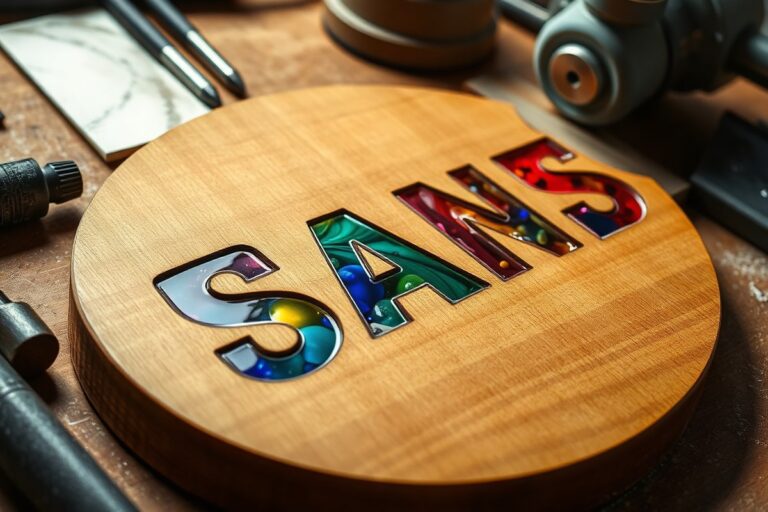
Anodizing applies to aluminum, improving corrosion resistance and allowing colour infusion for long-lasting metallic finishes. Combining finishes like epoxy resin accents on wood bases with embedded metal nameplates creates unique, mixed-media signs that command higher prices. Finishing Tips Checklist:
- Sand and seal porous woods before painting to avoid blotches.
- Use masking tape for sharp paint lines on plywood or MDF.
- Apply gold leaf on a sealed, primed surface to prevent peeling.
- Choose anodizing for aluminum to extend outdoor life.
- Layer mixed materials carefully for secure adhesion and professional appearance.
Estimating material cost helps you price accurately. For example, if hardwood maple costs $5 per board foot and a sign uses two board feet, material costs alone are about $10. Add finishing supplies like paint ($15 per quart covering 350 sq ft) or gold leaf ($20 per 23K sheet) to refine your quote. Balance quality with customer budget and intended sign location when selecting materials and finishes.
How to Price and Profit from CNC Signs
Pricing your CNC signs requires careful calculation of all costs involved plus a strategic markup to ensure profit. Start by adding up your material costs, including wood, acrylic, paint, and any specialized finishing supplies. For example, a hardwood plank for a medium-sized sign might cost $30 to $50. Factor in labor by estimating the hours spent on design, CNC machining, assembly, and finishing. If you value your time at $25 per hour and spend 3 hours total, labor adds $75. Combine material and labor for your base cost; in this example, that totals roughly $105.
Customization impacts pricing because unique client requests increase time and complexity. Detailed logo engraving using a 60° or 90° V-bit for fine serifs and borders requires slower feed rates and more passes, extending machine time by 20% to 50%. Customized color finishes or multiple layers add both material and labor costs. A rule of thumb is to increase your base price by 15% to 30% for moderate customization. Heavy customization may justify doubling the base price to cover extra effort and artistic skill.
Markups often range from 40% to 100%, depending on market positioning and product type. For example, simple lawn signs might use a 40% markup to stay competitive, while premium carved or layered business signs with logos can command a 100% or greater markup because clients expect higher quality and uniqueness. Targeting businesses who rely on signage for branding allows you to charge more than for decorative consumer pieces.
Here is a profitability calculator example you can use: add material costs + labor costs = base cost. Multiply the base cost by (1 + markup percentage expressed as a decimal) to get the selling price. For instance, $105 base cost with a 60% markup means $105 × 1.60 = $168 selling price. That price covers your expenses and leaves a $63 profit margin. Keep in mind overhead like electricity, machine wear, software, and marketing should factor into your overall business pricing strategy but are often estimated separately from per-piece costs.
Pricing by product category helps you stay competitive and profitable. Small, simple signs may have lower prices but sell in higher volume. Custom logo signs fetch higher prices due to their complexity and branding value, often making them your most lucrative product. Accurately tracking time spent on each type of sign and adjusting prices accordingly prevents undercharging and supports sustainable growth.
Customizing and Designing CNC Signs for Client Appeal
Designing and customizing CNC signs requires both an eye for detail and understanding of the right tools to turn client ideas into precise, attractive products. Using efficient software and having a clear workflow helps you meet client expectations while managing production time. Offering personalized options like fonts, logos, and colors broadens appeal and builds customer satisfaction.
Popular Design Software Options
Selecting design software depends on your experience, budget, and the complexity of sign projects. Popular vector-based programs like Adobe Illustrator and CorelDRAW provide precision and advanced tools for creating clean paths needed for CNC cutting. For a more cost-effective or beginner-friendly approach, Inkscape is a free application that supports scalable vector graphics (SVG) essential for CNC patterns.
Software such as VCarve Pro, Easel, and Fusion 360 are tailored for CNC tasks and combine design with toolpath generation. These specialized programs can save time by allowing you to both design and prepare machining files in one platform, which streamlines the process from concept to carving.
Preparing Files for CNC Machining
A clear production workflow helps reduce mistakes and turnaround times. Start with client specifications and finalize the design before moving to the machining stage. Make sure your design files are compatible with your CNC machine’s software, usually requiring vector formats like DXF or SVG.
- Consult with the client to understand size, font, logo placement, and color preferences.
- Create or refine the design using your chosen software, focusing on clear lines, proper scaling, and avoiding overlapping paths.
- Convert text to curves or paths to ensure fonts remain consistent across systems.
- Save the file in the CNC software-compatible format (e.g., SVG, DXF).
- Import the design into your CNC control software to set toolpaths, cutting depths, and speeds.
- Run a simulation or preview the toolpaths to check for errors or potential issues.
- Execute a test cut with similar material to confirm settings before the final run.
Always convert text to curves before export; this prevents font mismatches that can ruin your sign’s look and delay production.
Incorporating Custom Elements and Finishes
Clients often want signs reflecting personal or brand identity. Offering custom fonts means sourcing or creating font files compatible with your design software, but remember to respect licensing rules. Logos may require tracing or vectorizing raster images to maintain sharpness when carved.
Color customization usually comes during finishing, using stains, paints, or clear coats that bring out the wood’s natural grain or match brand guidelines. Offering options like hand-painting details or adding gold leaf can increase perceived value but adds time and cost. Create a customization checklist for each project to keep track of client requests such as:
- Preferred font style and size
- Logo file type and placement
- Color matching instructions or paint/stain brands
- Finish type (matte, gloss, satin)
- Additional features like LED backlighting or mounting hardware
Scaling Your CNC Sign Business with Production and Orders
Balancing one-off custom signs with batch runs requires careful scheduling and workflow planning. Custom signs demand more setup time and design adjustments, so allocate separate timeslots or days specifically for these projects. Batch production benefits from repeated setups where the CNC machine runs the same program multiple times. Producing in batches reduces material waste and machine idle time, improving overall efficiency.
Managing repeat orders effectively means creating an organized system for tracking client preferences, previous designs, and materials used. Use order management tools like spreadsheets, cloud-based apps, or software designed for small manufacturers. Automating order tracking reduces human error, speeds up reorder processing, and ensures consistent quality.
To cut scrap and improve lead times, standardize your workflows and create production checklists. Establishing clear steps reduces missed tasks that cause delays or errors. Monitoring tool wear and using proper feeds and speeds tailored to the material extend bit life and maintain cutting accuracy, saving costs and time. Checklists also help train new staff or yourself, especially as production scales up.
- Plan separate days or time blocks for batch runs versus custom one-offs
- Use cloud-based order management tools to track orders and client specs
- Keep a detailed production checklist: design review, tool setup, material prep, CNC machining, finishing
- Set standard feed rates and depths based on material for consistent cuts
- Order and stock materials in bulk for common batch jobs to reduce delays
- Implement quality checks after each batch to catch errors early
- Record scrap causes to adjust processes and improve yield
Good results include shorter lead times, fewer mistakes, and repeat customers happy with consistent sign quality. Poor results happen when workflows are too loosely structured, scattered schedules lead to bottlenecks and costly delays. Order management without digital tools often causes lost orders or miscommunication. Setting up these systems requires initial time investment to document steps and train on software, but the returns in productivity and customer satisfaction pay off quickly.
Marketing Strategies for Selling Custom CNC Signs
To attract and convert customers for your CNC sign business, combine online sales platforms with direct outreach to local businesses. Use targeted messaging that highlights customization, quality, and fast turnaround. The right promotions and pricing bundles can also speed up sales and build loyal customers.
Selling CNC Signs Online
Online platforms like Etsy, Facebook Marketplace, and Instagram are solid choices for selling custom CNC signs. Etsy’s audience expects handcrafted and personalized items, making it easier to reach buyers seeking unique signs. Instagram lets you showcase your portfolio visually, building a following with engaging photos and videos. Facebook Marketplace targets nearby buyers looking for local products, which can increase trust and lower shipping costs.
For success on these platforms, post high-quality images of your signs from multiple angles. Use clear, keyword-rich descriptions that explain the materials, dimensions, and customization options. Consistent posting and interaction with followers help build visibility and trust.
- Optimize Etsy listings with tags like “custom wood sign” or “personalized business sign”
- Regularly post Instagram stories and reels showing behind-the-scenes production
- Use local location tags on Instagram to attract area customers
- Respond quickly to inquiries on Facebook Marketplace to increase conversion
- Encourage customers to leave reviews and share photos of their signs
- Offer free shipping for orders above a certain price to boost sales volume
Costs mostly include platform fees, Etsy charges around 5% transaction fees and listing fees of 20 cents per item, along with time for social media management. Busy periods with multiple posts per week can drive steady orders. Mistakes like poor photos or slow replies often lead to lost sales.
Networking with Local Businesses
Local businesses are key customers since they frequently need signage for storefronts, office decor, or events. Approaching them directly allows you to build personal relationships, which can lead to repeat work and referrals. Small business owners appreciate vendors who understand their branding needs and offer quick, tailored solutions.
Start by researching local businesses such as restaurants, retail shops, and service providers. Prepare a script for phone calls or walk-in visits that quickly introduces your business and explains how your custom CNC signs can improve their visibility and professionalism. Sample outreach script:
Hello, my name is [Your Name] with [Your CNC Business]. We create custom, high-quality signs designed to fit your brand and space perfectly. I’d love to discuss how a personalized sign could help attract more customers and add charm to your storefront. Can we set up a time for a brief meeting or send you some examples?
Bring product samples or a portfolio on a tablet during in-person visits. Following up via email with pricing and design options shows professionalism. Attendance at local business networking events or chambers of commerce meetings helps broaden your connections. This hands-on approach takes effort but often results in contracts for larger, ongoing projects.
Promotional Offers and Packages
Pricing and promotions can motivate hesitant buyers and reward loyalty. Offering bundles, such as a coordinated set of signs for a storefront and interior, encourages bigger purchases. Discounts on first orders or seasonal sales also draw attention. Common promotion ideas include:
- 10% off first-time customers to lower entry barriers
- Bundled pricing for multiple signs ordered at once
- Referral discounts for returning clients who bring new customers
- Limited-time offers aligned with holidays or local events
- Free design consultation included with every order
Make sure promotions don’t undercut profitability; calculate margins before setting discounts. Clearly communicate the value added by bundles or extras like design help. Timely promotions should be announced through your website, social media, and local flyers. Tracking which offers lead to sales helps refine your marketing approach over time.
Common CNC Sign Shop Mistakes and How to Fix Them
Common mistakes in CNC sign production often stem from setup errors, poor tool maintenance, and improper material handling. Signs with rough edges, misaligned cuts, or inconsistent depth typically result from incorrect feed rates or dull bits. Regularly checking tool sharpness and adjusting speeds based on the material, such as softer woods versus acrylic, reduces these issues and avoids scrap waste that can cost $10 to $50 per sheet depending on material size.
Material damage happens when signs shift during cutting or when machining feeds are too aggressive. Clamping securely before starting each run and testing cuts on scrap pieces will prevent costly errors, especially with delicate substrates like thin plywood or MDF. Cutting in steps or with multiple passes can also extend tool life and improve finish quality, which impresses clients and reduces rework.
On the business side, common pitfalls include entering saturated markets without differentiation, ignoring ongoing machine maintenance, and neglecting quality control. Running a quality checklist before shipping every order helps catch defects early. A sample checklist should include inspection for smooth cut edges, correct dimensions within 1/32 inch tolerance, secured backings or hardware, and clean surfaces free of dust or burn marks.
- Test tool sharpness weekly and replace end mills after 10 to 15 hours of cutting
- Verify clamp pressure is firm but does not crush material
- Use alignment jigs or templates for consistent sign positioning
- Monitor feed rates; start slower for new materials
- Perform machine maintenance monthly: lubricate rails, check belts, and tighten screws
- Keep a quality control sheet for every batch
- Retain a small inventory buffer to cover minor production delays
Failing to maintain equipment can lead to unexpected downtime that disrupts delivery schedules and frustrates customers. It’s a good practice to block out 30 to 45 minutes weekly for machine cleaning and inspection. This habit reduces the chance of ruined parts, which could mean lost revenue from orders averaging $100 to $500.
Always secure your workpiece firmly and double-check all CNC parameters before starting a run to avoid costly mistakes and wasted materials.
Overlooking your own workload by quitting a steady job too soon can hurt business growth. Around 33% more entrepreneurs succeed when they keep their day job until profits from CNC signs cover expenses reliably. Balancing production efficiency with sound business practices increases your chance to carve out a niche in local or specialty markets rather than competing solely on price.
Your First 30 Days: A Quick-Start Plan
Start your CNC sign business on the right foot with this clear, step-by-step approach to get both equipment and customers in place quickly.
- Day 1: Research local market demand for different sign types. Use this to choose your initial product focus and material options.
- Week 1: Select and order a CNC machine suited to your target signs. Confirm delivery date and set up workspace for it.
- Week 2: Practice designing and producing sample signs. Evaluate quality and refine your processes until samples meet your standards.
- Week 3: Set competitive prices based on your material costs and local competitor pricing. Make sure pricing covers labor and overhead.
- Week 3: Build a simple website or social media profile showcasing your samples. Include clear contact info and pricing ranges.
- Week 4: Reach out to local businesses and organizations with a direct offer for custom signs. Track responses to gauge interest.
- End of Month 1: Analyze your first inquiries and orders, then adjust your designs, pricing, or marketing strategy based on feedback.
Frequently Asked Questions
What Are Some Unique CNC Sign Business Ideas Beyond Typical Signs?
Mapmaking as custom wall art offers a fresh niche with growing demand. It attracts buyers seeking new decorative options, making it a profitable CNC sign business idea.
Can I Start a CNC Sign Business with a Desktop CNC Machine?
Yes, a reliable desktop CNC machine offers the precision for small-scale custom production. It’s perfect for beginners or side hustles aiming for repeatability and consistent quality.
What Initial Questions Should I Ask Before Launching a CNC Sign Business?
You should clarify your target market, investment budget, and desired production scale first. These shape your business model and guide equipment choices for success.
How Can I Make Double-Faced Signs Using CNC Routers?
Double-faced signs can be CNC milled from materials like HDU board, then epoxied together for strength. Using software like Vectric Aspire helps create detailed 3D designs for complex projects.
What CNC Projects Complement a Sign Business for Additional Income?
Personalized cutting boards and hobby niche products pair well with signage, diversifying revenue streams. These items often share tooling and design skills, reducing setup time and costs.
Why Do Custom Fonts and Edge-Lighting improve CNC Name Signs?
Fancy fonts and edge-lighting improve aesthetic appeal, making signs stand out for customers. These design features add a premium look, increasing perceived value and sales potential.
Wrapping Up
Starting a CNC sign business involves combining the right machine, materials, and marketing to create signs clients want. Focus on delivering quality, customization, and clear value from day one. Begin by producing a small batch of signs tailored to your chosen niche and use client feedback to guide your next steps. Taking that initial action will put you on the path to building a profitable CNC sign business.