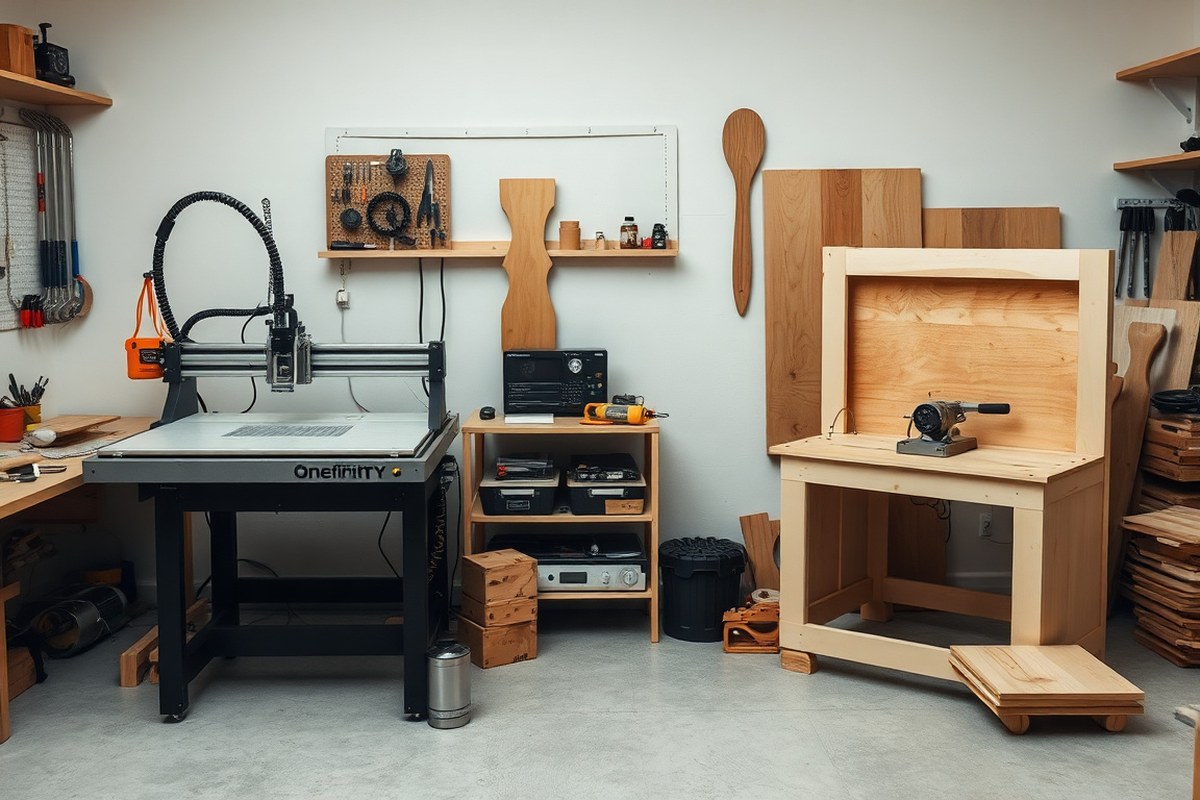
Onefinity vs Shapeoko: Complete Comparison for Serious CNC Buyers
Choosing between Onefinity vs Shapeoko hinges on balancing cutting volume, build quality, and upgrade options. Onefinity offers ball screws standard on all axes and a larger Z-axis travel for deeper cuts. Shapeoko provides a more established ecosystem with optional upgrades like the HDZ ballscrew Z-slider, but requires extra investment for these. Start by prioritizing cutting area and mechanical precision to fit your projects, then compare the extra cost of upgrades versus out-of-the-box features.
Key Takeaways
- Onefinity’s ball screws on all axes improve carving precision over Shapeoko’s standard belt system.
- Shapeoko’s HDZ ballscrew Z-slider upgrade costs $450, while Onefinity includes a ballscrew Z-axis by default.
- Onefinity Foreman offers 32.25″×32.25″×5.25″ cutting volume, larger Z-axis travel than Shapeoko Pro’s 32″×33″×3″.
- Shapeoko has a slightly smaller overall footprint compared to the larger Onefinity Foreman model.
- Onefinity Foreman includes an independent controller and touch display, simplifying setup and operation.
- Shapeoko’s 8-12 hour assembly time is much longer than Onefinity’s quick setup experience.
Key Differences Between Onefinity and Shapeoko CNC Machines

The key hardware differences between Onefinity and Shapeoko revolve around their drive systems, frame construction, and cutting dimensions. Onefinity machines use precision ball screws on all three axes, which improve accuracy and rigidity by reducing backlash and sensitivity to temperature changes. Shapeoko employs belt drives on the X and Y axes and a lead screw on the Z axis, which generally results in more maintenance and slightly less rigidity compared to ball screws. This distinction affects cutting precision and suitability for materials like aluminum.
Regarding motion and linear guides, Onefinity opts for hardened steel hollow linear motion shafts, contributing to a very stable and smooth travel mechanism free from v-wheels. Shapeoko uses heavy-duty V-wheels running on aluminum extrusion rails, which are less strong but make the machine lighter and slightly cheaper to produce. The fully supported Y rails on Shapeoko’s aluminum frame provide decent rigidity for wood and soft materials, but Onefinity’s ultra-rigid steel frame stands out in structural stability, especially helpful when machining harder materials or producing repeated high-precision cuts.
The cutting areas also differ. Onefinity offers a slightly larger square cutting footprint at approximately 32.25 inches by 32.25 inches with a Z-axis travel of about 5.25 inches. Shapeoko’s workspace is about 32 inches by 33 inches on X and Y, but its Z travel is shorter, around 3 to 3.5 inches depending on the model. This extra Z clearance on Onefinity allows deeper cuts or thicker stock pieces without reducing travel on the X or Y axis. For large or thick material projects, this can be a key deciding factor.
| Feature | Onefinity (Elite Gen 2) | Shapeoko 4 / 5 |
|---|---|---|
| Drive System | Ball screws on X, Y, Z | Belt drives on X, Y; Lead screw on Z |
| Linear Motion | Hardened steel hollow shafts, no rails | Heavy-duty V-wheels on aluminum extrusion rails |
| Frame Construction | Ultra-rigid steel frame | Aluminum extrusion frame, fully supported Y rails |
| Work Area (X x Y x Z) | 32.25″ x 32.25″ x 5.25″ | 32″ x 33″ x 3″ to 3.5″ |
| Rigidity | High rigidity due to ball screws and steel frame | Moderate rigidity, lighter frame, belt drive backlash |
Onefinity’s use of ball screws on all axes makes a measurable difference in cutting accuracy and consistency, especially for metal and dense hardwoods. The steel frame helps maintain precision by limiting flex and vibration. Shapeoko, with its belt-driven system and aluminum frame, still works well for most woodworking, acrylic, and soft material projects but may require upgrades for heavy-duty use. If you plan on working with thicker stock or need deeper Z travel, Onefinity’s extra Z clearance can be a practical advantage. However, Shapeoko’s frame and motion systems offer a balance of performance and cost for hobbyists focused mainly on wood and plastics.
Software and Controller Features Compared
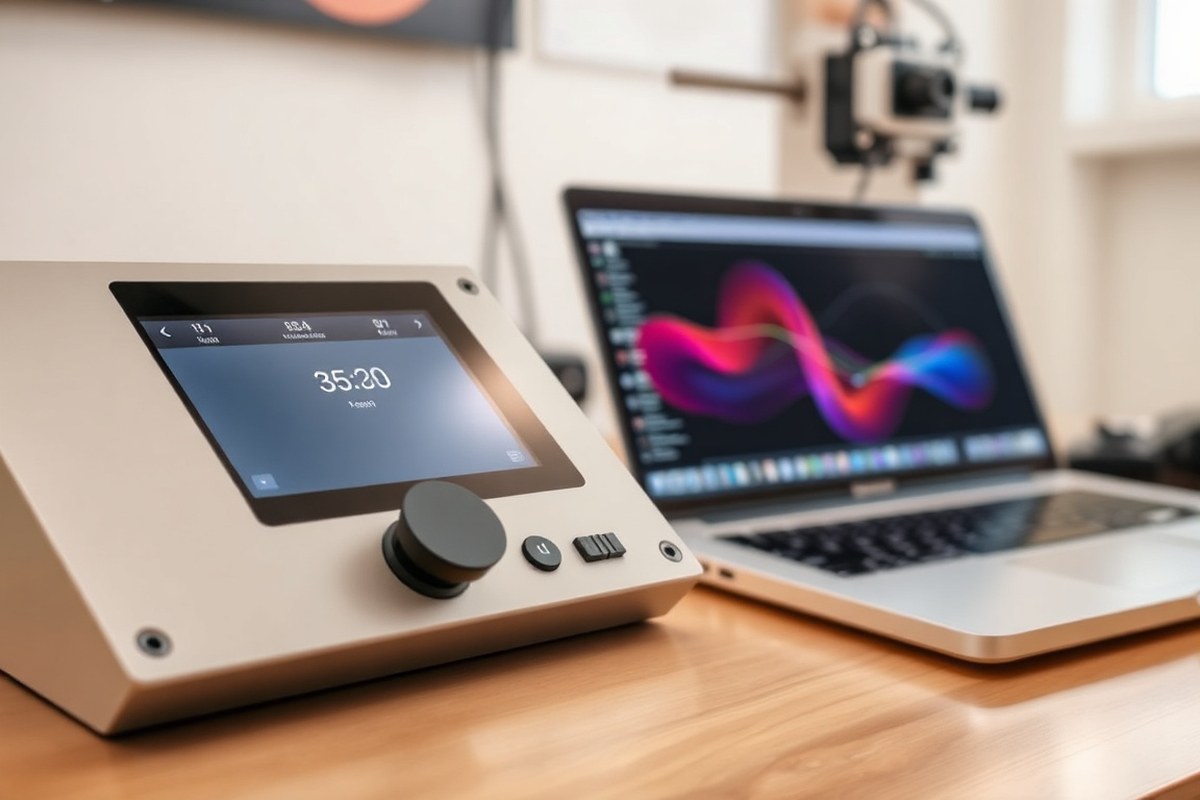
Both Onefinity and Shapeoko offer solid controller hardware and software options, but their out-of-the-box experiences differ notably. Onefinity includes a built-in controller with preinstalled software that supports GRBL-based control, while Shapeoko bundles free software like Carbide Motion and Carbide Create tailored for beginners. Both support a range of third-party CAM and control software, which allows flexibility based on your experience level and project needs.
Onefinity’s Built-In Controller and Touchscreen
Onefinity machines come equipped with an integrated controller featuring a touchscreen interface. The controller runs software based on the Buildbotics platform, which supports closed-loop motors with ballscrews, offering precise motion control. This setup is ready to run immediately, minimizing the need for additional hardware or software installation.
Since Onefinity uses GRBL-based firmware under the hood, it is compatible with many open-source and third-party control programs. However, its native software is less mature compared to Shapeoko’s options. The touchscreen interface is intuitive but lacks the extensive community-driven tutorials and established workflows found with Carbide Motion.
To set up, simply power on the machine, follow the on-screen wizard to calibrate axes, and load G-code files via USB or network. While you don’t have bundled CAM software, users rely on external programs like Fusion 360 or VCarve Desktop to generate toolpaths. Expect a steeper learning curve on software integration but a strong control experience during operation.
Shapeoko’s Compatibility with Carbide Motion and Easel
Shapeoko machines are known for their polished software suite designed to streamline the user experience. Carbide Motion controls the machine, providing precise jogging, probing, and start/stop functions through a simple user interface. Carbide Create, free with the machine, offers beginner-friendly 2D CAM capabilities, ideal for woodworking and basic projects.
Shapeoko also supports Easel, an online software package targeted at hobbyists who prefer an all-in-one browser-based design and control solution. Both Carbide Create and Easel simplify the process of creating designs, generating toolpaths, and sending jobs to the CNC.
Many professionals upgrade over time to paid CAM software such as VCarve Desktop (about $350 one-time) or use Fusion 360, which is free for personal, non-commercial use or costs around $680 per year for full features. The Shapeoko’s compatibility with a wide range of CAM and control software means you can scale your capabilities as you gain experience.
- Free control software: Carbide Motion, Easel (browser-based)
- Free CAM: Carbide Create
- Popular paid CAM upgrades: VCarve Desktop (~$350), Fusion 360 (free for personal use)
- Supports GRBL-based third-party software such as Universal Gcode Sender (free)
- Tool probing accessories like BitSetter available separately
- Integrated BitSetter accessory automates tool length measurement
Do not connect third-party software without verifying firmware compatibility, to avoid communication errors or machine faults.
Choosing Software Based on Your CNC Experience
Beginners benefit most from Shapeoko’s packaged software suite. The included Carbide Motion and Carbide Create reduce setup complexity, helping you make your first cuts in a few hours. Easel’s drag-and-drop web interface works well for simple projects, especially woodworking and engraving. This approach limits upfront costs and accelerates learning.
Hobbyists ready to invest in more capabilities may combine Shapeoko hardware with Fusion 360 or VCarve to produce complex 3D toolpaths. This path offers professional CAM tools with extensive support but requires additional training and software costs.
Onefinity’s advanced controller hardware is a strong foundation for users comfortable sourcing and learning CAM software externally. Its closed-loop motors and ballscrew drive can deliver cleaner cuts once you master software integration. Expect a longer setup phase for the software ecosystem, as community resources and official tutorials remain limited compared to Shapeoko.
Assembly Process and Time to First Cut
The Onefinity CNC machine generally takes less than 30 minutes to go from unboxing to first cut, thanks to its pre-assembled gantry and simplified electronics setup. In contrast, the Shapeoko requires over 5 hours for assembly before you can start cutting, with a full kit build taking 8 to 12 hours depending on your experience and workspace setup. This difference reflects their design philosophies, where Onefinity prioritizes quick start and ease-of-use, while Shapeoko demands more hands-on assembly that can teach you the machine’s mechanics in detail.
Onefinity Assembly: Pre-Assembled Gantry Setup
The Onefinity ships with the gantry mostly assembled, which drastically cuts down setup time. You start by mounting the gantry on the legs, connecting the wiring harnesses to the electronics box, and attaching the footswitch and controller panel. The machine rolls on hardened rods that double as rails, meaning no extra belt tensioning or rail mounting is necessary. This design reduces assembly steps and the chance of mechanical misalignments, allowing you to proceed to test cuts quickly.
The assembly process generally takes 2 to 4 hours if you include familiarizing yourself with the controls and mounting optional accessories. However, many users report a first successful cut in under 30 minutes once the gantry and electronics are connected. The absence of pre-installed endmills means you need to install cutting tools yourself before the first cut, so having the correct endmill ready will shorten delays.
Tools required are minimal: a standard hex key set, screwdriver, and occasionally a wrench. No special jigs or advanced calibration tools are needed. The straightforward design suits hobbyists who want to start cutting quickly without detailed mechanical assembly or belt tensioning.
Shapeoko Kit Build: Parts and Assembly Complexity
The Shapeoko arrives as a kit with many parts to assemble, including separate rails, belts, pulleys, plates, and a wasteboard frame. You need to bolt and square the gantry, tension the belts properly, and wire limit switches and motors carefully. This process typically takes 8 to 12 hours, but many users complete a basic setup in about 5 hours if they already have some mechanical or CNC experience.
Your assembly checklist should include mounting the frame, installing rails and sliders, attaching the gantry, wiring the motors and limit switches, assembling and securing the wasteboard, and loading the firmware onto the control board. The process demands attention to detail, especially in squaring the gantry and setting belt tension to ensure cutting accuracy.
Tools you need include hex keys, screwdrivers, a wrench set, and potentially a square tool to verify gantry alignment. Some users prefer an assistant for handling heavier components or for an extra set of eyes during wiring. The hands-on build helps you understand the machine’s mechanics, which can simplify future maintenance or upgrades like the ballscrew Z slider upgrade, but it is more time-consuming.
Tips to Speed Up Setup and Common Pitfalls
Preparing your workspace with good lighting and a clean surface can save time for both machines. For Onefinity, having your endmills and a USB drive ready before starting can help you move straight to the first cuts without delay. Take particular care connecting the electronics and ground wires to avoid faults.
Shapeoko builders should review the assembly manual closely and double-check the gantry square and belt tension before powering on. Taking the time to verify steps can prevent costly errors like misaligned axes or premature belt wear. Using common tools such as a carpenter’s square and a torque wrench for bolts can improve the setup quality and cutting precision.
Expect the Shapeoko build to be a learning process ideal for users who want intimate knowledge of their CNC hardware. The Onefinity is best suited for those prioritizing getting started fast with minimal assembly and tuning. Skipping calibration or rushing assembly on either machine can lead to accuracy issues or mechanical faults during cutting.
Pricing, Upgrades, and Total Cost of Ownership
The base prices for the Onefinity Foreman and the Shapeoko 5 Pro 4×4 are close but vary depending on included components and upgrades. Onefinity’s base price ranges from about $4,000 to $4,600 depending on the bundle, while the Shapeoko 5 Pro 4×4 starts around $3,800 without legs. The slightly larger work area on the Onefinity might justify the higher base price depending on your needs.
Both machines offer important upgrades, particularly in their Z-axis mechanisms. Onefinity comes standard with a ball screw and a heavy-duty Z slider that provides over 5 inches of clearance and travel. Shapeoko’s upgraded Z slider, the HDZ, is a separate add-on costing approximately $450. This upgrade improves rigidity and accuracy but adds to the upfront expense.
The choice between linear motion components also affects cost and performance. Onefinity uses hardened steel shafts combined with 1616 ball screws on the X and Y axes, which reduces backlash but comes at a premium. Shapeoko balances cost and performance with HG-15 linear rails and 16mm ball screws. Proper linear rail maintenance and occasional lubrication on these parts constitute routine maintenance that will add to your long-term costs but are not usually expensive.
Beyond the sticker price, total cost of ownership matters most. CNC bits, workholding tools, and accessory upgrades typically push your investment past the base machine price by 40% or more. Both machines require replacements for cutting bits and belts or screws over years of use. The Onefinity’s ball screw system demands scheduled lubrication and occasional inspection, while Shapeoko’s belt drives need tension adjustments frequently to avoid slipping. These upkeep tasks might cost $50 to $100 annually in parts and consumables, though exact amounts depend on usage intensity.
| Aspect | Onefinity Foreman | Shapeoko 5 Pro 4×4 |
|---|---|---|
| Base Price (USD) | ~$4,000-4,600 (varies by bundle) | ~$3,800 (without legs) |
| Work Area (mm) | 1245 × 1248 | 1219 × 1219 |
| X-Axis Drive | 60mm hardened steel shaft + 1616 ball screw | HG-15 linear rail + 16mm ball screw |
| Y-Axis Drive | 50mm hardened steel shaft + 1616 ball screw | HG-15 linear rail + 16mm ball screw |
| Z-Axis Drive | 1610 ball screw + 20mm guide rails (standard) | 16mm ball screw + HG-15 rail (HDZ upgrade: $450) |
| Popular Upgrades | Limited; ball screw Z-axis standard | HDZ Z-axis upgrade: $450 |
| Maintenance Costs | Lubrication and inspection of ball screws; minor annual parts: $50-100 | Frequent belt tensioning, lubrication; HDZ maintenance; $50-100 annually |
It’s important to factor these upgrade and maintenance prices into your purchase decision. The Onefinity offers a nearly complete package out of the box with its heavy-duty, backlash-resistant ball screw Z-axis. The Shapeoko 5 Pro expects you to invest in the HDZ upgrade for comparable rigidity, raising the initial cost, but it has a lower starting price. Over a few years, the costs of bits, belts, lubrication, and small repairs will add up similarly for both. Serious hobbyists should weigh work area, build quality, and upgrade paths more heavily than just the sticker price to gauge true value.
Capabilities: Materials, Precision, and Cutting Performance
Both Onefinity and Shapeoko CNC machines handle a range of materials including wood, plastics, and light metals, but they excel differently based on their build and design. Onefinity’s heavier steel rail construction allows it to tackle denser hardwoods and more consistent aluminum milling than the aluminum extrusion-based Shapeoko. Shapeoko 5 Pro still cuts aluminum but with lighter cuts and mainly targets woodworking projects. Precision on both is good for hobbyist and semi-professional needs, with Onefinity’s steel rails offering slightly better rigidity and repeatability. Speed and feed recommendations depend on material hardness and machine rigidity, where Onefinity can push a bit more aggressively without sacrificing finish quality.
Material Compatibility and Project Suitability
Onefinity’s design with 35mm hollow steel tubes provides higher stiffness and vibration damping than the aluminum extrusions of the Shapeoko 5 Pro. This makes Onefinity better suited for dense hardwoods like walnut or maple and consistent aluminum milling including 6061-T6 alloys. It also handles FR4 PCB milling effectively. Shapeoko 5 Pro excels in MDF, soft to medium hardwoods, and occasional aluminum parts, such as nameplates or brackets, but with lighter depths of cut to avoid chatter and deflection.
For projects like hardwood signs or plastic jigs, Shapeoko’s ecosystem lets you start cutting quickly and with less tuning. Onefinity fits projects where cutting precision in tougher materials matters more, such as fine cabinetry components or industrial-style aluminum enclosures. Neither machine is ideal for heavy aluminum milling like thick plates or tool steel, which require industrial-grade spindles and frames.
Precision Performance and Expectation
Precision depends on mechanical design, drive system, and control electronics. Onefinity’s steel rail design gives it repeatability around ±0.001″ to ±0.002″, which suits detailed woodworking and precise aluminum work. Shapeoko’s repeatability is close but slightly wider at ±0.002″ to ±0.004,” enough for most woodworking and light metal fabrication.
The choice of router or spindle and tool quality also affects precision. Onefinity includes a touch screen controller optimizing motion control, while Shapeoko requires computer connection and a bit more manual tuning. In practical terms, Onefinity’s setup is easier to dial in for consistent tolerance retention. Both machines should use quality carbide endmills and proper tool paths to hit precision targets.
| Machine | Repeatability | Typical Precision (wood) | Typical Precision (aluminum) |
|---|---|---|---|
| Onefinity | ±0.001″ to ±0.002″ | ±0.002″ | ±0.003″ |
| Shapeoko 5 Pro | ±0.002″ to ±0.004″ | ±0.003″ | ±0.005″ |
Cutting Speeds, Feeds, and Depth of Cut
Shapeoko 5 Pro, paired with the stock Makita trim router, comfortably cuts 6061-T6 aluminum at maximum depths of about 0.040″ (1 mm) with feed rates around 35 inches per minute (IPM) at 12,000 RPM spindle speed. Deeper cuts require slowing feed to avoid deflection. Onefinity can push these parameters a bit further, thanks to its rigid steel rails, allowing slightly deeper and more stable cuts for aluminum and hardwood. It can sustain feed rates above 40 IPM with similar spindle speeds depending on tooling.
For hardwoods, both machines can achieve higher depths of cut in softer woods, with feeds limited primarily by the spindle or router motor power and rigidity. MDF and plastics require lighter passes to avoid melting or fracturing. Onefinity’s heavier frame handles rougher feed rates with less vibration, improving finish quality on tough woods and metals.
Material Compatibility Summary
Wood: Both handle softwoods and hardwoods well, with Onefinity better for dense hardwoods and precision cuts. Aluminum: Shapeoko 5 Pro manages light depth milling for aluminum brackets and thin decorative parts, while Onefinity can cut deeper pockets and maintain quieter operation. Plastics and FR4 PCBs: Both machines perform similarly, but Onefinity’s sturdier frame offers more stable milling, reducing chatter in detailed designs. MDF and Soft Materials: Shapeoko’s ecosystem simplifies fast production runs with minimal setup, good for template making or flat signs.
Always use the right endmill for your material and start with conservative feed and speed settings, then adjust incrementally to balance finish quality and machine load.
Size, Footprint, and Workspace Requirements
Shapeoko and Onefinity CNC machines differ notably in size, footprint, and workspace, influencing the type of projects you can tackle and how you set up your workspace. Shapeoko generally offers larger work areas, which benefits woodworking projects that require handling bigger panels or multi-part assemblies. Onefinity machines tend to have a smaller footprint, making them a better fit when space is limited or when you want a focused desktop solution.
The Shapeoko 4 and 5 models come with various work area sizes. Shapeoko 5, in particular, provides an expanded cutting area, which supports large-format woodworking tasks. Onefinity’s Woodworker model represents their smallest footprint, targeting users who want a quality router with minimal space demands. Both brands provide table accessories and workholding options that help secure materials during cutting, but Shapeoko’s optional Hybrid Table is noteworthy for improving dust collection and ease of material clamping.
| Model | Footprint (inches) | Workspace (inches) | Workholding Accessories | Space-Saving/Expansion Options |
|---|---|---|---|---|
| Shapeoko 4 | 33 x 38 | 16 x 16 (standard) | Standard clamping kits, Hybrid Table available | Hybrid Table for improved workholding and dust control |
| Shapeoko 5 | 40 x 44 | 24 x 24 (approx.) | Advanced clamping, extensive Carbide Create software integration | Modular frame for size adjustments |
| Onefinity Woodworker | 30 x 32 | 16 x 16 (approx.) | Vacuum table and modular clamps available | Compact design for small shops |
Your workspace planning should account not only for the machine’s physical footprint but also for clearance around it. Leave at least 12 to 18 inches on each side of the CNC for loading material and operating safely. Both machines benefit from flat, sturdy surfaces to minimize vibration and maintain precision. Shapeoko’s modular frame offers room to expand or customize your cutting area if your projects grow, but that requires additional investment and more floor space. Onefinity’s desktop-friendly footprint means less room for expansion, but it suits tighter workshops or benchtop setups.
Adding accessories like vacuum tables or specialized clamps can improve workholding but will increase overall footprint. On the other hand, the Shapeoko’s optional Hybrid Table simplifies setting up workpieces and helps reduce dust, a key consideration if you want cleaner air and easier maintenance. Factoring these features into your workspace design lets you optimize your CNC experience for efficiency and safety.
Customer Support, Warranty, and Community Ecosystem
Onefinity and Shapeoko both offer solid warranty coverage and customer support, which is important when investing in hobby CNC routers. Shapeoko machines generally come with a one-year limited warranty covering defects in materials and workmanship. Onefinity also provides a comparable warranty period, though warranty repairs may require shipping units overseas, which can extend turnaround time. This difference can be a key consideration if you want faster repairs.
Customer service responsiveness matters if you run into setup issues or mechanical problems. Both companies have earned reputations for responsive and helpful support. Shapeoko’s customer service is often described as second to none within CNC user communities, providing quick, reliable responses. Onefinity support is competent and generally responsive, but some users note it can involve longer wait times, especially for warranty claims. Prompt, effective customer service reduces downtime and frustration, so weigh your tolerance for potential delays.
Online communities for both brands play a large role in ongoing usability and troubleshooting. Both boast very active and engaged user groups, where hobbyists and semi-professionals share tips, fixes, and modifications. Shapeoko benefits from a large, long-established community with extensive documentation, how-to videos, and shared feeds and speeds settings. This community size drives a wealth of collective knowledge, ideal if you value quick peer support and a beginner-friendly ecosystem.
Onefinity’s user base is newer but vibrant, with a growing network of active forums and social media groups. The AltMill and Onefinity Elite have dedicated groups where members exchange advice and project ideas. Many questions get answered faster in these forums than through official support channels. Access to these user groups supplements the official customer service and reduces dependency on direct support.
- Shapeoko warranty: 1-year limited, covers defects and workmanship
- Onefinity warranty: similar coverage, repairs handled overseas can delay turnaround
- Shapeoko customer service: highly responsive, praised in forums
- Onefinity customer service: knowledgeable but slower on warranty repairs
- Shapeoko user community: large, long-established, beginner-friendly, extensive online resources
- Onefinity user community: active, growing, quick peer support through forums and social media
- Both communities provide faster responses than typical support tickets
Onefinity’s controller offers built-in support for VFD spindles with easy dropdown selections, which can simplify configuration if you use variable frequency drives. Shapeoko currently lacks this feature, so you may need extra setup steps if retrofitting a VFD spindle. Choosing between these platforms involves balancing the size and depth of Shapeoko’s community and polished software ecosystem against Onefinity’s newer but rapidly maturing support and unique controller features. Engaging actively with these communities will improve your experience and help avoid common pitfalls as you advance your CNC projects.
Choosing Between Onefinity and Shapeoko: User Scenarios
Onefinity suits users who want a strong machine with advanced features built-in from the start. It offers ballscrews on all axes, including the HDZ spindle, which improves precision and reduces backlash compared to belt-driven systems common in many Shapeoko models. The independent controller and touch display simplify operation for semi-professionals looking for reliability and easier upgrades without needing complete replacements. Currently, Onefinity machines retail around $2,000 and provide the same carve volume as the Shapeoko Pro XXL, making it a strong choice for those valuing precision and straightforward expandability.
Shapeoko is often a better fit for beginners or hobbyists who want a more budget-friendly entry into CNC routing while keeping options open for customization. Its wide user community and modular upgrade paths allow owners to improve their machines gradually. Advanced hobbyists might prefer Shapeoko if they enjoy tinkering or require compatibility with a broader range of software and accessories. The base price is competitive, but adding upgrades like the HDZ can increase costs significantly, so calculating total expenditure beforehand is essential.
Your decision depends on factors like your technical skill, willingness to upgrade, workspace constraints, and budget. For example, if you want a plug-and-play machine ready to perform with minimal setup and consistent accuracy, Onefinity is preferable. On the other hand, if you prefer building your workflow with incremental improvements and enjoy hands-on tuning, Shapeoko offers flexibility. Also, consider community support and warranty terms, since they affect troubleshooting and long-term ownership happiness.
- Choose Onefinity for advanced features like ballscrews on all axes and a built-in controller with touch display
- Pick Shapeoko if you want a lower upfront cost with gradual upgrade potential
- Onefinity suits semi-professionals needing reliability and straightforward expandability
- Shapeoko fits beginners who want strong community backing and modding options
- Estimate total cost carefully, accounting for Shapeoko’s popular but costly add-ons like the HDZ
- Consider your comfort level with machine assembly and upgrades
- Measure your workspace since carve volumes are similar but footprints may vary
Check if ongoing discounts like Onefinity’s current 15% off offer still apply before purchasing to maximize value.
Serious hobbyists benefit most from Onefinity’s design that minimizes backlash and maximizes precision thanks to ballscrew drives on every axis. Beginners might find Shapeoko’s extensive online resources helpful to start their CNC journey affordably. Either path requires planning your purchase based on the tradeoffs between ease of use, upgrade paths, and costs to get good results suited to your projects and skill level.
Maintenance Tips and Avoiding Common User Mistakes
Keeping your CNC machine in top shape requires consistent maintenance, especially for components like ball screws and linear rails. Ball screws, used in Onefinity models, need periodic lubrication with synthetic grease every 50 hours of operation or monthly if the machine runs less often. This prevents wear and ensures smooth, accurate movement without backlash. Linear rails, common in Shapeoko and AltMill, also demand cleaning and lubrication to avoid dirt buildup that can cause stiffness or uneven motion.
A simple routine for ball screw and rail maintenance includes wiping down exposed parts with a lint-free cloth and applying grease with a small brush or grease gun, depending on access. Avoid over-greasing, which can attract dust and debris. Keeping the machine covered when idle helps reduce contamination. Pay attention to the manufacturer’s specific lubricant recommendations to match your climate and usage.
- Clean ball screws and rails weekly in dusty environments
- Lubricate ball screws every 50 operating hours with synthetic grease
- Inspect rails for dirt or corrosion before each use
- Check belt tension or screw preload monthly to prevent backlash
- Tighten loose mounting bolts after 10-20 hours of running
- Use manufacturer-approved lubricants for best longevity
- Run a diagnostic cut to verify smooth axis movement after maintenance
Assembly mistakes often cause early machine problems, such as loose fasteners leading to vibration or play that reduces precision. To avoid this, verify that all screws on the frame, rails, and drive mechanisms are torqued to specification during assembly and recheck after the first 10 hours of use. Misaligned rails or belts cause uneven wear and chatter during cuts, so use a dial indicator or straight edge to confirm parallelism. Avoid forcing parts together; gentle, precise alignment extends machine life.
Watch for signs warning of issues: unusual noises like grinding or knocking point to lubrication or bearing problems. Increased backlash, sloppiness in axis movement, or inconsistent cut depths suggest ball screw or belt wear. Early fixes might include re-lubricating, tightening components, or replacing worn belts, which typically cost $20 to $50 in parts. Ignoring these warnings leads to accuracy loss and expensive repairs down the line.
Regular maintenance that follows a checklist keeps performance high while preventing costly breakdowns, especially if you use your CNC machine for demanding tasks like unattended hardwood carving. The Onefinity, with its ball screws and steel shafts, benefits from careful lubrication and alignment to maintain its rigidity advantage. Meanwhile, Shapeoko users relying on belts and rails must focus on tension and cleanliness to avoid backlash and errors.
Your First Steps with Onefinity or Shapeoko: A Practical Quick-Start Plan
Start your new CNC journey right by following these steps to get your machine set up and cutting confidently as soon as possible.
- Before You Start: Review your chosen machine’s assembly guide thoroughly. Knowing the steps ahead reduces setup errors and speeds your build.
- Day 1: Assemble the frame and mechanical parts in a dedicated workspace. Make sure all screws and belts are tight but not overtightened; your machine should move smoothly without play.
- Day 2: Install the electronics and connect the controller. Power it on and verify all motors respond properly to manual jog controls; successful homing indicates proper wiring and calibration.
- Day 3: Load and configure your CNC software. Run a simple test file like a square or circle to confirm accurate movement and milling paths; finished parts should match the design within machine specs.
- Week 1: Experiment with different materials and bits to understand capabilities and how feed rates affect finish quality. Adjust settings based on observations to optimize cutting for your projects.
- Week 2: Connect with the user community online for tips specific to your machine model. Trying troubleshooting solutions from experienced users can prevent costly mistakes.
- After 1 Month: Perform routine maintenance: check for loose parts, clean dust build-up, and inspect belts or bearings. Keeping your machine fine-tuned extends its accuracy and lifespan.
Frequently Asked Questions
Is Onefinity Better for Larger Workpieces Than Shapeoko?
Yes, Onefinity offers larger cutting areas, especially the Journeyman model, which beats Shapeoko’s maximum size. This benefits projects requiring more material space or extended cuts.
Can I Easily Upgrade Shapeoko to Match Onefinity’s Ball Screw Quality?
Shapeoko offers a ball screw upgrade (HDZ) for the Z axis at extra cost, but the X and Y remain belt-driven. This improves precision but doesn’t fully match Onefinity’s ball screw setup on all axes.
Does Onefinity’s Faster Setup Time Affect Build Quality or Reliability?
Onefinity can be ready to cut in under 30 minutes, significantly faster than Shapeoko’s 5+ hours. This streamlined assembly does not compromise quality, making it ideal for users valuing quick start-up.
Are the Warranties on Onefinity and Shapeoko Machines Comparable?
Both offer standard one-year warranties, providing similar coverage lengths. Consider brand support quality alongside the warranty for long-term peace of mind.
Is the Price Difference Between Onefinity and Shapeoko Significant?
The prices are close, around $1995 for Onefinity and $1970 for Shapeoko, but Onefinity includes ball screws standard and faster assembly, which could justify the slight premium.
Which Machine Is Better for Beginners in CNC Woodworking?
Onefinity’s quick setup and ball screw precision might be easier for beginners to handle, while Shapeoko’s longer assembly could be a learning curve but offers modular upgrades for growth.
Final Thoughts
Choosing Onefinity or Shapeoko depends on your project needs and shop setup, but both can deliver precise, high-quality results with proper setup and care. Start by assembling your machine with patience and invest time in software configuration. Taking that first cut with a simple shape will build confidence and reveal how to get the most from your CNC investment.


