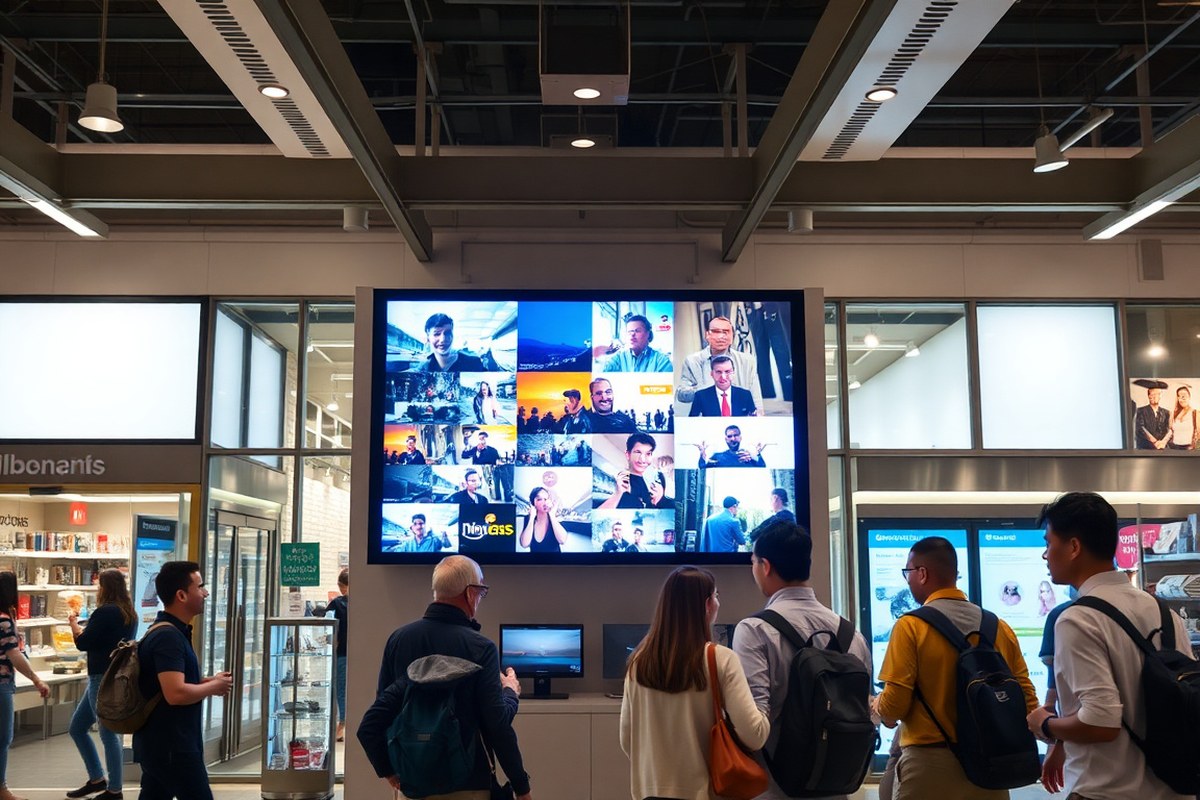
Digital Sign Ideas That Boost Engagement: 8 Proven Content Strategies
Digital sign ideas matter because compelling content grabs attention and boosts engagement fast. Use dynamic, updated visuals that fit your audience and industry to make an immediate impact. Start by prioritizing content that’s easy to process quickly, like bold images or brief key messages, to draw viewers in.
Key Takeaways
- Use dynamic, frequently updated content to increase viewer engagement by over 60% compared to static screens.
- Include a mix of primary (60%), secondary (30%), and tertiary (10%) content to balance core messages with support and specialty topics.
- Tailor digital sign content to your specific industry for maximum relevance and viewer connection.
- Incorporate user-generated content (UGC) to boost engagement by nearly 7 times more than brand-only content.
- Prioritize concise, visually striking messages to capture attention within seconds of a viewer passing by.
- Use motion media alongside static images, aiming for about 80% of content to be familiar formats your team produces.
1. Best Digital Sign Content Types for Every Industry

Choosing the right digital sign content depends heavily on the industry and audience you want to engage. Content that works well in retail often focuses on promotions and visual appeal to drive sales, while corporate environments benefit from internal communications and recognition displays. Educational institutions require content that supports learning and navigation, and healthcare settings need health tips, schedules, and safety information. Public spaces demand community announcements, wayfinding, and event promotion. Each industry has unique goals and audience expectations that shape the ideal content mix.
Practical implementation means balancing different content types and planning update frequency based on setting and traffic patterns. Retail signs typically update daily or weekly with sales and offers, while corporate signs may feature slower-changing content like employee achievements or quarterly reports. Educational content should rotate with the academic calendar, and healthcare digital signs must prioritize timely safety updates. Blending multiple content types creates a dynamic experience that keeps viewers engaged and informed.
| Industry | Key Content Types | Purpose | Update Frequency | Typical Duration |
|---|---|---|---|---|
| Retail | Promotions, New Arrivals, Brand Stories, Reviews, Visual Displays | Drive sales and attract customers | Daily to Weekly | 30 seconds to 2 minutes per content loop |
| Corporate | Employee Recognition, Internal News, Performance Metrics, Event Alerts | Boost morale and streamline communication | Weekly to Monthly | 1 to 3 minutes per content segment |
| Education | Schedules, Event Announcements, Learning Tips, Wayfinding, Achievements | Support students and staff with info and motivation | Daily with seasonal updates | 30 seconds to 1 minute per item |
| Healthcare | Health Tips, Appointment Reminders, Safety Updates, Staff Recognition | Improve patient experience and safety compliance | Daily to Weekly | 15 to 60 seconds per message |
| Public Spaces | Community News, Wayfinding, Event Promotion, Weather Alerts | Inform and guide visitors, promote engagement | Hourly to Daily | 20 seconds to 1 minute per display |
Plan your content by first identifying your audience’s needs and behavior patterns, then choosing the content types that address those needs. In retail, highlighting time-sensitive offers helps motivate shoppers quickly, so frequent updates keep the signage relevant. Corporate settings often require longer notice for announcements, so less frequent updates with richer content work better. Educational settings benefit from tightly scheduled content aligned with classes and events, making daily refreshes optimal. Healthcare environments must emphasize clarity and brevity to convey critical information effectively, helping prevent confusion or missed messages. Public settings rely on a steady stream of fresh content to maintain interest throughout the day.
Good results show increased engagement, measured by longer viewing times or positive feedback. Watch for common issues like content overload, poor timing, or irrelevant messages that cause viewers to tune out. Frequent rotation and variety across industries keep digital signs from becoming stale while serving each audience’s distinct needs with appropriate messaging and tone.
2. How to Craft Digital Sign Content That Captures Attention Quickly

For digital signage content to grab attention fast, use large, clear fonts with high contrast colors and limit text to a few impactful words. Motion and video should be used strategically depending on where the sign is located and how long viewers will look at it. Well-planned design keeps messages readable and engaging within the short time viewers spend glancing at signs.
Font Size and Visibility Best Practices
Choose font sizes that directly relate to the viewing distance and dwell time. For signs in busy areas like corridors where viewers pass quickly, text should be at least 72 points or larger, with 3 to 7 words total. For lobbies or waiting rooms where viewers have more time, fonts can be smaller, around 48 to 60 points, and allow for a full message per slide.
Simple, sans-serif fonts such as Arial, Helvetica, or Verdana improve readability from a distance. Avoid decorative or script fonts that slow comprehension. All text must meet accessibility standards, meaning it should be easily readable from the furthest expected viewing spot without straining the eyes.
Effective Use of Color and Contrast
Use high-contrast color combinations to ensure text stands out clearly from background images or colors. Dark text on a light background or light text on a dark background works best. A minimum contrast ratio of 4.5:1 between text and background supports accessibility and visibility in varying lighting conditions.
Limit your palette to 2 or 3 complementary colors for a clean and professional look. Avoid using colors that clash or are too similar in brightness, which reduces legibility. In retail or promotional settings, incorporating brand colors helps boost recognition and trust, but always keep contrast in mind.
Test your color contrast on actual screens and lighting setups to avoid visibility issues before deployment.
Balancing Motion and Static Content
Motion and video increase engagement by making screens 10 times more likely to be noticed compared to static content. Use motion in locations where viewers can focus for at least 5 to 15 seconds, like retail aisles or waiting rooms. Short animated elements or video snippets can highlight promotions effectively in these zones.
Static or simple motion content is best in high-traffic areas with dwell times under 2 seconds, such as transit hubs or busy corridors. Here, quick, punchy text with a single image draws attention without overwhelming viewers. Incorporate QR codes for further information when dwell time is limited.
- Use video clips in lobbies or waiting areas with dwell times over 10 seconds
- Limit text to a headline plus one supporting visual in retail or checkout areas
- Keep static images with minimal text in fast-moving locations for 2 seconds max
- Employ looping short motion graphics to maintain attention without distraction
- Reserve full-screen dynamic videos for special promotions or announcements
- Match screen orientation (portrait vs. Landscape) to the type of content displayed
Motion files generally require higher production effort and bandwidth; prepare to invest in good quality video (1080p MP4 at 8, 10 Mbps) to avoid blurry or lagging playback. Regularly refresh dynamic content to maintain viewer interest and maximize impact.
3. Mixing Content Types: The Right Balance for Maximum Impact
Balancing different types of digital sign content is key to keeping your displays engaging and relevant. Aim for about 70% evergreen content, which remains useful and appealing over long periods, like brand messages or core product info. This steady baseline keeps your messaging consistent and reduces the workload of frequent updates. Reserve roughly 20% for seasonal or cyclical content that ties into holidays, promotions, or industry events, adding dynamic appeal when relevance spikes. The remaining 10% should be urgent or live content, such as real-time updates, important alerts, or social media feeds, to capture immediate attention without overwhelming viewers.
Promotional content can fit within these categories but is often counted as a separate focus. Allocating about 30% of your total display time to promotional messages, special offers, new product announcements, or calls to action, helps drive sales and engagement. Complement this with 20% social or brand content, like customer testimonials, user-generated content (UGC), or behind-the-scenes glimpses, to build trust and connection. The last 10% might feature live or triggered content such as dashboards or contextual messaging that responds to environmental cues or real-time data.
| Content Type | Recommended Percentage | Main Purpose |
|---|---|---|
| Evergreen | ~70% | Consistent messaging, brand identity, foundational info |
| Seasonal/Cyclical | ~20% | Timely relevance, holiday/event tie-ins |
| Urgent/Live | ~10% | Real-time updates, immediate calls to action |
| Promotional | ~30% | Offers, product launches, sales pushes |
| Social/Brand | ~20% | Customer stories, UGC, brand engagement |
To prioritize urgent or timely content without overwhelming your audience, limit its screen time and rotate it regularly. For example, dedicate just one out of every ten rotations to live or triggered messages. Review which urgent messages require immediate attention, then schedule less critical ones during lower-traffic times. Use automation features on your digital signage platform to trigger real-time content only when relevant, such as displaying weather alerts or social media walls during peak hours.
Staff bandwidth plays a major role in content freshness. Relying on busy team members risks stagnation. Designate responsibility for updates or outsource content management to keep your mix on track. The right platform should easily support multiple content types and flexible scheduling, so pick one aligned with your primary content mix and update frequency. Testing displays for dwell time, particularly in high-traffic retail areas, helps confirm your balance works; short user attention (0.7 to 0.9 seconds) calls for concise, impactful content blocks.
4. Interactive Digital Sign Ideas That Drive Engagement
Interactive digital signs engage audiences by inviting direct participation. Common formats include touchscreens, kiosks, quizzes, and real-time information feeds, which boost user interest and provide dynamic communication. Designing these interfaces for ease of use and relevance is important to maintain engagement and encourage return visits.
Types of Interactive Displays and Their Uses
Touchscreen displays let users navigate menus, access product details, or complete transactions. Kiosks often serve as information points in lobbies, retail spaces, or event venues, offering wayfinding, check-in, or customer feedback functions. Quizzes and surveys turn passive viewers into active participants, increasing retention and brand affinity.
Real-time info feeds deliver constantly updated content like weather, news, or social media, making screens feel fresh and relevant. Combining these options often creates a richer experience, such as a touchscreen quiz feeding results to a live leaderboard. Selecting the right type depends on your audience’s needs and your communication goals.
Design Tips for Usable Interactive Interfaces
Simplicity drives adoption, so organize content into clear categories or steps. Use large buttons and intuitive icons to reduce learning time. Accessibility is key, ensure legible fonts, high contrast colors, and reachable touchpoints for users of all abilities. Avoid lengthy text blocks or complicated navigation menus.
- Limit interaction depth to three or four screens maximum
- Provide clear on-screen instructions and feedback after actions
- Test interactions on multiple devices and lighting environments
- Incorporate a timeout feature that returns to the home screen after inactivity
- Use consistent layout and branding for familiarity across locations
Development and installation costs range widely, with basic kiosks starting around $1,000 and custom interactive screens potentially costing several thousand dollars depending on size and software. Regular software updates ensure security and smooth user experiences. Monitoring interaction logs helps detect and fix usability issues promptly.
Examples of Real-Time Interactive Content
Live polls displayed on a touchscreen encourage instant feedback during conferences or store promotions. Real-time dashboards can show operational metrics or social media trends embedded within lobby kiosks, keeping content timely and informative. Location-specific weather or transit updates provide practical value in transit hubs or office buildings.
Integrating services such as Power BI or social media feeds through apps allows content managers to automate updates without manual intervention. Seasonal campaigns can link interactive quizzes to promotions that expire dynamically, increasing urgency and user motivation.
5. Measuring Digital Sign Effectiveness: Key Metrics and Methods
Tracking the success of your digital signs hinges on clear key performance indicators (KPIs) and tools that measure viewer engagement and sales impact. Common KPIs include content interaction rates, screen dwell time, sales uplift during campaigns, and overall audience reach. These metrics help determine which messages resonate and how your digital signage influences behavior.
Most digital signage platforms offer built-in analytics that reveal which content performs best by showing data such as time spent viewing, interactions with interactive screens, and response rates to promotions. Using these insights, you can tailor content schedules, improve message clarity, and align displays with targeted audience segments. For example, displaying a sales board to your sales team while showing customer-focused promotions in retail areas lets you measure impact from different angles. To optimize your digital signage, follow these practical steps to measure effectiveness and adjust accordingly:
- Define clear success metrics: Decide which KPIs matter most for your goals, views, clicks, conversions, or sales increases, before launching content.
- Implement analytics tools: Use your digital signage platform’s dashboard to collect data on screen usage, interaction levels, and time spent on each message.
- Segment your audience and screens: Determine which locations or groups see specific content, allowing you to compare performance across different displays or demographics.
- Monitor sales during campaigns: Track sales numbers tied to promotional periods to see direct impact from your signage.
- Analyze engagement patterns: Look for trends such as peak viewing times, popular content formats, or ignored messages to guide content adjustments.
- Test and iterate: Run A/B tests with different content versions or schedules to identify what drives higher engagement and sales.
- Share results with teams: Use dashboards to inform sales, marketing, and operations teams, improving business-wide alignment on digital sign efforts.
- Adjust content regularly: Refresh visuals and update data to prevent signage fatigue and maintain viewer interest over time.
Don’t rely solely on impressions; measuring actual interaction and sales impact provides a clearer view of digital sign success and guides smarter content decisions.
6. Essential Emergency and Safety Content for Digital Signs
Emergency and safety content on digital signs is critical for providing timely information during urgent situations. Such content should include alerts about fires, severe weather, lockdowns, evacuations, hazardous materials, and health notices like contagious disease outbreaks. Including clear instructions on what to do next, like “Exit Building Immediately” or “Proceed to Safe Area,” helps ensure people respond appropriately. Digital signs give you the ability to deliver immediate updates, important when seconds matter.
Integrating real-time alerts involves connecting your digital signage system to official notification services or internal security systems. This connection enables automatic triggering of messages once an emergency is detected, removing delays from manual updates. For example, linking with a campus alert system can instantly push lockdown notifications to screens across hallways and common areas. Maintaining on-premise control of your signage ensures you can override or customize messages depending on the situation, preserving flexibility and reliability without relying solely on external internet connections.
Wayfinding content is equally important in emergencies and daily safety communication. Display clear, dynamic maps that show safe exit routes, shelter locations, and assembly points. You can program signs to adjust paths based on current hazards, like blocked corridors or fire zones, improving evacuation efficiency. In non-emergency times, these maps assist visitors or new employees in navigating complex facilities safely, reducing confusion and risk. Use a checklist to prepare your emergency digital signage content: include essential messages for common emergencies your location faces, ensure message clarity with simple language and large fonts, verify time stamps and updates are displayed, and test integration with alerting systems regularly. Keeping templates ready speeds up deployment; for instance, a lockdown alert template might read:
“Attention: This is a lockdown alert. Secure your location immediately. Do not leave your room until the all-clear is given. Follow instructions from safety personnel.”
Templates should be short, direct, and standardized to avoid confusion under stress. Refresh your content periodically and conduct drills to confirm the signs display correctly and that people respond as expected.
Costs vary depending on system complexity. Basic on-premise digital signage setups start around $1,000 for hardware and software, with ongoing maintenance costs. Adding integrations for real-time alerts may require extra investment in compatible software and connection to alert services. The payoff comes from increased safety and compliance with OSHA, NFPA, or local fire codes that call for clear emergency communication methods within workplaces and public spaces.
Good results mean people have clear directions during emergencies, leading to faster evacuations and fewer injuries. Signs should update smoothly without delays or errors. Problems arise if messages are cluttered, inconsistent, or too technical to understand quickly. Avoid overwhelming screens with unrelated content during an emergency to ensure important messages remain visible.
Different environments require tailored approaches. A corporate office might focus on internal drills and lockdown instructions, while a university campus emphasizes crowd movement and shelter locations. Retail stores need quick alerts for hazards like spills or suspicious activity along with exit instructions. Adapting your digital sign emergency and safety content to fit the audience and building layout maximizes effectiveness and helps save lives.
7. Creative Promotional and Social Content Ideas
Using promotions, customer testimonials, user-generated content (UGC), and social walls on your digital signs can significantly increase customer engagement and loyalty. These types of content build trust, encourage repeat visits, and make your brand feel more personal and interactive.
Incorporating Customer Testimonials
Customer testimonials work well because they provide social proof, showing potential customers that others value your product or service. Use short, specific quotes paired with the customer’s name and photo if possible to boost credibility. Rotate different testimonials every 15 to 30 seconds to keep content fresh and engaging, especially in waiting areas or lobbies. A simple template for displaying a testimonial might be:
“‘[Customer’s positive statement about product/service]’, [Customer Name], [Optional: Location or Job Title]”.
Choose testimonials that highlight different benefits. Avoid overly long or vague statements. Also, confirm you have permission to use each testimonial publicly. Risk of lost trust arises if customers feel fake or overly scripted reviews are shown.
Using User-Generated Content on Screens
User-generated content (UGC) can take many forms such as photos, videos, social media posts, or reviews created by your customers. This content builds engagement by making customers feel involved and demonstrates real interactions with your brand. For digital signs, pick high-quality, authentic content that fits your brand’s tone and displays well on screen. Best practices for integrating UGC include:
- Setting up a branded hashtag for customers to use on social media
- Regularly curating content aligned with your promotional goals
- Moderating submissions to avoid inappropriate or off-brand posts
- Displaying content in a dynamic, visually appealing format with clear attribution
- Combining UGC with calls to action or loyalty prompts
For example, a restaurant can show Instagram posts with photos tagged #YourRestaurantName along with quick captions or reviews. This approach often costs little beyond staff time and can increase foot traffic by showing vibrant customer experiences.
Running Seasonal and Time-Limited Promotions
Promotions and coupon codes displayed on digital signs encourage immediate customer action and can boost sales during slow periods or special events. Use eye-catching graphics, contrasting colors, and countdown timers to create urgency. Position promotion signs where customers make purchase decisions, like checkout areas or near featured products.
The timing and frequency of promotion displays depend on the offer length. Rotate shorter promotions every day or week, while seasonal campaigns can span several weeks. Clearly state coupon codes or redemption instructions to avoid confusion and frustration.
Here’s a simple promotional message template for digital signs:
“Save 20% today only! Use code SUMMER20 at checkout. Offer ends at 9 PM. Don’t miss out!”
Be careful not to overuse promotions, as constant discounts can reduce perceived value. Combine promotional content with testimonials or UGC to maintain balance and reinforce trust.
8. Planning and Scheduling Digital Sign Content for Consistent Impact
Refreshing your digital sign content regularly keeps messages relevant and engaging, avoiding viewer fatigue. Ideally, update timely content daily or weekly, such as event promotions or urgent announcements. Evergreen content, like mission statements and general facility info, can remain static for months but should be reviewed quarterly to ensure accuracy. Combining these two types maintains a consistent presence while allowing room for fresh, attention-grabbing updates.
Scheduling tools play a key role in automating these updates, especially for locations where quick information sharing is essential, such as manufacturing floors or healthcare settings. Software like digital signage platforms often includes calendar features, allowing you to plan content ahead, set expiration dates, and trigger seasonal changes automatically. Automation saves time, reduces errors, and supports consistent messaging without manual intervention every day.
To organize your content efficiently, use a planning template and routine checklist. A simple framework tracks content type, update frequency, scheduled display dates, and responsible team members. Regular audits help evaluate which messages perform best and when to refresh or rotate them. Good planning avoids content overload or gaps that reduce impact.
- List all content categories. Divide them into evergreen (e.g., company values, FAQs) and timely (e.g., promotions, safety alerts) to balance updates.
- Establish update frequency. Assign evergreen updates quarterly and timely content daily to weekly based on urgency and relevance.
- Use a digital calendar or signage software. Input all content with start and end dates, linking to files or design assets for quick access and automation.
- Create a weekly checklist. Verify scheduled content is current, update any urgent messages, and prepare upcoming seasonal or promotional campaigns.
- Assign roles. Designate who creates, approves, and publishes content to maintain accountability and avoid last-minute rushes.
- Conduct monthly performance reviews. Analyze metrics like dwell time and click rates to identify high-impact content and refine scheduling.
- Archive outdated materials. Remove or replace expired messages to prevent clutter and confusion on your screens.
Ensure urgent updates override scheduled content immediately to keep messaging accurate and responsive, especially for safety or operational changes.
Your First 30 Days: A Quick-Start Plan for Effective Digital Sign Content
Get your digital signage up and running with a solid content strategy that engages your audience from day one. Follow these steps to set your signs up for success and measure early results.
- Day 1: Choose your top three content types from industry best practices, such as promotional offers, interactive polls, or emergency alerts. Confirm they align with your business goals by reviewing immediate responses or feedback.
- Week 1: Create simple, clear content focused on quick message delivery, using bold visuals and short text. Check engagement via eye-tracking metrics or viewer dwell time if available.
- Week 2: Introduce interactive content like touchscreens or QR codes to invite customer participation. Measure success by tracking interaction rates and collected data.
- Week 3: Mix content types to balance promotional, informational, and social elements. Review which combinations get the most attention through your analytics dashboard.
- Week 4: Schedule your content to cycle regularly, accounting for time of day and audience flow. Confirm consistency by monitoring display uptime and content updates.
- End of Month: Evaluate key metrics like impressions, engagement, and conversion rates against your initial goals. Adjust your content and schedule accordingly for the next month.
Frequently Asked Questions
What Types of Digital Sign Ideas Work Best for Outdoor Advertising?
Outdoor digital signs perform best with bright, high-contrast visuals and concise messages. Use weather-resistant screens and adapt content for changing light conditions and brief viewer attention outdoors.
How Can I Use Digital Signs to Improve Customer Wait Experiences?
Display calming visuals, queue updates, and entertaining content to reduce perceived wait times. Adding interactive elements keeps customers engaged and improves satisfaction during delays.
What Are Effective Ways to Personalize Digital Sign Content for Local Audiences?
Use location data and real-time information such as weather or local events to tailor messages. Personalized content feels relevant and boosts engagement with nearby viewers.
How Often Should I Update Digital Sign Content for Maximum Impact?
Update content regularly to maintain freshness and attention, ideally weekly or biweekly. Frequent changes prevent viewer fatigue and keep your message current and relevant.
Can Digital Signs Be Integrated with Social Media Feeds Effectively?
Yes, integrating social media creates dynamic, real-time content that encourages interaction. Showcasing live posts or promotions strengthens community connection and brand presence.
What Budget Considerations Should I Keep in Mind When Planning Digital Sign Content?
Budget for content creation, scheduling software, and regular updates. High-quality visuals and professional design may cost more but improve viewer engagement and ROI.
Final Thoughts
Effective digital sign content requires a mix of clear messaging, interactive features, and timely scheduling to keep your audience engaged. Starting with targeted content that fits your industry and measuring real-world engagement will help you improve your approach quickly. Focus on one specific content type or interaction to refine first, then build from there as you learn what works best for your audience.


