What Materials Should You Not Laser Cut: A Complete Safety Guide
What materials should you not laser cut? Avoid cutting PVC, ABS, and vinyl because they release toxic gases that can harm you and damage your machine. Metals often reflect laser beams, risking laser diode damage unless you use a fiber laser designed for metal. Testing unfamiliar materials first helps prevent hazards and ensures safe, effective laser cutting.
Key Takeaways
- Never laser cut PVC, ABS, or vinyl to prevent toxic fumes and corrosive damage to your equipment.
- Standard CO2 lasers can’t cut metals; use a fiber laser if cutting metals is necessary.
- Reflective metals can reflect up to 100% of laser energy, risking laser diode damage.
- Polycarbonate and certain plastics are difficult to cut cleanly because they resist laser penetration.
- Foam and wood products can catch fire or explode; ensure proper ventilation and lower laser power.
- Composite and fiberglass materials produce hazardous dust and fumes; use protective gear and extractors.
Materials You Should Never Laser Cut
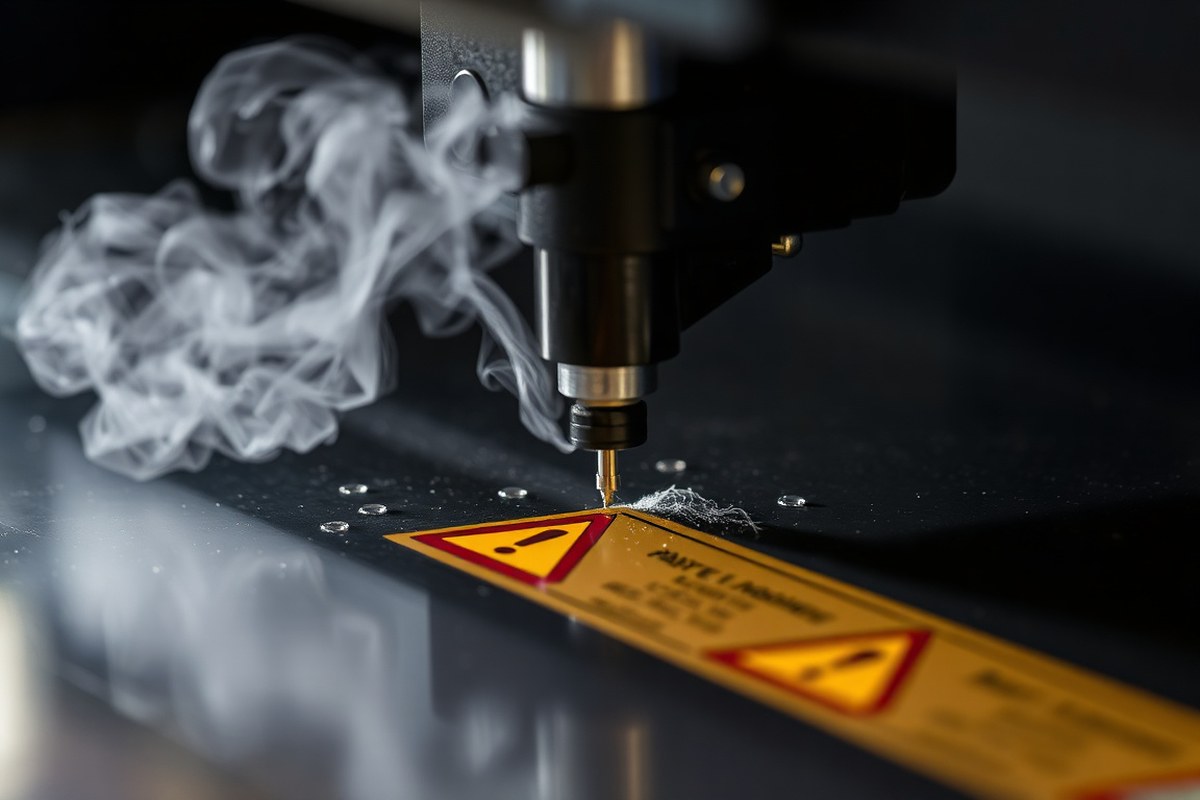
Some materials should never go near a laser cutter due to the serious dangers they present. The most critical materials to avoid include PVC, ABS, polycarbonate, and any plastics containing chlorine or halogens. When cut with a laser, these substances release highly toxic gases such as hydrochloric acid and other corrosive fumes. These gases can not only harm your health but also damage the laser machine’s internal components, leading to costly repairs or permanent failure.
PVC, for instance, is especially hazardous because its chlorine content produces sharply acidic fumes that corrode optic lenses and metal parts inside the laser cutter. ABS plastics behave similarly, generating harmful vapors as they melt under the laser beam. Polycarbonate does not release chlorine but melts badly and produces thick smoke and fumes that are difficult to ventilate effectively. Attempting to laser cut these materials risks both personal safety and the longevity of your equipment, making them totally unsuitable.
Other materials to avoid include coated or laminated media containing vinyl or other plastics with hazardous additives. Some rubber sheets are safe if specifically made for laser cutting without chlorine; otherwise, cutting rubber can emit dangerous chemicals and excessive smoke. Carbon fiber mats coated with epoxy resin should also be skipped since epoxy fumes cause toxic exposure and leave residues clogging the machine.
Flammable materials with unknown or mixed compositions can produce unpredictable emissions and increase fire risks. Even materials that seem safe, like leather or fabrics, require careful selection to ensure no harmful treatments or coatings are present. The safest approach is to research each material thoroughly before cutting. Confirm its composition, seek manufacturer data, and test in a well-ventilated environment using a small sample.
Plastic materials that produce harmful gases when laser cut insist on strict handling protocols. Using a proper exhaust system and respirator is essential, but prevention, by avoiding these materials entirely, is the best defense. Special coatings or additives significantly affect how materials respond and what gases are released. Choosing laser-compatible materials free from hazardous components keeps you safe and preserves your machine’s performance.
Why Cutting PVC, ABS, and Vinyl Is Hazardous
Laser cutting PVC, vinyl, and ABS plastics releases toxic gases that pose serious risks to both health and your laser cutter. PVC and vinyl contain chlorine, which turns into chlorine gas when heated by a laser. This gas is highly toxic and can cause severe lung damage if inhaled. Also, the chlorine gas reacts with moisture in the air, forming hydrochloric acid. This acid corrodes the metal frame, laser optics, and exhaust system of your cutter, leading to expensive machine damage often beyond repair.
ABS plastic releases hydrogen cyanide gas and creates a sticky residue when cut. Hydrogen cyanide is an extremely poisonous gas that affects respiratory health and can be fatal in high concentrations. The sticky residue produced by ABS settling on your laser’s mirrors and lenses reduces the laser’s efficiency and can cause the optics to clog or fail prematurely, increasing maintenance costs and downtime.
Even with strong ventilation or filtration, the hazards remain because these gases and residues are difficult to contain or neutralize fully. Ventilation may reduce exposure but can’t eliminate the corrosive effects on your machine. For example, users who accidentally cut a small piece of PVC reported immediate clouding and etching on the lens, permanently damaging the optics and requiring a costly replacement that can run hundreds of dollars.
Laser optics are expensive components that focus the beam precisely. Corrosion from hydrochloric acid etches lens surfaces, blurring the laser focus and leading to poor cut quality. Maintenance becomes costly as cleaning with inappropriate solvents may worsen the damage. The presence of sticky residues from ABS means you must dismantle your laser cutter more frequently for deeper cleaning to avoid permanent lens and mirror degradation.
This damage can develop rapidly. Even a few seconds of laser exposure to these materials can release enough corrosive gases or sticky residues to impact your equipment. Aside from the hardware, your health is at considerable risk since inhaling chlorine gas or hydrogen cyanide can cause respiratory distress, headaches, and chemical burns to mucous membranes, potentially requiring emergency treatment.
Never run test cuts on unknown plastics without verifying the material type; cutting PVC or ABS even briefly can ruin your laser optics and expose you to dangerous gases.
How Different Metals and Coatings Affect Laser Cutting Safety
Many metals cannot be safely or effectively cut with a CO2 laser due to their reflective properties. Coatings like galvanization add toxic risks when heated by lasers. Specialized lasers such as fiber lasers are required for clean, safe metal cutting. Understanding these factors helps avoid injuries, equipment damage, and poor results.
Reflective Properties of Common Metals
Most common metals reflect the infrared light in CO2 lasers, making cutting inefficient and potentially dangerous. Steel and aluminum reflect a CO2 laser beam, so they cannot be cut cleanly without a fiber laser or a marking compound. The reflectivity can cause laser energy to bounce back into the machine, risking damage to the optics and the operator’s safety.
Laser absorption coatings can be applied to highly reflective metals to convert the laser light into heat, allowing safer engraving or shallow cutting. Without these coatings, even attempting to engrave or cut bare metal on a CO2 laser poses risks and poor results.
Toxic Effects of Metal Coatings
Coated metals such as galvanized steel or painted metals expose you to toxic fumes when laser cut or engraved. Galvanization often involves zinc, which releases harmful zinc oxide fumes if heated. Paints and other coatings may contain heavy metals or chemicals that produce dangerous gases under laser heat.
Do not attempt to cut or engrave coated or galvanized metals without proper ventilation and personal protective equipment. Use lasers capable of minimal heat penetration or avoid these materials entirely to reduce risk.
Laser Types Suitable for Metal Cutting
CO2 lasers cannot cut bare metals effectively but may engrave certain coated metals like anodized aluminum. Fiber lasers operate at shorter wavelengths and can cut bare metals such as steel, brass, and raw aluminum.
Fiber laser machines are expensive and larger than CO2 or diode lasers, usually making them available mainly in industrial or specialized workshop settings. If you have a CO2 or diode laser, use laser marking compounds like Cermark to engrave metal safely without a fiber laser. Diode and CO2 lasers excel at cutting organic materials like wood or leather but are not suitable for cutting metals. Below is a comparison of common laser types, materials they cut, and relevant cautions for metal cutting:
| Laser Type | Metal Cutting Capability | Suitable Metals | Special Requirements | Common Uses |
|---|---|---|---|---|
| CO2 Laser | No (only engraving) | Anodized aluminum, coated metals | Laser marking compound needed for bare metal | Wood, leather, acrylic, coated metals engraving |
| Diode Laser | No (only engraving) | Similar to CO2: anodized aluminum, coated metals | Laser marking compounds like Cermark | Cardboard, paper, wood, fabric, coated metals engraving |
| Fiber Laser | Yes (efficient cutting) | Bare metals: steel, brass, aluminum | High power, large machine, industrial use | Metal cutting and deep engraving |
Using the right laser type and preparation ensures safer operation and higher quality results. Attempting metal cutting with an unsuitable CO2 or diode laser increases fire hazards, toxic exposure, and equipment damage risks.
Why Polycarbonate and Certain Plastics Are Difficult to Laser Cut
Polycarbonate and certain plastics like acrylic and PETG are challenging to laser cut because they behave differently under the laser’s heat. Unlike materials that vaporize cleanly, polycarbonate tends to melt before it cuts. This melting causes edges that are uneven, rough, and often scorched. The melted plastic also produces heavy smoke, which can stain your machine’s optics and create a sticky residue that requires frequent cleaning.
Laser cutting works best when the laser energy vaporizes the material, turning it directly from solid to gas. When plastics like polycarbonate absorb too much heat without vaporizing, the melted blobs solidify as the material cools. This process leads to poor cut quality and can clog the machine’s exhaust system. The smoke released contains fumes harmful to breathe and complicates maintaining air filtration systems.
Materials with a high melting point and good laser absorption, such as acrylic, cut much cleaner because the laser beam can vaporize the plastic with little melting. Polycarbonate reflects a significant portion of the laser’s energy and absorbs it poorly, further limiting cutting efficiency. This reflection can reduce cutting speed or prevent a full cut at all, forcing you to run multiple passes that increase melting and damaging effects.
- Polycarbonate melts around 428°F (220°C) rather than vaporizing cleanly.
- It produces heavy smoke and toxic fumes when cut by a laser.
- Reflects much of the diode laser beam’s energy, reducing cutting effectiveness.
- Leaves rough, melted edges that require sanding or finishing.
- Creates residue that can stick to lens and mirrors, requiring frequent cleaning.
- Other problematic plastics include PETG and some flexible plastics that melt rather than cut.
For clean laser cuts on plastics, acrylic is the preferred alternative. Acrylic cuts smoothly at thicknesses up to about 0.25 inches (6 mm) and produces crisp edges with minimal residue. If you need a strong, impact-resistant material, consider machining or CNC routing polycarbonate instead of laser cutting. Using a mechanical process avoids the melting and smoke issues that come with lasers. Testing small samples before committing to a project is essential, especially with unfamiliar plastics or composite materials. This approach saves time, avoids damage to your laser cutter, and ensures better results.
Fire and Explosion Hazards When Cutting Foam and Wood Products
Foam materials like PolyStyrene and PolyPropylene are prone to catching fire quickly when exposed to a laser beam. These foams ignite because their chemical structure is highly flammable, which poses a significant fire hazard during laser cutting. It’s best to avoid cutting these types of foam altogether or use alternative methods for shaping them. Other foam types may produce thick smoke or soot, reducing air quality and requiring strong ventilation.
Wood-based materials generally cut well with CO2 lasers, but there are risks tied to the glue and resin content. Plywood and similar composite woods contain adhesives that can ignite or cause excessive smoke. The resin and oils naturally present in some woods can also increase ignition risks. Cutting thicker wood (up to about ¾ inch) demands careful power settings and airflow to prevent flame-up or charring. Medium Density Fiberboard (MDF) in particular creates more smoke and fine debris, which can clog your laser’s ventilation system.
Managing the risks involves a series of practical steps to keep the fire hazard low. Consistent monitoring during cuts is essential; never leave the laser unattended when wood or foam is being processed. Strong ventilation and a clean laser cabinet help remove smoke and particulates, reducing the chance of flame spread. Adjusting laser power and cutting speed helps avoid unnecessary combustion, especially for glued edges or resin-rich woods. Having a fire extinguisher rated for electrical fires nearby adds a layer of safety.
- Use low to moderate laser power suitable for your material thickness.
- Test small samples before full jobs to observe smoke and ignition behavior.
- Keep the laser chamber and surrounding area free of dust and scraps.
- Ensure your exhaust system removes smoke efficiently to avoid soot buildup.
- Have a fire extinguisher and smoke detector close to your workspace.
- Limit cutting time on dense or resinous woods to reduce heat concentration.
- Never cut PolyStyrene or PolyPropylene foam using a laser.
Never leave your laser cutter unattended when working with foam or wood products, as flames can develop rapidly despite precautions.
For hobbyists using a 90W CO2 laser, cutting up to 20mm thick solid wood is possible but requires careful adjustment of speed and power to avoid fire. Diode lasers only handle thinner sheets safely, so more caution is needed. Checking the glue type and wood composition before starting a cut prevents surprises during long runs. Keeping materials clean from oils and resin also lowers fire risks, improving the quality of engraving or cutting while protecting your machine.
Handling Composite and Fiberglass Materials Safely
Laser cutting composite materials like carbon fiber and fiberglass generates hazardous dust and fumes that can seriously harm your lungs and damage your equipment. Handling these materials requires strict protective measures and an understanding of which composites to avoid entirely to maintain safety and achieve the best results.
Types of Composite Materials
Composite materials combine fibers like carbon or glass with a resin binder, creating strong but complex substances. Carbon fiber and fiberglass are common in hobby and small business projects, but they behave very differently under laser cutting. Fiberglass includes glass fibers in a resin matrix, while carbon fiber consists of carbon strands bonded by resins. Both materials often have surface coatings or paint that can add to cutting risks.
Some composites like acrylic-based composites are safer since acrylic cuts cleanly with minimal fumes, making them widely suitable for laser cutting. Avoid composites with unknown or flame-retardant coatings, highly resin-rich materials, or those embedded with metallic elements, as they could release toxic gases or damage your cutter.
| Composite Type | Composition | Laser Cutting Risks |
|---|---|---|
| Carbon Fiber (uncoated) | Carbon strands + resin | Harmful fine dust/fibers; frayed edges; lung hazard |
| Fiberglass | Glass fibers + resin | Toxic fumes; sharp glass dust; lung and skin irritant |
| Acrylic Composites | Acrylic base | Clean edges; minimal fumes |
| Resin-Rich Composites (unknown) | Variable | Potentially toxic fumes; equipment damage |
| Coated/Flame-Retardant Composites | Various coatings over fibers | Unpredictable toxic gas release; cutting inconsistency |
Knowing the exact composite type and any surface treatments is critical before cutting. Most laser cutters cannot safely handle resin-rich or coated composites due to chemical reactions and toxic byproducts.
Fumes and Dust Generated
Carbon fiber cutting produces extremely fine dust and fibers that can linger in the air and penetrate deeply into the lungs, causing respiratory problems. Fiberglass dust contains sharp glass particles and toxic resin chemicals that pose skin and lung risks. Both materials release fumes from burning resins, often containing volatile organic compounds (VOCs) and other harmful gases.
The dust from these composites is hazardous to breathe, and fumes can irritate eyes and respiratory tissues. Laser cutting with inadequate ventilation or no dust capture increases the risk of long-term health damage. These materials also cause particulate buildup inside the laser cutter, risking equipment failure or damage.
Recommended Safety Measures
Protect your health and machine when cutting carbon fiber, fiberglass, or similar composites by following these measures:
- Use Proper Ventilation: Always cut in a space with high-efficiency fume extraction systems. A vacuum with a HEPA filter is essential for capturing fine dust and fibers.
- Wear Respiratory Protection: Use an N95 or P100 respirator to avoid inhaling fibers and fumes. Ordinary dust masks provide insufficient protection.
- Wear Protective Clothing and Gloves: Gloves prevent skin irritation from fibers, and long sleeves reduce skin exposure to irritants in smoke and dust.
- Confirm Material Composition: Only cut composites verified as safe. Avoid coated, flame-retardant, or unknown resin composites unless you have professional equipment and expertise.
- Clean Equipment Frequently: After cutting composites, clean inside your laser cutter to remove dust buildup and prevent damage.
Perform tests on scrap pieces under controlled conditions before full cutting jobs to evaluate fumes, dust, cutting quality, and edge condition. This can reveal whether the composite reacts poorly to your laser’s heat or emits dangerous fumes. The costs include buying a fume extractor or mask, which range from $100 to over $500 for quality systems, protecting your health over time.
Choosing Safe Materials and When to Run Tests First
Deciding if a new material is safe to laser cut requires careful research, a visual and chemical check, followed by a controlled test cut. This step-by-step method helps identify potential hazards like toxic fumes, poor cutting results, or fire risks before committing to full projects. Using a checklist and a small-scale test limits exposure and protects your machine and workspace.
Initial Material Research
Start by consulting the material’s datasheet or manufacturer’s specifications to see if laser cutting is recommended or explicitly warned against. Confirm your laser cutter’s capabilities match the material thickness and type. When dealing with uncommon materials or unclear data, seek out online user reviews or get advice directly from suppliers. When safety information is not available, prioritizing materials known to cut safely, like acrylic, reduces risk. Selecting well-documented materials speeds up your project and avoids hidden dangers.
Visual Inspection and Composition Check
Before cutting, inspect the material for coatings, adhesives, or printed surface layers that may release harmful fumes or leave residue. Avoid materials with unknown dyes, plasticizers, or additives. Look for any smell or residue that hints at PVC, vinyl, or ABS, which are hazardous to laser cut. Cross-check label information for phrases like “contains PVC” or “vinyl-backed.” Using a simple composition test kit or consulting the supplier can also clarify unknown elements. Clear identification of chemical makeup prevents exposure to toxic gases and damage to your equipment.
Conducting Small Test Cuts Safely
Start with a small test cut using proper ventilation, personal protective gear, and exhaust filtration. Adjust your laser power and speed gradually, observing how the material responds. Note any smoke, discoloration, or uneven edges, and stop right away if you detect strong fumes or sparks. Keep track of cut quality and residue to guide your future settings.
- Choose a small scrap piece, about 2 to 3 inches square, from the material you want to test.
- Place the scrap inside a laser cutter with a functioning exhaust system and filtration, ideally a HEPA filter with activated carbon.
- Set the laser power to 10, 20% of your maximum and use the slowest recommended cutting speed for the material thickness.
- Run a simple cut or engraving pattern to observe how the material reacts.
- Check for excessive smoke, discoloration, or signs of melting and warping immediately after the cut.
- Smell the ventilation exhaust carefully to detect any chemical odors, stop if you sense anything unusual or uncomfortable.
- Examine the cut edges closely for clean lines versus rough or melted areas.
- Dispose of the scrap safely and clean your laser cutter to avoid residue buildup.
Essential Safety Practices to Protect Yourself and Your Machine
Ventilation is essential when laser cutting any material that produces fumes, smoke, or gases. Without proper air extraction, hazardous substances can accumulate in your workspace, risking both your health and the laser cutter’s longevity. OSHA recommends maintaining adequate ventilation to keep exposure to harmful vapors below safety limits. Using a dedicated laser fume extractor is the most effective way to achieve this. For compact or desktop laser cutters, the Fumeclear XL-300 Laser Fume Extractor offers a practical and affordable solution, while larger workshops with multiple processing needs might benefit from the Fumeclear FC-350 model, which handles soldering, engraving, and cutting fumes efficiently.
Protective gear is another critical element of staying safe. Always wear safety goggles designed specifically for laser operations to shield your eyes from reflected or scattered laser beams. Respiratory protection may also be necessary if ventilation can’t fully remove fumes. A high-quality mask with filters suitable for organic vapors and particulates improve safety, especially if working with materials known to emit toxic gases. Gloves are advisable if handling freshly cut items, as edges can be sharp and some residues may irritate skin.
Regular machine maintenance prevents damage and ensures safe operation. After working with hazardous materials, clean your laser cutter’s lens, mirrors, and exhaust ducts promptly to avoid corrosive deposits. Use appropriate cleaning solvents and avoid abrasive tools to protect optical components. Check filters in your fume extractor monthly and replace them according to manufacturer instructions, usually every 6 to 12 months, depending on usage intensity. Inspect belts, motors, and cooling systems regularly to detect wear or build-up that could impair performance or cause overheating. Keeping detailed maintenance logs helps track when parts were last serviced, making downtime easier to prevent.
Ventilation equipment costs vary by size and capacity, but a basic unit like the Fumeclear XL-300 typically costs around a few hundred dollars, a worthwhile investment compared to health risks or costly repairs. The proper balance of extraction speed, filter quality, and noise level is important, too low extraction allows fumes to linger, while excessive airflow may disrupt delicate cuts or blow away small parts. Place your extractor as close as possible to the cutting area to capture fumes immediately.
Always position your fume extractor’s intake port within a few inches of the laser’s cutting zone to capture fumes effectively before they spread in your workspace.
Step-by-Step Action Plan for Safe Laser Cutting
Follow these steps to avoid damage, health risks, and poor results when laser cutting materials.
- Before you begin: Review your material’s safety datasheet to identify any hazardous components. Confirm it does not contain PVC, ABS, vinyl, or other toxic elements.
- Day 1: Select materials known to be safe and compatible with your laser cutter, such as untreated wood, acrylic, or certain metals without coatings. Verify by consulting manufacturer guidelines.
- Day 2: Conduct a small test cut with your chosen material in a well-ventilated space. Check for unusual fumes, burning residues, or poor cut quality to ensure safety and effectiveness.
- Week 1: Monitor machine performance for any signs of damage or reduced efficiency after multiple cuts. Clean filters and protective covers based on your use and test results.
- Ongoing: Always wear recommended personal protective equipment like respirators and eye protection when cutting. Keep a fire extinguisher nearby, especially when working with wood, foam, or composites.
- Quarterly: Review your material inventory and update your list of approved and restricted types, revisiting safety guidelines and any new recommendations from your laser cutter’s manufacturer.
- As needed: Consult with a licensed professional or supplier if uncertain about a material’s safety, especially composites and fiberglass products. Avoid guessing safety based on appearance or similarity to other materials.
Frequently Asked Questions
Can I Laser Cut Painted or Coated Metals Safely?
Painted or coated metals can release harmful fumes and damage your laser cutter. Always remove coatings to avoid toxic gases and protect your machine from contamination.
Is It Safe to Laser Cut Composite Wood Products Like MDF?
MDF contains resins that emit dangerous fumes when laser cut. Avoid cutting composite wood without proper ventilation and testing to prevent toxic exposure and machine damage.
Can I Laser Cut Recycled Plastics or Mixed-Material Sheets?
Recycled plastics may contain unknown additives that produce toxic gases and inconsistent cuts. Avoid cutting mixed materials to prevent hazards and poor results.
Do Clear Acrylics Cut Differently Than Colored Acrylics with Laser Cutters?
Clear acrylic often requires different settings than colored versions due to light transmission. Adjust power and speed carefully to avoid melting or cracking.
Is It Possible to Laser Cut Thin Metal Sheets with a Low-Powered Laser?
Low-powered lasers usually cannot cut metal sheets; they only engrave. Use higher-powered lasers and appropriate settings for effective metal cutting.
Should I Modify My Air Assist Settings When Cutting Different Materials?
Yes, adjusting air assist helps control smoke and debris depending on material. Proper air flow improves cut quality and machine safety by reducing residue buildup.
Before You Go
Choosing the right materials is key to safe and successful laser cutting. Avoid materials that release toxic gases or cause damage, and always test unfamiliar items before full use. Take your next step by checking the safety information of your current stock and performing a test cut today.