How Much Does a CNC Router Cost? A Complete Buyer’s Guide with Pricing Insights
How much does a CNC router cost? Prices vary widely based on size, power, and features, ranging from about $1,000 for hobby models up to $75,000 or more for industrial machines. Entry-level desktop routers start around $1,500 to $5,000, while full-sheet 4×8 CNC routers commonly cost between $5,000 and $30,000. Starting with your production needs helps narrow down the right price range quickly.
Key Takeaways
- Hobby CNC routers typically cost $1,000 to $3,500, suitable for small woodworking projects.
- Small-shop CNC routers range from $5,000 to $18,000, balancing price and performance well.
- Industrial CNC routers can exceed $75,000 depending on size, speed, and automation features.
- Chinese CNC routers offer comparable quality at 30-50% lower prices than US or European brands.
- Budget an extra $1,500 to $3,000 for international shipping when importing a router.
- Clamps, router bits, and accessories can add $2,000 or more to your upfront costs.
What Is the Typical Cost Range of CNC Routers Today?
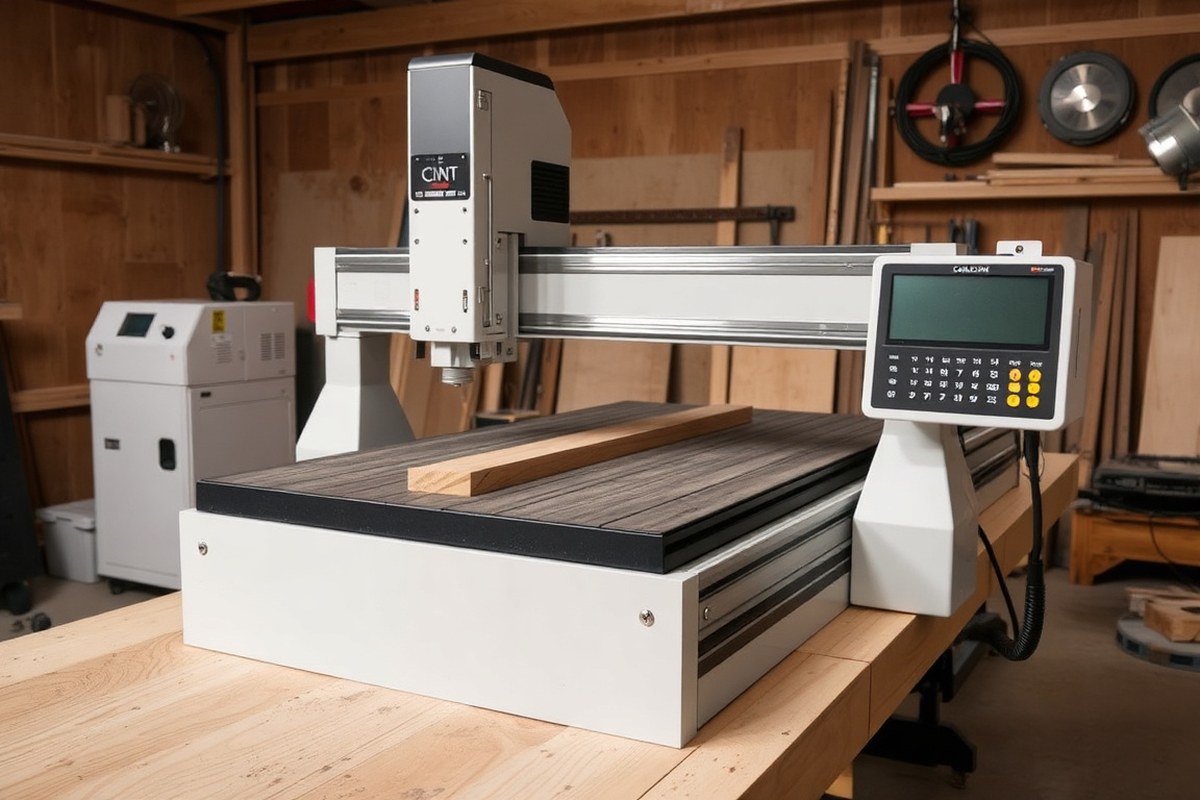
CNC routers come in a wide range of prices depending on their size, type, and intended use. Hobbyist CNC routers typically cost between $150 and $3,000. These machines are designed for beginners and hobbyists, offering basic functionality suitable for small projects. On the other end, professional routers for small to medium businesses range from $5,000 to $100,000, with advanced features for high precision and more demanding tasks. Industrial CNC routers generally start at $50,000 and can exceed $500,000, supporting large-scale manufacturing with high volume and exceptional precision capabilities.
Popular 4×8 ft CNC routers vary widely in price due to differences in spindle power, build quality, automation options, and included accessories like tool changers or vacuum tables. A typical small CNC router with a 1.5kW spindle might cost around $2,000, good for light woodworking or hobby projects. Larger, more strong machines with ATC (Automatic Tool Changers), dust collection, and vacuum tables suitable for professional woodworking or industrial applications fall in the $10,000 to $75,000 range. Machines with additional axes (4 or 5-axis) that enable rotational cutting or complex 3D shapes command even higher prices.
| Type | Price Range (USD) | Ideal For | Key Features |
|---|---|---|---|
| Hobbyist CNC Routers | $150, $3,000 | Beginners and hobbyists | Basic functionalities, small projects |
| Professional CNC Routers | $5,000, $100,000 | Small to medium businesses | High precision, advanced features |
| Industrial CNC Routers | $50,000, $500,000+ | Large-scale manufacturing | High volume, exceptional precision |
| Small CNC Router Machine | $2,000, $10,000 | DIY, small workshops, woodworking | Compact size, moderate spindle power |
| 3-Axis CNC Router Machine | $5,000, $50,000 | Furniture, signage, general carving | Standard XYZ movement |
| 4-Axis CNC Router Machine | $15,000, $80,000 | Rotational cutting, advanced engraving | Includes rotary axis for complex shapes |
| 5-Axis CNC Router Machine | $50,000, $500,000 | Complex 3D shaping, aerospace, industrial manufacturing | Full multi-axis cutting capability |
Understanding these cost ranges helps you focus on models that fit your needs and budget. Hobby-level CNC routers often have smaller tables, low spindle power (around 1.5kW), and fewer customization options. In contrast, professional and industrial machines offer larger work areas, commonly 4×8 ft or bigger, and tend to have powerful spindles (5-15 kW), rigid frames, and features such as automatic tool changers and dust collection systems. You’ll pay more for machines with these specifications because they support higher production volumes, tighter tolerances, and more material flexibility.
What Factors Influence CNC Router Prices the Most?

Several key factors influence CNC router prices, often explaining why two models that look similar can cost very different amounts. Machine size directly impacts price by 20% to 30% since larger routers require more material and powerful components to maintain accuracy across a bigger cutting area. Spindle power adds another 15% to 25%; stronger spindles enable cutting denser materials faster but add to both upfront cost and energy use. You’ll also see price variation based on rigidity and build quality, with stiffer frames and thicker steel costing 15% to 20% more but improving precision and lifespan. A machine with poor rigidity may save you money initially but lead to inaccurate cuts and more maintenance down the line.
The control system determines accuracy and user experience, influencing price by 10% to 15%. Advanced controllers with better software, touchscreens, and motion control features add cost but improve productivity. Optional features such as automatic tool changers, vacuum tables, or enclosures can increase the price by 5% to 10% each, so prioritize based on your workflow needs and budget. Lower-cost routers often use stepper motors instead of servo drives, which reduces price but may impact speed and repeatability. Knowing how each component contributes to the price helps you decide where to invest.
- Machine size: Larger cutting area increases cost by 20-30%
- Spindle power: More horsepower adds 15-25% to price
- Rigidity/build quality: Stronger frames add 15-20%, improve accuracy and lifespan
- Control system: Advanced controllers increase price by 10-15%
- Drive system: Servo drives cost more than stepper motors but offer better precision
- Optional features: ATC, vacuum tables, enclosures add 5-10% each
- Brand and origin: Machines from established brands or regions with high labor costs tend to be pricier
Prioritize spindle power and rigidity if you plan on cutting hardwood or dense materials, as these affect cutting quality most. A smaller router with a basic control system suits hobbyists or light production, saving you up to 50% on costs compared to industrial-grade setups. Confirming specifications like guideway type and backlash tolerance is essential when comparing quotes to understand what you’re paying for.
Be cautious of low-priced routers that compromise rigidity or use poorly rated components; the initial savings can lead to costly repairs and frustration.
For the best long-term value, balance upfront cost with quality build and matching features to your production needs. Machines with higher rigidity and quality drive systems tend to keep accuracy over years and reduce downtime. In contrast, low-cost models might require rebuilds or upgrades to maintain performance, increasing total ownership costs significantly.
How to Compare New vs. Used CNC Router Costs Effectively
Buying a CNC router new generally costs more upfront, but buying used can save money if you carefully inspect the machine and consider extra costs. Used CNC routers often cost 30% to 70% less than new ones, but may involve risks like reduced reliability and missing parts. Take time to review warranty terms and potential additional expenses before deciding.
New CNC Router Costs Explained
New CNC routers come with manufacturer warranties typically lasting 1 to 3 years, which cover service and support in that period. The purchase price for new routers varies widely, from around $5,000 for a basic 4×8 fixed-tool router to over $80,000 for industrial-grade models. Keep in mind that the initial price rarely includes software, tooling, setup, and training, which can add tens of thousands of dollars, pushing total ownership costs much higher.
For example, a new CNC lathe priced at $80,000 might require an additional $30,000 for tooling and software, totaling over $110,000 for initial expenses. Larger and more precise machines with servo motors and automation features cost more due to heavier frames and higher accuracy levels.
Advantages and Risks of Used CNC Machines
Used CNC routers typically cost 30% to 70% less than new machines, a significant saving especially for hobbyists and small businesses. Refurbished machines bought from reputable dealers can provide a middle ground with lower prices but some warranty protection. Buying used also allows you to invest in a bigger machine than your budget would allow for new.
However, risks include hidden wear on mechanical parts, outdated control systems, and missing accessories. Used machines might require repairs or upgrades that increase costs over time. Warranty coverage is often limited or nonexistent, so you bear more risk if the machine fails after purchase. Cheaper 4×8 machines, especially, may not meet advertised precision, so inspecting accuracy is important.
| Comparison Factor | New CNC Router | Used CNC Router |
|---|---|---|
| Typical Price Range | $5,000 to $80,000+ | 30%, 70% less than new price |
| Warranty | 1 to 3 years with full support | Usually limited or none |
| Condition and Reliability | Brand new, reliable, no wear | Possible wear, outdated parts |
| Additional Costs | Software, tooling, setup extra | Repairs, upgrades, missing parts |
| Technology Level | Current software and hardware | May be old or obsolete |
| Upgrade Potential | Often modular, with options | Depends on prior use, harder to upgrade |
Use this comparison to weigh upfront savings of used CNC routers against the potential costs and risks that follow. Each factor influences the total cost of ownership and your long-term satisfaction with the machine.
How to Inspect and Evaluate Used CNC Routers
Before buying a used CNC router, conduct a thorough inspection to avoid unexpected costs. Start with verifying the machine’s service history, including how many hours it has run, any repairs, and whether the original controller and software are included. Ask for demonstrations to check accuracy and repeatability.
- Visual and Structural Checks: Look for frame damage, corrosion, and signs of wear on rails and bearings. Inspect wiring, connectors, and the spindle for cleanliness and rust.
- Mechanical and Electrical Tests: Run motors and switches to confirm smooth motion and responsiveness. Listen for unusual noises or vibrations during operation.
- Software and Controller Review: Ensure the CNC control software is included and compatible with your systems. Check for availability of manuals or support materials.
- Accuracy and Precision Testing: Measure cuts or use test parts to verify the machine meets advertised tolerances. Low-cost routers may require more tuning here.
- Warranty and Returns: Clarify if any warranty exists and who is responsible for repairs post-sale. Consider purchasing from dealers offering limited guarantees or return policies.
Choosing to buy new makes most of these risks unnecessary, but inspecting used machines carefully can save thousands. Use a written checklist during inspection and do not rush your decision to avoid costly surprises.
What Additional Costs Should You Budget Beyond the CNC Machine?
Expect to budget at least an additional 20% to 50% of your CNC router’s purchase price for essential extras. These include tooling, software, shipping, installation, training, and ongoing maintenance. Each element adds to your total cost of ownership and has a direct impact on how quickly you reach full production capability with your machine.
Tooling typically involves router bits, tool holders, spoilboards, and potentially rotary attachments if your work demands it. For example, a $10,000 CNC wood router may require $2,000 to $5,000 in initial tooling to cover common bit types and sizes. Software costs vary widely depending on capabilities like CAD/CAM or nesting; annual licensing fees run anywhere from $500 to $3,000 or more, especially if you include integration and operator training. Factor in shipping and import fees, which can add 5% to 15% of the machine’s price. Installation and onsite commissioning often require specialist technicians and may cost between $1,000 and $4,000 depending on machine complexity and location.
- Tooling and bits: $2,000, $10,000 (one-time but cyclical replacement)
- Software licenses and upgrades: $500, $3,000 per year
- Shipping, customs, and rigging: 5%, 15% of machine price
- Installation and commissioning: $1,000, $4,000 (one-time)
- Operator training: $500, $2,000 initial, plus ongoing if staff changes
- Maintenance and repairs: $200, $500 monthly
Maintenance often includes lubrication, periodic inspections, replacement of wear parts like belts or linear guides, and software updates. A reasonable estimate for upkeep and minor repairs averages $200 to $500 per month, depending on usage intensity and machine sophistication. Downtime due to maintenance or malfunctions represents an additional indirect cost, especially if you have tight production schedules. Training is necessary to maximize efficiency and avoid costly errors; budget for at least basic startup sessions and refresher courses if you expand your staff. Here’s a worked example of your first-year CNC router investment for a $15,000 hobby-to-small-business router:
- Machine price: $15,000
- Tooling/bits: $3,000
- Software license: $1,200 annually
- Shipping and import fees (10% estimate): $1,500
- Installation and setup: $2,000
- Training: $1,000
- Maintenance for 12 months ($300/mo avg): $3,600
Total first-year outlay = $27,300, nearly doubling the purchase price once the machine is production-ready and maintained. Adjust your budget higher for larger or industrial routers, more complex tooling needs, or specialized software. Conversely, a simpler used machine with minimal software needs might reduce these costs. Ignoring these factors results in unexpected expenses, slower startup, and higher operating costs over the machine’s lifetime.
Which CNC Router Features and Upgrades Are Worth the Investment?
Investing in upgrades like automatic tool changers (ATC), vacuum tables, and additional axes can significantly improve your CNC router’s efficiency, accuracy, and versatility. Each upgrade comes with a price and performance tradeoff, so choosing the right features depends on your specific needs and budget.
ATC systems drastically reduce setup and machining time by switching tools automatically. Basic 3-axis CNC routers start around $10,000 to $100,000, and adding an ATC might add $5,000 to $15,000 depending on the number of tool stations. This upgrade makes sense for shops running complex jobs with multiple tools since it cuts down manual intervention and increases productivity.
Vacuum tables improve workholding by securing materials firmly during cutting, reducing slippage and improving precision. Vacuum systems range from $1,000 for basic hobbyist setups to $10,000 or more for industrial-grade units. You often work with sheet goods like plywood or MDF, so investing in a high-quality vacuum table can pay off by reducing setup time and improving cut quality. For smaller jobs or irregular shapes, mechanical clamps might suffice, so a vacuum table isn’t always necessary.
Moving from 3-axis to 4-axis CNC routers increases your ability to machine multi-angle parts by adding rotation on one additional axis. This usually costs between $50,000 and $200,000 for a new 4-axis machine, suitable for mid-sized production runs. A 5-axis router, starting above $200,000 and reaching up to $1,000,000 or more, allows multi-sided, complex machining with fewer setups. Although expensive, a 5-axis machine can dramatically reduce manual adjustments and improve part accuracy for aerospace or medical applications.
- ATC: speeds up production, adds $5,000, $15,000
- Vacuum table: improves material hold, $1,000, $10,000
- 4-axis upgrade: multi-angle work, adds $40,000, $150,000
- 5-axis CNC router: complex machining, $200,000, $1,000,000+
- Dust collection system: essential for industrial use, $1,000, $10,000
- Software options: can improve ease of programming and efficiency, typically $1,000, $20,000
In your decision process, consider the types of projects you typically run. In your work with simple cuts on flat panels, a 3-axis router with a vacuum table and dust system might be sufficient. For parts requiring angled cuts or rotary operations, a 4-axis upgrade could boost productivity and reduce errors. Reserve the 5-axis option for highly precise, complex work that justifies the cost and advanced programming skills.
Keep in mind that additional features often require more skilled operators and maintenance. Tools like probing systems can improve alignment but add to the initial costs. Dust and coolant management systems, though sometimes overlooked, are critical for prolonging machine life and maintaining accuracy over time.
Upgrading to additional axes or ATC makes sense only if your production volume and part complexity justify the added cost and maintenance effort.
How to Choose the Right CNC Router Size and Type for Your Budget
Choosing the right CNC router size and type depends on your specific project needs, available workspace, and budget. Matching machine capabilities to those factors ensures you don’t overspend or get a tool that can’t handle your jobs. This checklist will help you decide between desktop, mini, mid-size, and industrial options by evaluating cutting area, material type, accuracy needed, and price ranges.
Desktop and Mini CNC Routers
Desktop and mini CNC routers usually feature small cutting areas around 12″×12″ to 24″×36″. Their prices typically range from $2,000 to $7,000, making them affordable for hobbyists or small business owners working with soft woods, plastics, or light composite materials. These machines suit intricate engraving or small cuts but struggle with larger or denser materials.
DIY CNC router kits fall into this category and can be more cost-effective, especially if you have some mechanical skills. They typically cost under $2,500 but require assembly and calibration, which takes extra time and may risk accuracy if done incorrectly.
- Best for light materials like plywood, MDF, and plastics
- Small footprint fits limited or home workshop spaces
- Lower spindle power limits cutting speed and thickness
- Lower price but may need DIY setup or frequent calibration
- Good learning platform before upgrading to larger machines
- Not ideal for continuous production or thick hardwoods
Choose a desktop or mini router if your projects involve small parts, limited budget, and you accept slower cutting speeds. Avoid if you plan to work with large sheets or require industrial precision.
Mid-Size and 4×8 CNC Routers
Mid-size routers generally feature work areas from 24″×48″ up to full 4×8-foot tables, costing between $13,000 and $50,000. These machines are popular for woodworking businesses and serious hobbyists who process cabinetry components, signage, or furniture parts. Their spindles range from 3kW to 6kW, offering faster cutting and the ability to handle hardwoods and some metals.
4×8 routers also suit sheet goods like plywood and MDF perfectly, making them versatile for many woodworking projects. Maslow’s DIY 4×8 kit delivers a budget-friendly example around or under $5,000 but trades off speed and precision compared to industrial 4×8 routers priced up to $235,000.
- Work sizes accommodate standard plywood and cabinetry sheet goods
- Stronger spindles support hardwoods and soft aluminum
- Price range suits small to mid-size shops expanding production
- Offers balance of speed, accuracy, and affordability
- Some come with advanced control software for repeat jobs
- Requires more workshop space and power than mini routers
If your projects involve sheet goods or mid-size parts and you want faster production with good precision, mid-size or full 4×8 routers are a smart choice. Smaller units or kits may struggle with large jobs, while industrial models can exceed your budget.
Industrial and Specialized CNC Routers
Industrial CNC routers provide large worktables, often exceeding 5×10 feet, with powerful spindles over 6kW. Prices generally start around $50,000 and can reach $500,000 or more. These machines handle dense hardwoods, thick aluminum, composites, and can maintain high speed and accuracy for mass production.
They suit workshops producing furniture lines, aerospace components, or large-scale signage. Some specialized routers feature multi-axis capabilities or integrate with other CNC tools. These high upfront costs reflect strong build quality, reduced downtime, and advanced automation.
- Large cutting areas accommodate oversized materials
- High-power spindles for cutting dense or thick materials
- Built for continuous industrial production and durability
- Expensive upfront cost requiring dedicated workspace
- Often includes better software integration and automation
- Not cost-effective for occasional or small-batch jobs
Choose an industrial CNC router only if your throughput demands, material types, or part sizes justify the investment. Lower size or power machines may offer better returns for hobbyists or small businesses.
How to Compare CNC Router Supplier Quotations Correctly
Comparing CNC router quotations accurately means looking beyond the sticker price to understand what exactly is included and what extra costs you might face later. You should check detailed line items, clarify customization options, and ask about add-on fees to ensure true price transparency. Using a systematic approach will help you make an informed choice without unpleasant surprises.
Understanding Base Price vs Total Cost
The base price listed in a CNC router quote typically covers the machine itself, but it does not always include installation, software, or training. These additional expenses can significantly raise your total investment. A lower base price might reflect fewer included features or less vendor support, resulting in higher costs down the line.
For example, a compact CNC router may list for $8,000, but the complete setup could push costs to $12,000 once shipping, setup, and software licenses are added. Machines from different regions, like China versus Europe or the US, can have base prices differing by as much as 50%, reflecting brand reputation and local support availability. Comparing quotes fairly means matching the same machine category, workload capacity, and customization levels.
Identifying Common Hidden Charges
Quotes often exclude expenses that only appear during or after purchase, such as shipping fees, customs duties, and installation charges. Accessories like dust collection systems, tooling kits, or improve controllers sometimes cost extra even though they are essential for efficient operation. Additional hidden costs include:
- Training fees for your staff to operate or maintain the router
- Software upgrades, licenses, or compatibility modules
- After-sales service contracts or extended warranties
- Custom modifications requested after the initial quote
Ignoring these factors often leads to comparing incomplete prices, making one supplier look cheaper until final invoices arrive.
Questions to Ask Suppliers Before Buying
To avoid surprises and get the full picture, ask for a detailed quote breakdown that lists every charge explicitly. Confirm which costs are included, which are optional, and which may be added later. Understanding the vendor’s policy on installation, training, and parts warranty will help you assess true value. Use the following steps as a checklist to review quotations methodically.
- Request a detailed, itemized quote showing base price, accessories, software, shipping, installation, training, and warranty separately.
- Compare machine specifications like size, spindle power, and axis count to ensure you are evaluating similar equipment.
- Clarify what is included in the warranty and if extended service contracts are necessary.
- Ask for total lead times including manufacturing, shipping, setup, and staff training.
- Confirm support availability in your location for installation and troubleshooting.
- Check payment terms for deposits, financing options, and penalties.
- Evaluate if software licenses and upgrades are one-time or recurring costs.
- Document all responses in a comparison table to spot differences clearly.
| Cost Item | Supplier A | Supplier B | Supplier C |
|---|---|---|---|
| Base Machine Price | $10,000 | $9,500 | $10,200 |
| Shipping & Handling | $1,000 | Included | $1,200 |
| Installation & Setup | $800 | $1,000 | Not Included |
| Training | $500 | Included | $700 |
| Software License | Included | Extra $600 | Included |
| Warranty & Support | 1 Year Standard | 2 Years Standard | 1 Year Plus $300 Ext. |
What Are the Real Ongoing Costs of Owning a CNC Router?
Owning a CNC router means budgeting for more than just the purchase price. Running and maintaining the machine creates ongoing costs that typically add up to about $500 to $2,000 each month during the first year. These expenses cover routine maintenance, essential parts replacement, consumables like router bits, and software updates or licenses needed for smooth operation.
Monthly maintenance costs commonly hover around $200 if your CNC router runs roughly 10 hours daily. This includes cleaning, lubricating the machine’s moving parts, checking the spindle and belts, and tightening loose hardware. Neglecting these tasks can cause more frequent breakdowns and expensive repairs. Parts replacement costs fluctuate based on machine class and usage but generally account for $400 to $1,700 per month, adding up to $5,000 to $20,000 annually. Expect to replace worn belts, bearings, collets, and sometimes the spindle or drive components.
Consumables typically take up a large portion of your ongoing expenditure. Router bits cost between $8 and $268 each depending on material and precision, and high-usage shops might spend $400 to $4,200 monthly. Clamps and holding fixtures also wear out and must be replaced regularly to keep your cuts accurate and safe. CAM software licenses and updates usually incur an annual fee or one-time cost of $500 to $5,000, which should be factored into your yearly budget.
- Daily lubrication and cleaning of rails and bearings to prevent wear
- Monthly inspection of spindle, belts, and drive systems for signs of wear
- Quarterly replacement of consumables like router bits based on job load
- Regular updates and backups of CAM software to avoid compatibility issues
- Maintenance of dust collection systems for better air quality and machine health
- Storing the router in controlled conditions to minimize environmental damage
- Keeping a log of maintenance activities to predict part replacements and avoid unplanned stops
Regularly scheduled maintenance keeps downtime low and extends the lifespan of costly CNC components, saving money over time.
To accurately budget your CNC router’s total cost of ownership in the first year, multiply your average monthly maintenance, parts, and consumables costs by 12, then add the annual software costs. Your exact expenses will vary based on machine size, complexity, and usage hours, but tracking these categories helps avoid surprises. Allocating part of your budget for emergency repairs or upgrades can prevent workflow interruptions that impact your throughput and profits.
Your First Steps to Buying and Owning a CNC Router
Getting a CNC router set up for your projects involves planning and careful choices. Use this plan to stay on track and make sure your investment fits your needs and budget.
- Before You Buy: List your specific woodworking needs, including materials and project sizes. Confirm this list reflects your current and near-future projects to avoid overspending on unnecessary features.
- Week 1: Research new and used CNC routers in your price range. Track features, warranty terms, and seller reputations to narrow your options.
- Week 2: Request and compare detailed supplier quotes including machine price, delivery, setup, and training fees. Check that these quotes include all extra costs discussed previously.
- Week 3: Inspect or test any used machines personally or arrange for a third-party inspection. Make sure the machine runs well and has no hidden issues.
- After Purchase: Schedule machine delivery and installation with the supplier or a licensed technician. Confirm your site has the required electrical and space readiness.
- First Month of Use: Keep track of operating costs like electricity and maintenance. Compare them to your estimates and adjust your budget if needed.
- After 3 Months: Evaluate how well the CNC router meets your production goals. Consider any upgrades or training to improve performance or efficiency.
Frequently Asked Questions
How Much Does a Basic Hobby CNC Router Cost?
Basic hobby CNC routers typically cost between $1,000 and $3,500, suitable for light woodworking and small projects. Keep in mind accessories like router bits and clamps add to the total expense.
What Is the Price Difference Between CNC Routers for Small Shops and Industrial Use?
Small-shop CNC routers generally cost $5,000 to $18,000 while industrial models can range from $20,000 to over $75,000 depending on production needs and size. Industrial machines support higher volume and precision.
Are DIY CNC Router Kits Cheaper Than Pre-Assembled CNC Machines?
DIY CNC router kits start around $796 and can reach $5,600 for advanced setups, making them more affordable upfront but requiring time and skill to assemble. Pre-assembled machines cost more but are ready to use faster.
How Much Does Shipping Add to the Cost of a CNC Router?
Shipping a CNC router internationally can add about $2,000 by ocean freight or $3,000 by air or express services like FedEx. Local purchases avoid these costs but may have fewer options.
What Costs Should I Expect Beyond the Machine Price?
Beyond the CNC router, budget for tooling, like router bits costing $500 to $10,000, software licenses, maintenance, and possibly training. These can equal or exceed the initial machine cost over time.
How Does the Size of the CNC Router Table Affect the Price?
Larger CNC router tables, such as 4’x8′ or 6’x12′, typically cost more due to the bigger work area and stronger components. The size should match your projects to avoid overspending on unused space.
Key Points to Remember
Knowing all the costs involved in buying and owning a CNC router helps you avoid surprises and get the best value. Start by defining your specific needs and budget clearly to guide your purchase. Contact a few suppliers to discuss options and ask for detailed quotes that include all fees and ongoing costs. Taking these steps ensures you find a router that fits your projects and your wallet.